EasyManua.ls Logo

Bodyguard T300 - User Manual

Default Icon
30 pages
Print Icon
To Next Page IconTo Next Page
Loading...
T280P – T280C – T300
TREADMILLS
OWNER’S MANUAL
Part no: 691022
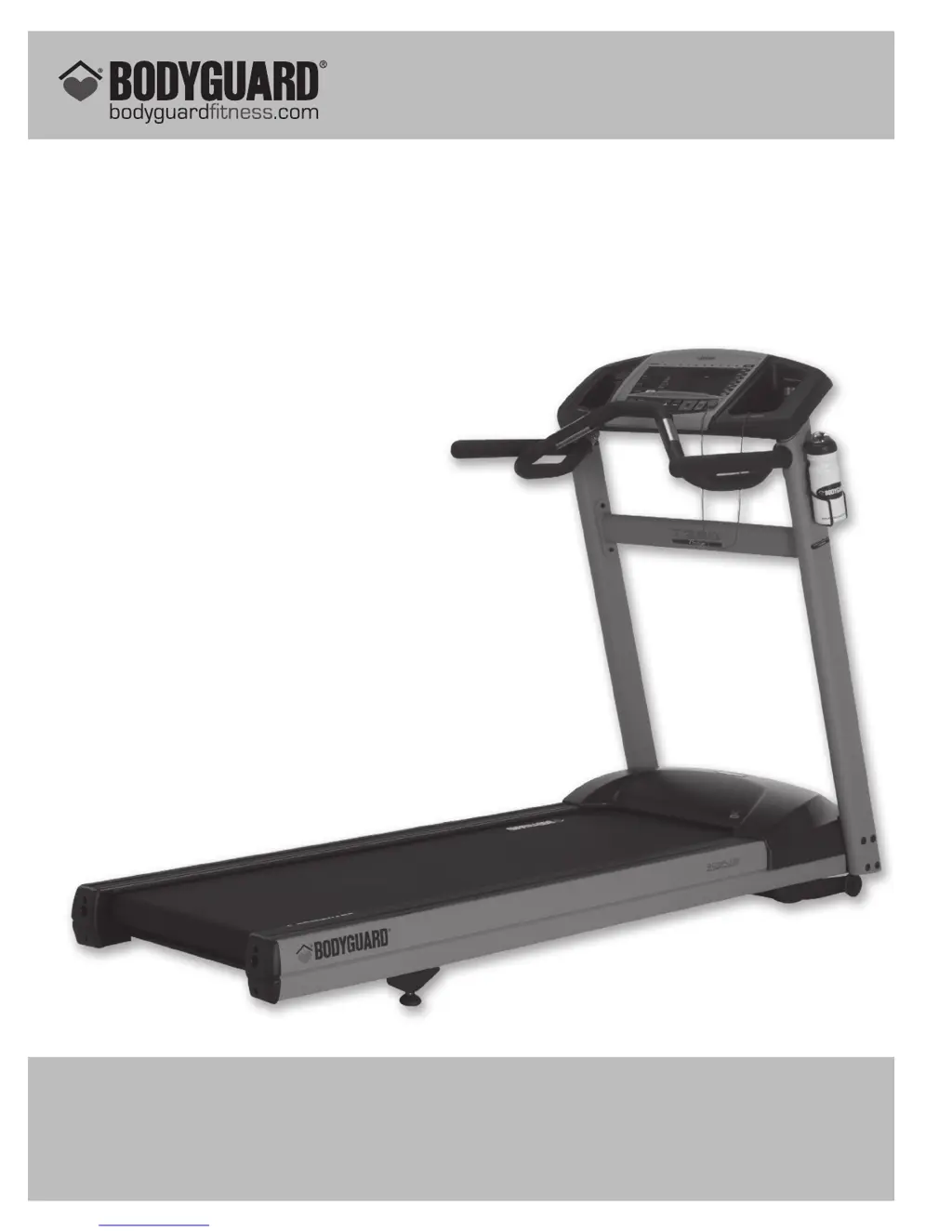
T280P illustrated
BODYGUARD
®
FITNESS,
division of Procycle CANADA
9095, 25
th
Avenue, Saint-Georges (Québec) Canada G6A 1A1
The name “Bodyguard Fitness
®
” and heart logo are registered trademarks of Procycle Group Inc.

Questions and Answers

Summary

Important Safety Notice

Personal Safety Guidelines

Essential safety guidelines for using the treadmill and handling electrical components to prevent injury.

Electrical Information and Heart Rate Guidance

Understanding Your Heart Rate Zones

Explains how to determine recommended heart rate zones for effective exercise based on age.

Operating Your Treadmill

Computer Display Monitor Overview

Details on the L.E.D. computer display monitor, including its viewing screen and informational windows.

Pausing and Saving Exercises

Instructions on how to pause an exercise and options for saving custom workout programs.

Viewing Exercise Parameters

Information on how to view total distance, calories burned, total exercise time, and average speed.

Setting Up Your Treadmill Environment

Basic Configuration and Personalization

Setting up language, weight, distance units, and access to the settings menu.

User Identification and Personalization

Features for activating, creating, editing, viewing, and resetting user profiles.

Exercise Options and Features

Customizing warm-up/cool-down, time/distance/calorie targets, and max duration settings.

Heart Rate and Performance Settings

Configuring heart rate control options, access, and recovery features.

Program Customization and Alerts

Setting up beeper alerts, speed limits, big number display, and learn program features.

T280 P-T280 C-T300 Exercise Programs

Heart Rate Receiver and Usage

Contact Heart Rate Monitoring

Using the built-in contact heart rate system by holding the contact bars.

Wireless Heart Rate Access and Control

Utilizing the wireless chest strap for heart rate control and access features.

Troubleshooting Heart Rate Problems

Lists common problems and solutions for chest strap and contact heart rate systems.

Computer Diagnostics and Tests

Accessing Diagnostics Menu

Procedure to enter the diagnostics menu to check electrical and mechanical components.

Component and Software Testing

Tests for NVRAM, EPROM, Keypad, Display, Beeper, and Heart Rate system functionality.

Calibration and Performance Testing

Procedures for Belt Alignment, Motor Check, Elevation Calibration, and Current/Speed Sensor tests.

Statistics, Safety, and Error Logging

Viewing usage statistics, testing the safety key, and checking the error log.

Maintenance Information and Troubleshooting

General Care and Cleaning

Guidelines for routine cleaning and care of the treadmill unit.

Belt, Deck, and Lubrication

Information on maintaining the running belt, deck surface, and proper lubricant application.

Quick Troubleshooting Guide

A checklist to identify and resolve common operational problems with the treadmill.

Safety and Compliance Requirements

Electrical and Mechanical Safety Standards

Details on ETL, UL, CSA, and EEC compliance for electrical and mechanical safety.

Interference Limits Requirements

Information on FCC and other standards regarding radio frequency interference.

Bodyguard T300 Specifications

General IconGeneral
FoldableYes
Weight Capacity120 kg
Max User Weight120 kg
Programs12 pre-set programs
DisplayLCD display

Related product manuals