V6/R6 BIKES OWNER’S MANUAL
5
E- SCROLLING SCREEN
The 16 digit alphanumeric scrolling screen allows you to easily enter your personal information prior to starting your program.
During your program, the screen displays
Watts, calories, calories/hour, time elapsed, level, distance, pace, RPM
and
speed
as well as information like target speed and/or body position.
WATTS indicates the level of efforts related to the RPM
CALORIES
indicate your total caloric expenditure from the start of the exercise.
CALORIES/HOUR
indicates your hourly caloric expenditure based on your weight input and actual exercise intensity level.
ELAPSED TIME indicates the amount of time accumulated from the start of each program. The time will range from 0 to 99.99
minutes (during JustGo™ program) and 0 to 6.00 hours (during other programs).
LEVEL
indicates the level you are at. It can vary from 1 to 15 for the programs with levels of difficulty and it can vary from 1 to
20 for programs with resistance levels.
DISTANCE displays the total distance in miles or kilometers from the start of the exercise, ranging from 0.00 to 99.99 miles or
0.00 to 99.9 km.
PACE
indicates how long it will take to complete one mile or one kilometer at your current speed. Pace per mile or kilometer is
shown in minutes and seconds.
RPM
displays revolutions per minute.
SPEED
indicates speed in miles per hour or kilometers per hour.
TARGET SPEED
, when displayed, indicates the target speed in RPM. An arrow in the RPM display space indicates whether
you should increase or decrease your speed in order to maintain target speed.
BODY POSITION
appears during certain programs. Each body position must be held until the next position appears.
F- MAIN KEYPAD
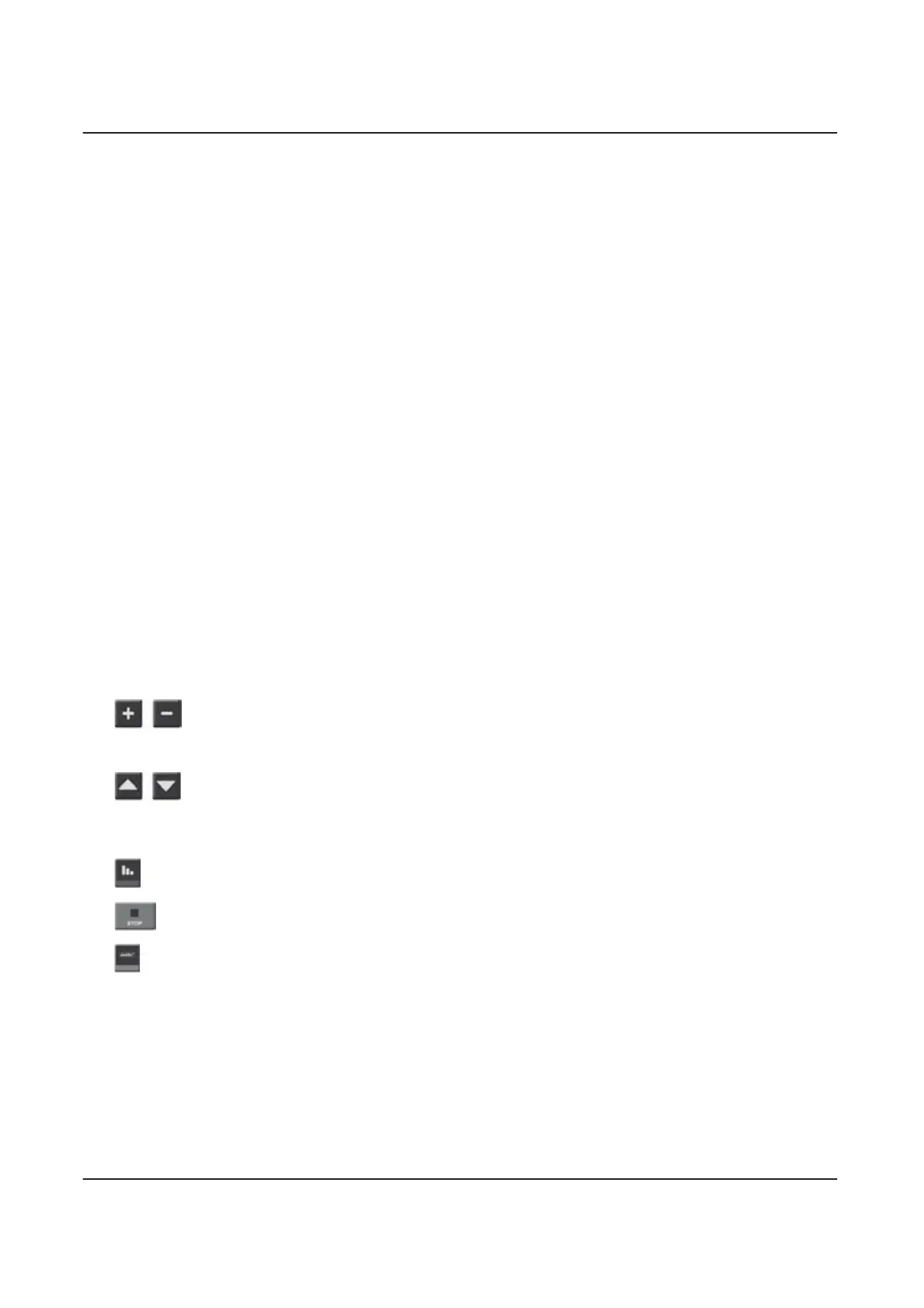
The
INCREASE/DECREASE SEGMENT
keys allow you to modify a segment’s resistance during a program.
These keys allow you select programs and parameters before you exercise. During an exercise program, you can modify the
current segment’s level of resistance by pressing either the
INCREASE SEGMENT
key or the
DECREASE SEGMENT
key.
The
INCREASE/DECREASE LEVEL
keys allow you to modify the level of difficulty of the program. These keys
allow you select programs and parameters before you exercise. During a program, you can modify the level of the bike
program by pressing either the
INCREASE LEVEL
key or the
DECREASE LEVEL
key.
PAUSE
Press this key to temporarily
STOP
the program without erasing the parameters. Press
JustGo™
to resume.
STOP
lets you cancel a program, exit the current program or get out of a menu.
JustGo™
Press this key twice to start the JustGo™ program or to save your setting.
G- X-CARD
TM
The V6X/R6X Bikes by BODYGUARD
®
come with an optional X-Card
TM
. This user-friendly card provides access to the
personal trainer program package of your choice so you can enjoy programs adapted to your specific fitness level and needs.
For more information, contact your dealer or our service department at
1 888 407-3784.


 To Next Page