EasyManua.ls Logo

Bodyguard V6X - User Manual

Bodyguard V6X
30 pages
Print Icon
To Next Page IconTo Next Page
Loading...
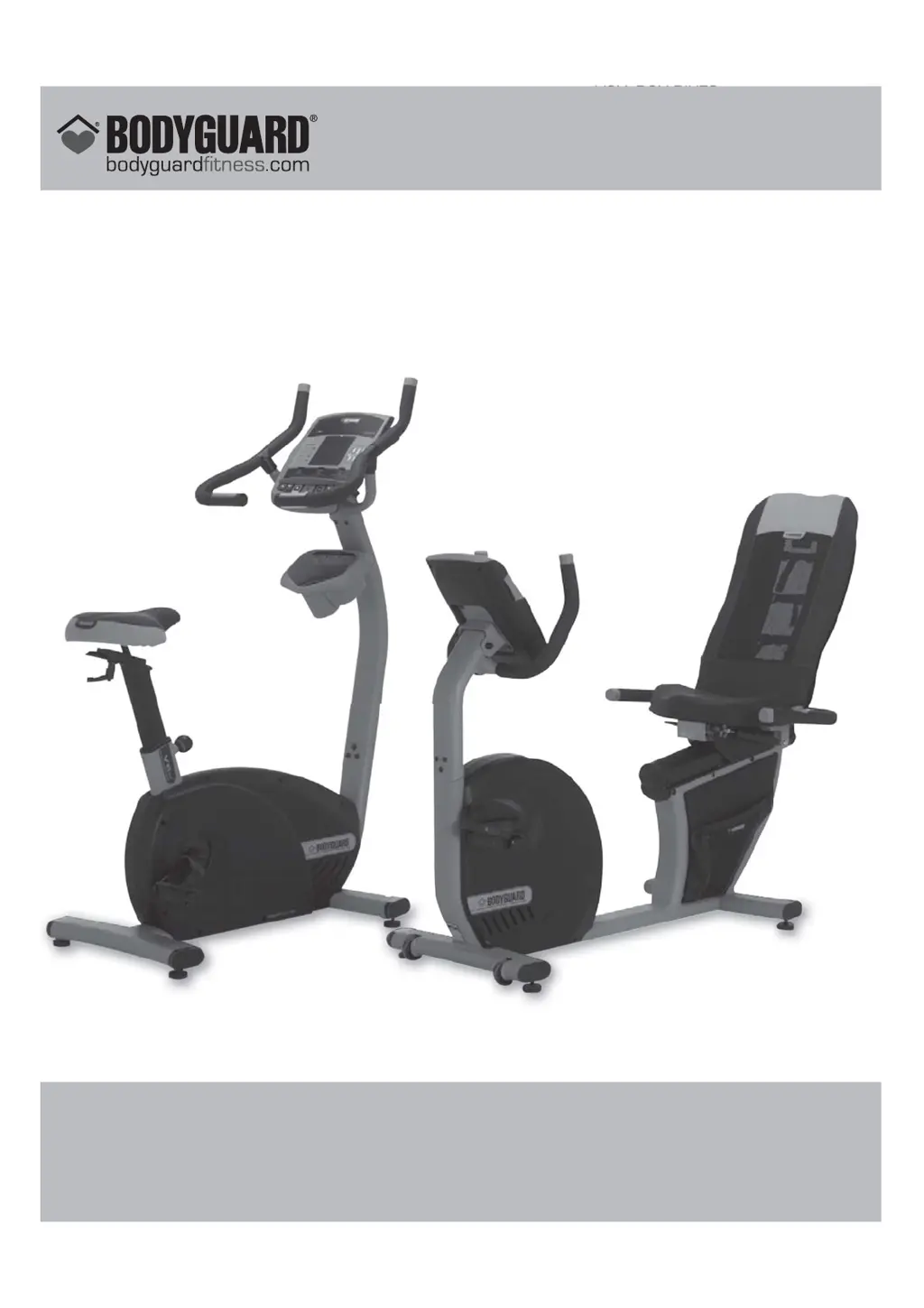
V6X- R6X BIKES OWNER’S MANUAL
V6X– R6X
BIKES
OWNER’S MANUAL
NO: 691023
BODYGUARD
®
FITNESS,
Division of Procycle CANADA
9095, 25
th
Avenue, Saint-Georges (Québec) Canada G6A 1A1
The name “Bodyguard Fitness
®
” and heart logo are registered trademarks of Procycle Group Inc.

Other manuals for Bodyguard V6X

Questions and Answers

  • J
    Jack ReeseJul 31, 2025
    Why is the speed not displayed on my Bodyguard V6X Exercise Bike?
    • C
      Christian McfarlandJul 31, 2025
      If the Bodyguard Exercise Bike computer lights up, but the speed isn't displayed, the speed sensor might be misaligned or improperly connected. Try aligning or replacing the sensor, and check its connection. Also, a damaged or defective cable between the computer and control card could be the cause; replace the cable in this case.
  • D
    Doris WrightAug 6, 2025
    What to do if there is no resistance on my Bodyguard V6X?
    • J
      Jared MorrisonAug 6, 2025
      If the computer on your Bodyguard Exercise Bike lights up but there's no resistance on the pedals, the control card may be defective or the cable between the braking system and the control card, or between the computer and the control card may be damaged or improperly connected. Check the cables to ensure they are properly connected.
  • K
    Katie WhiteAug 13, 2025
    How to fix a Bodyguard V6X that won't turn on?
    • A
      allisonhardyAug 13, 2025
      If the computer on your Bodyguard Exercise Bike won't light up, ensure the unit is plugged in and that the power cord is functional; replace it if necessary. Check the computer cables. If problems persist, contact a qualified electrician.
  • J
    jamesjacksonAug 18, 2025
    How to stop my Bodyguard V6X Exercise Bike from vibrating?
    • T
      tlindseyAug 18, 2025
      If the wheels of your Bodyguard Exercise Bike don’t turn smoothly and you feel undesirable vibrations, make sure the rear sliders and wheels are clean. Removing the rear running board can make cleaning easier. Also, ensure all nuts and bolts are in place and firmly tightened.
  • N
    Nicholas ButlerAug 25, 2025
    Why are the keys sticking on my Bodyguard V6X computer?
    • S
      Sarah SimpsonAug 25, 2025
      If the computer keys on your Bodyguard Exercise Bike are sticking or not responding, it may be due to liquid damage to the keypad. Contact your Bodyguard® dealer. Alternatively, you might have used too much cleaning solution. Use only mild cleaning soap on a damp cloth when cleaning the machine.

Summary

Important Safety Notice

Personal Safety Precautions

Guidelines for safe operation, including placement and usage of the bike.

Electrical Safety Information

Precautions regarding power supply, grounding, and environmental exposure to electricity.

Console Overview and Basic Operation

Console Display Components

Identification and description of key display elements like windows, clock, and profile display.

Scrolling Screen & Keypad Functions

Details on scrolling screen information and the functions of the main keypad buttons for operation.

X-CARD Functionality

Explanation of the optional X-Card for personalized training programs.

Workout Management Features

Heart Rate Training Zones

Information on target heart rate zones for different training intensities.

Exercise Control Features

Instructions on pausing, resuming, stopping exercises, and viewing post-workout parameters.

Power Management

Details on the automatic power-off feature to conserve energy.

Computer Setup and Personalization

Accessing Settings and Basic Configuration

How to enter the settings menu and configure language, distance, and weight units.

Workout Preparation Settings

Options for warm-up, cool-down durations, and beeper alerts.

User and Program Customization

Creating user profiles, editing welcome messages, and managing pause time.

System Time and Data Management

Configuring clock settings, saving options, and segment durations.

V6 X;R6 X Exercise Programs Overview

Program Features and Console Guidance

Explains target speed, body position guidance, and console interaction during programs.

Program Categories and JustGo

Lists main program categories and details the manual JustGo™ program.

Be Active Program Series

Instructions for Manual, Race, Beat My Race, and Cross-Country programs.

Advanced Program Categories

Details on Intervals, Distance Goal, Body Shape, and Calorie Goal programs.

Heart Rate Monitoring

Contact Heart Rate System

Explanation of the built-in hand grip heart rate sensor and troubleshooting.

Heart Rate Chest Strap Usage

Information on using the chest strap for accurate heart rate tracking and its importance.

Chest Strap Troubleshooting

Common issues with chest strap heart rate monitors and their solutions.

Computer Diagnostics and Testing

Accessing the Diagnostics Menu

Steps to enter the diagnostic mode for system checks.

Performing System Tests

Guide to various tests like NVRAM, Keypad, Display, and Heart Rate tests.

Component and Sensor Tests

Instructions for testing Clock, Smart Card, Sound, Brake, Speed Sensor, and Statistics.

Maintenance and Care

General Cleaning and Care

Procedures for cleaning the bike components and general upkeep for safety and performance.

Quick Troubleshooting Guide

A checklist of common problems and their probable causes and solutions.

Electromagnetic Interference Compliance

Information on FCC compliance and electromagnetic interference requirements for the device.

Bodyguard V6X Specifications

General IconGeneral
BrandBodyguard
ModelV6X
CategoryExercise Bike
LanguageEnglish

Related product manuals