V6/R6 BIKES OWNER’S MANUAL
21
your rest heart rate, press the
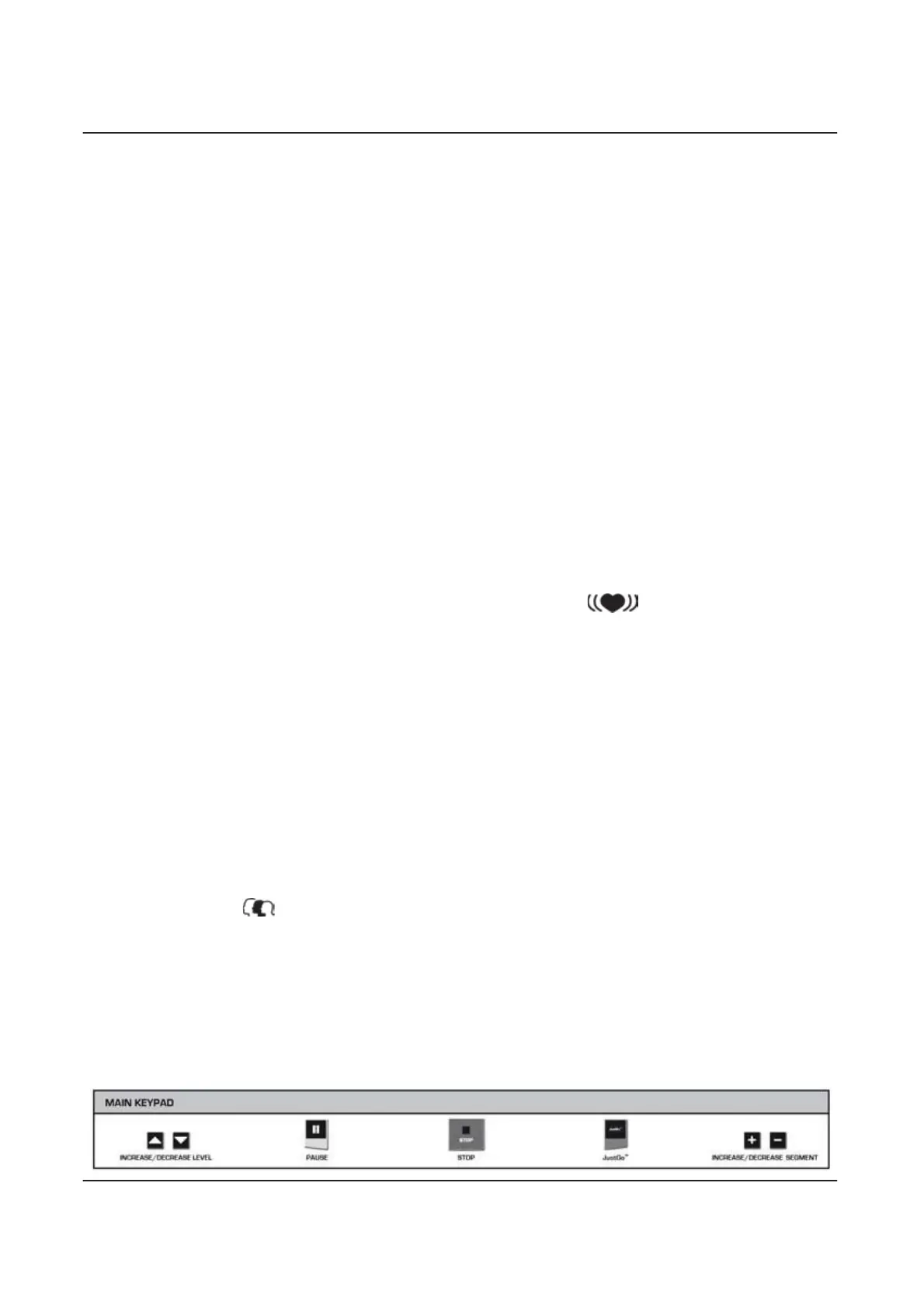
JustGo™
key to validate.
7. Enter your
Work Heart Rate
(Work BPM) by pressing the
INCREASE/DECREASE SEGMENT
keys. Once you have
entered your work heart rate, press the
JustGo™
key to validate.
8. Enter the
Interval Time
(Int. Time) using the
INCREASE/DECREASE SEGMENT
keys. Once you have entered your
interval time, press the
JustGo™
key to validate.
9. Begin exercising.
C) Fitness Test
The
Fitness Test
is a custom-made submaximal test designed to help you achieve your goals by measuring your cardio
respiratory fitness.
Maximal oxygen uptake (VO
2max
)
is defined as the maximum volume of oxygen that can be taken up,
distributed and used by the body during physical activity. Testing your
VO
2max
before starting an exercise allows you to
evaluate yourself and define the appropriate exercise intensity level.
For this submaximal test, you are challenged to reach 75% of your maximum heart rate. This result is then used to extrapolate
your
Maximal oxygen uptake (VO
2max
).
This test features target speeds and resistances. It is very important to follow the
instructions on the console to make sure that the test is valid. The test will stop once you reach 75% of your target BPM (beats
per minute.)
The target speed is important in this program, so make sure you stick to it. If your speed is too slow or too fast, an arrow
appears on the display to indicate that you should reduce or increase your speed to meet the target
(see beginning of
Chapter 3 for more details).
NOTE:
This program requires you to wear the heart rate chest strap. Cardiorespiratory fitness is a combination of
cardiovascular fitness and respiratory fitness. Always keep in mind that this test is submaximal, so the results are only
approximate.
1. Press the
INCREASE/DECREASE SEGMENT
keys to select the
Heart Rate
category. Once your selection is
made, press the
JustGo
TM
key to accept.
2. Select the
Fitness Test
program by pressing the
INCREASE/DECREASE SEGMENT
keys. Once your selection is made,
press JustGo
TM
key to access the program.
3. Enter your
Weight
by pressing the
INCREASE/DECREASE LEVEL
keys to adjust the value in increments of +/- 10 and the
INCREASE/DECREASE SEGMENT
keys to adjust the value by increments of +/- 1.
Once you have entered your weight, press
the
JustGo
TM
key to validate.
4. Enter your
Age
. Press the
INCREASE/DECREASE SEGMENT
keys to choose your age. Once you have entered your age,
press the
JustGo
TM
key to validate.
5. Enter your
Gender
. Press the
INCREASE/DECREASE SEGMENT
keys to choose your gender. Once you have entered
your gender, press the
JustGo
TM
key to validate.
6. Begin exercising.
3.5 Custom Program
Bodyguard® machines allow you to create your own pre-programmed profiles and/or save and recall previously completed
exercises.
This is particularly useful if you want to define an exercise profile in advance or save a program whose profile you have
modified to your specific needs.
A) Memory
B) Learn Programs
C) Statistics


 To Next Page