defaulted option for those results (unless the Waist Hip Ratio has been omitted
in the options menu).
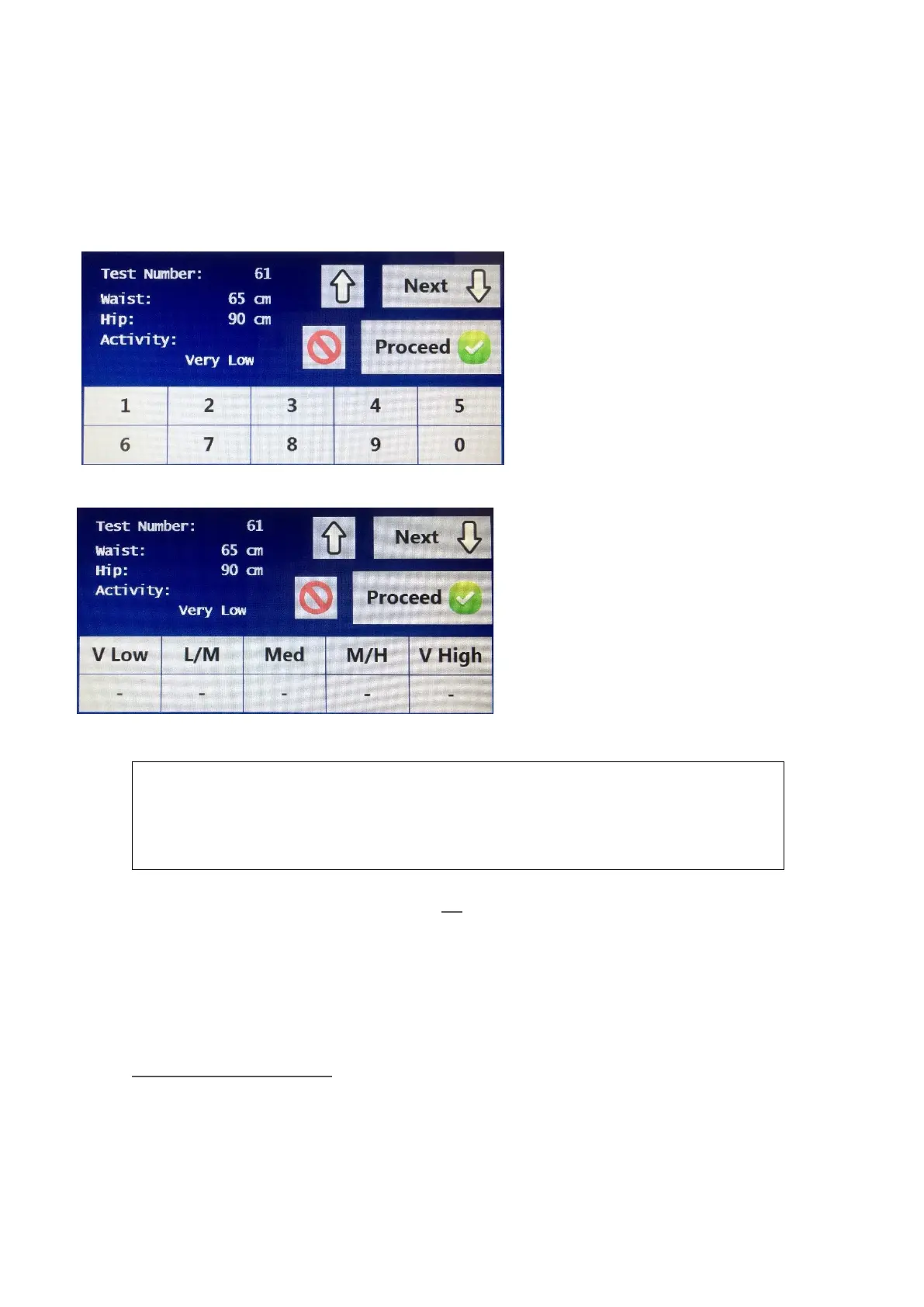
If the cursor is flashing on the weight option and the next button has been, the
next screen showing waist/hip and activity level is displayed.
The first option is waist,
followed by hip. Both options
have numerical selections and
can be entered by choosing
the appropriate numbers for
that field. Once each option
has been entered, press the
<> key to move down to the
next input option.
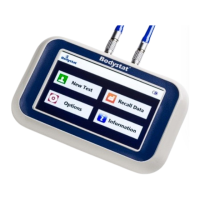
For Activity Level select the
appropriate option for the
activity level required. Select
one of five choices of average
expected activity level of the
subject being tested ranging
from Very Low to Very High.
The activity level has no effect on the body composition or
hydrational/nutritional results. It is used only in the estimation of the
Activity Energy Requirement
See the Input options section (page 15) for details about choices available for
the activity level
If the Waist Hip Ratio or EAR option is unselected from the output results, then
the corresponding Waist Hip and Activity Level input measurements will also
not be displayed when performing a test.
___________________________________________
Notes about activity levels:
NOTE 1: Very Low - for a person with light energy expenditure at work and who has non-active
leisure pursuits.
NOTE 2: Very High - for a person in energy-demanding work whose leisure time pursuits are
also energy-demanding.
Refer METABOLIC RATES for detailed description for each of the five Activity Levels.



 To Next Page