36
Notes:
For making a reliable analysis of the structure of the
measured object, we recommend taking several
measurements at different points and from both
sides. In case of dealing with very large measuring
units or if the results obtained are very unreliable,
we recommend carrying out average measurements
on at least 4 spots distributed over the whole sur-
face of the glass pane.
The analysis of glass retrofitted with solar reflective
films or splinter protection films can lead to incorrect
results.
In the case of insulated glazed units, measurements
should always be taken 5 cm away from the edge, as
the panes tend to “bend” depending on surface and
air pressure conditions, which means that measure-
ments taken from the centre may be inaccurate.
When analysing resin laminated glass, with resin
having the same refraction index as the glass, the
GlassBuddy will calculate the total thickness.
If the GlassBuddy cannot exactly indicate the pane
composition, you will receive the additional message
“Details not available”.
In a very small number of cases, the detailed
analysis of laminated or laminated safety glass is
not possible. In this event, the GlassBuddy displays
an exclamation mark in front of the individual result.
If the GlassBuddy cannot exactly indicate the pane
composition, you will receive the additional message
“Details not available”. In the graphic display of the
GlassBuddy and in the PC software, results of this
kind are indicated by two horizontal lines. To achieve
better measuring results, we recommend a new
analysis on the opposite side.
13 Firmware Update
A firmware update is available both for GlassBuddy
Basic and GlassBuddy Plus.
Troubleshooting updates can be carried out by
the user. They can be found on our website
www.bohle-group.com in irregular intervals with
the article numbers BO 5164760 for GlassBuddy
Basic and BO 5164755 for Glass Buddy Plus. For
this purpose, the updated version found under
Downloads must be saved on your PC.
You can freely choose the storage location on the
hard disk of your PC or laptop. Please do not change
the file name in order to make sure that the update
is correctly recognised.
Please connect your GlassBuddyBasic or
GlassBuddy Plus to your PC or laptop and connect
the device to the PC software (see point 6).
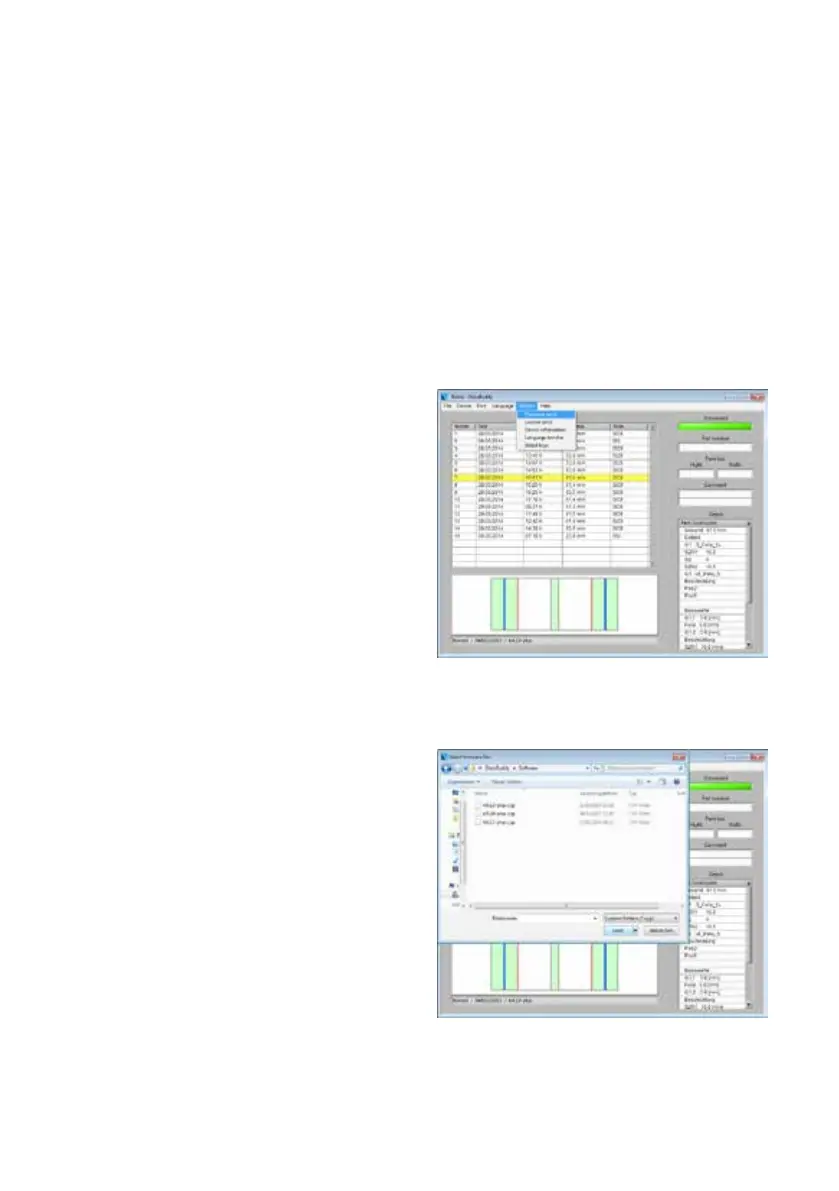
Click on “auxiliary options” for installing the update
and choose the submenu “send firmware”.
Now you have to choose the previously stored firm-
ware version.
Confirm the completed download to the GlassBuddy
with ”OK”.


 To Next Page