7
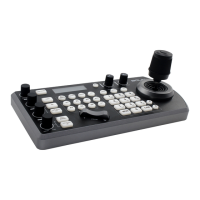
Keyboard
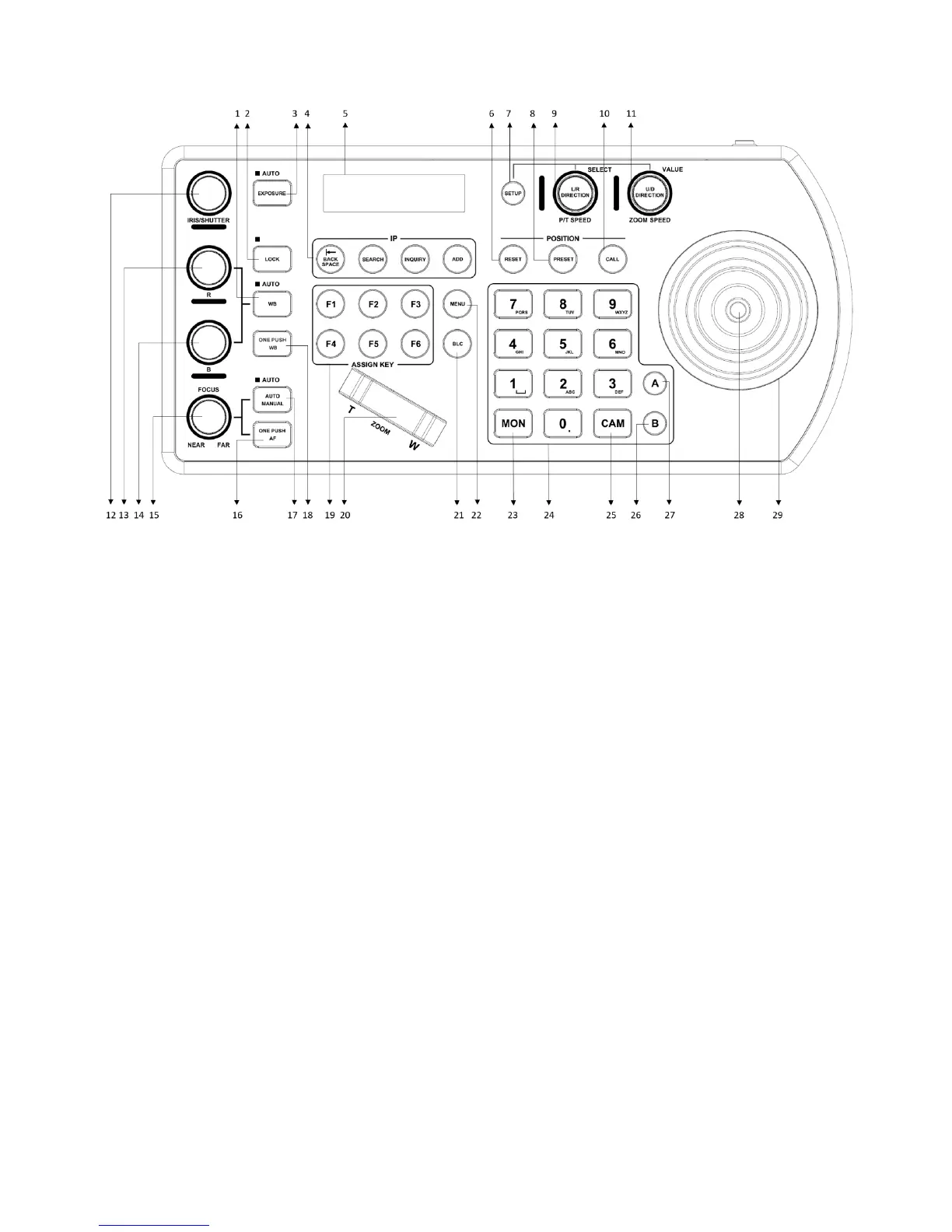
1. White Balance, (Auto, Manual)
Press once for Auto
Press again to activate manual adjustments
2. Lock – locks all image adjustment buttons and dials
3. Exposure, (Auto, Iris PRI, Shutter PRI)
4. IP Interface Buttons – used to interact with IP cameras
5. LCD Screen – Display for navigating keyboard settings
6. Reset – used for clearing presets
7. Setup – used for keyboard menu setting
8. Preset – used for saving camera presets
9. Pan Tilt Speed knob
Rotate: Speed adjustment / Navigate (in menu)
Press: Select (in menu)
Long press: Invert L/R direction
10. Call – used for calling camera presets
11. Zoom Speed knob
Rotate: Zoom speed adjustment / Adjust value (in menu)
Press: Save (in menu)
Long press: Invert U/D Direction
12. IRIS / Shutter Adjustment for Exposure
13. Manual Red Adjustment for White Balance
14. Manual Blue Adjustment for White Balance
15. Manual Focus
16. One-Push Focus
17. Focus Auto/ Manual Toggle
18. OPW (One Push WB) For White Balance
19. Assign Keys – used to assign quick access to commands
20. Zoom Seesaw – For zoom in / zoom out
21. BLC (Back Light Compensation) – Toggles Back Light Compensation setting in camera
22. Menu for pulling out camera OSD menu
23. MON: For calling monitor number (* Not activated for current versions)
24. Alphanumeric Keypad – used for camera call, preset call, entering data (in menu)
25. CAM: For calling camera number
26. RS422 Group B Selection
27. RS422 Group A Selection
28. Enter Button for menu setting to Enter/Confirm data.
29. PTZ Joystick


 To Next Page