35
en
SWITCHING BLUETOOTH ON AND OFF
Switching Bluetooth o:
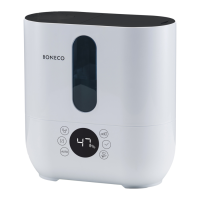
1. Press and hold the output regulator for about 5
seconds until the “bt” notice flashes on the dis-
play.
2. Turn the output regulator until the display shows
“--” and confirm your selection by briefly pressing
the output regulator again.
3. Now Bluetooth is switched o.
To reactivate Bluetooth, you have to have the
smartphone paired again (see page 20).
ABOUT THE FACTORY DEFAULT SETTINGS
If your BONECO appliance control system does not
function the way you are expecting, or if you would
like to delete all adjustments, you can reset the ap-
pliance to the factory settings. This deletes all ad-
justments and settings.
After the reset, the BONECO appliance has to
be paired with the smartphone again so that
the control system can continue working with the
app (see page20).
RESETTING THE APPLIANCE
Press and hold the output regulator until the “Fd”
(Factory default) notice appears on the display.
Now the BONECO appliance is in the same state as
when it was first started.
FACTORY DEFAULT SETTINGS AND BLUETOOTH



 To Next Page