10
of 50%. A short, low beep signals the original speed. For additional settings for the playback speed, see the
section on "Menu".
3.1.6. Menu
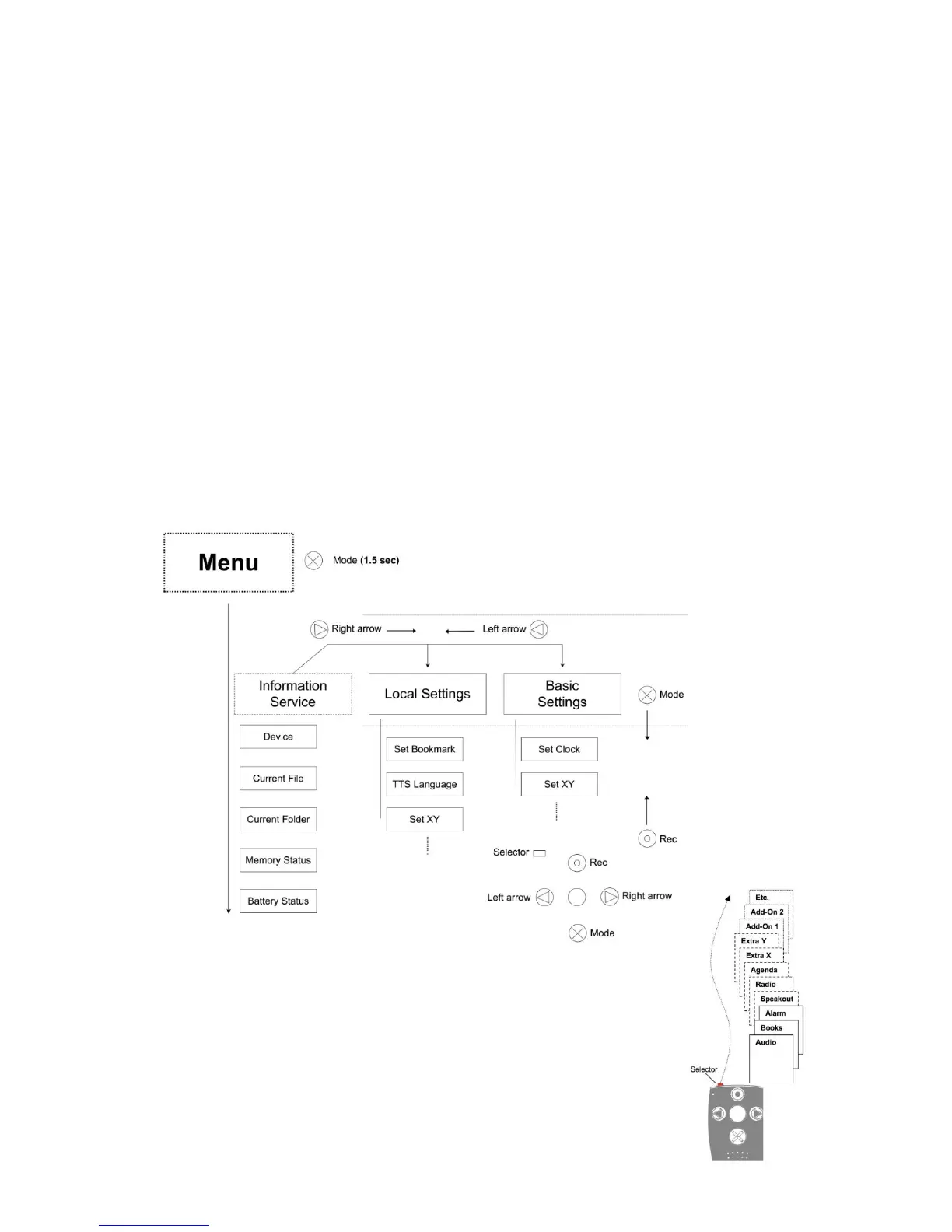
The menu function of your Milestone 312 Ace provides information about the device and the available
space. Here you can also make changes to all the basic settings. The menu is divided into three categories
"information service", "Local Settings" and "Basic Settings". Each of these categories contains a numbered
list of items.
To enter the menu, hold down the "Mode" button for about 2 seconds. You are now in the information
service of the menu and will hear the name of the active application, and other information, such as the
battery power level.
The next category is called "Local Settings". You can reach the "Local Settings" by pressing the "Right
arrow" during the announcement of the Information Service. One more press to the right takes you to the
last category, the "Basic Settings", with the "Left arrow" taking you back to the other two categories.
The menu navigation is very simple. Use the four buttons, arranged around the "Play" button as a
navigation cross.
With the "Mode" button to enter a point or down one level. With the "Rec" button to go up one level. So in
the vertical axis, you navigate with "Rec" and "Mode". With the arrow keys to navigate within a plane on
the horizontal axis. To exit the menu, you can always press "Selector". If you do not press any button
within 10 seconds, your M312 Ace will exit the menu automatically.
3.1.6.1. Information Service
Hold down the "Mode" button for about 2 seconds to hear a summary of useful
information about the active application (eg, "Audio" or "books"). The information
varies depending on the application in which you are currently and will be
announced in a specific order.



 To Next Page