12
Before you can listen to music files, texts or books, you must first transfer them to the Milestone 312 Ace
on an SD card or to the internal memory with the included USB cable. The structure and names of the
folders can be selected freely. The following section explains the procedure in detail.
3.2.1. The M312 Ace drives during active computer connection
Use the supplied USB cable to connect your Milestone 312 Ace with the computer. When connected your
computer recognizes the M312 Ace and the inserted SD memory card as two additional drives. One drive is
named "M312ACE". This is the 12 gigabyte comprehensive, internal memory of your Milestone 312 Ace,
which is at your full disposal.
The other visible drive is the SD memory card, which is located in the Milestone and is commonly
recognized as a "Removable Drive". If your Milestone 312 Ace is not equipped when connected to the
computer with an SD card, only the internal memory will appear with the label "M312ACE" on the
computer. When the data transfer has been completed successfully, eject your Milestone 312 Ace and the
SD card properly from the computer before disconnecting the USB connection.
3.2.2. Create a folder structure with the computer
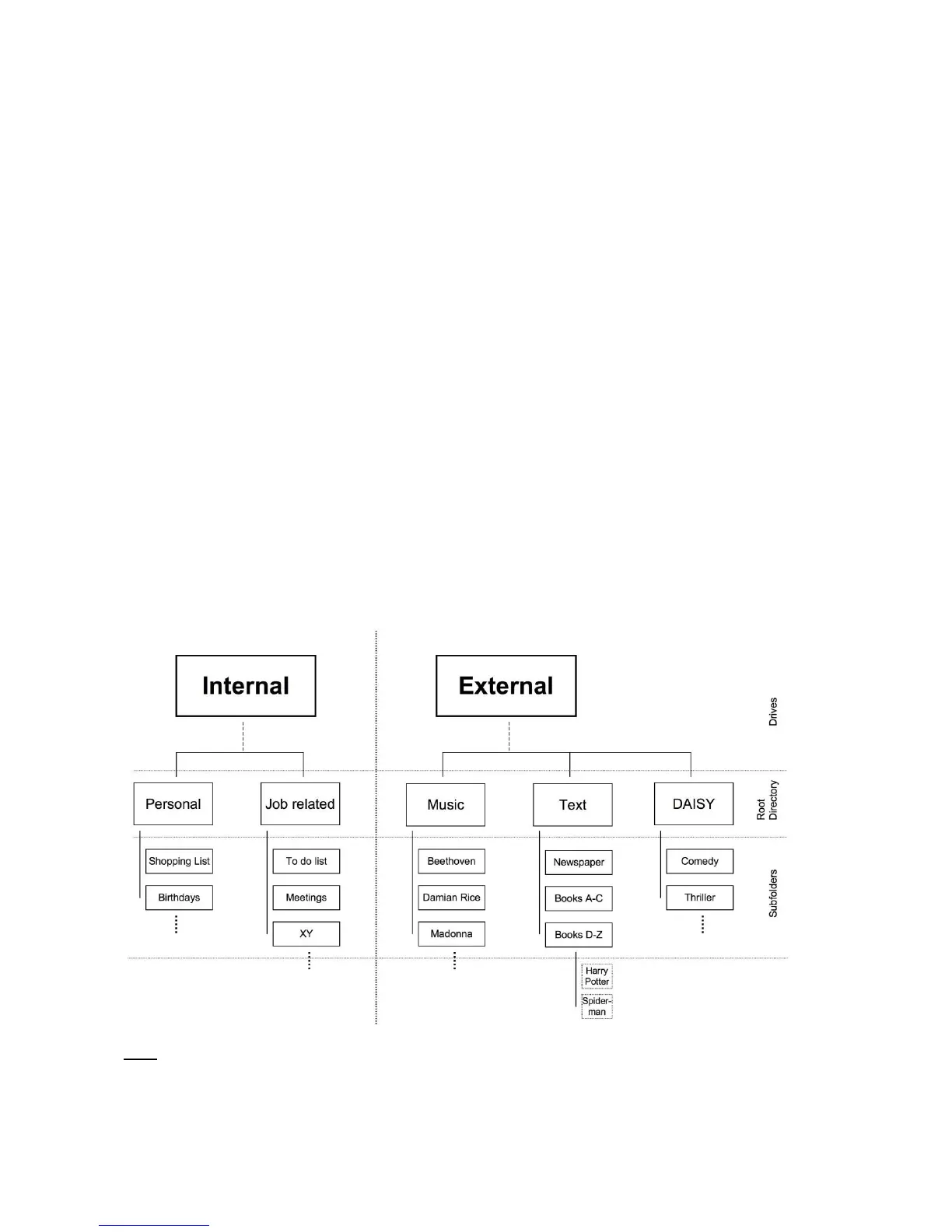
With the computer, you can create your personal folder and directory structure to organize music, voice
recordings, text files, books and radio recordings. It is also possible to use any number of subfolders and to
rename individually. This applies to both your available drives the M312 Ace, the internal memory of 12 GB
and the external memory, the SD card. Folders are just containers where your files are stored. Your M312
Ace comes with preinstalled folders that you can always rename or delete on the computer. If you access it
later, all the folder names are read by M312 Ace.
The following graphic is an example of a possible folder structure.
Note: There are applications which automatically create a specific folder, such as "Radio" the list of station
names or recording broadcasts.



 To Next Page