About this manual
This manual is for Bontrager lights Ion Pro RT, Ion 200 RT (headlights) and Flare RT (tail light). RT
indicates light is rechargeable and remote controllable when paired with Bontrager Transmitr remote,
PN 502865, or another ANT+ compatible device.
WARNING
The light may be hot and could cause a burn or damage material it may contact. Do not activate (turn
on) light in enclosed area. Avoid accidental wireless activation.
Please read the additional Warning, page 2, before using this light.
Specifications
Ion Pro RT: 4800 mAh, 3.6 Vdc, 17.3 Wh, lithium Ion battery
Ion 200RT and Flare RT: 420mAh, 3.7 Vdc, 1.6 Wh lithium polymer battery
For more information
If you need help not offered by this manual, talk to your Bontrager retailer or visit trekbikes.com.
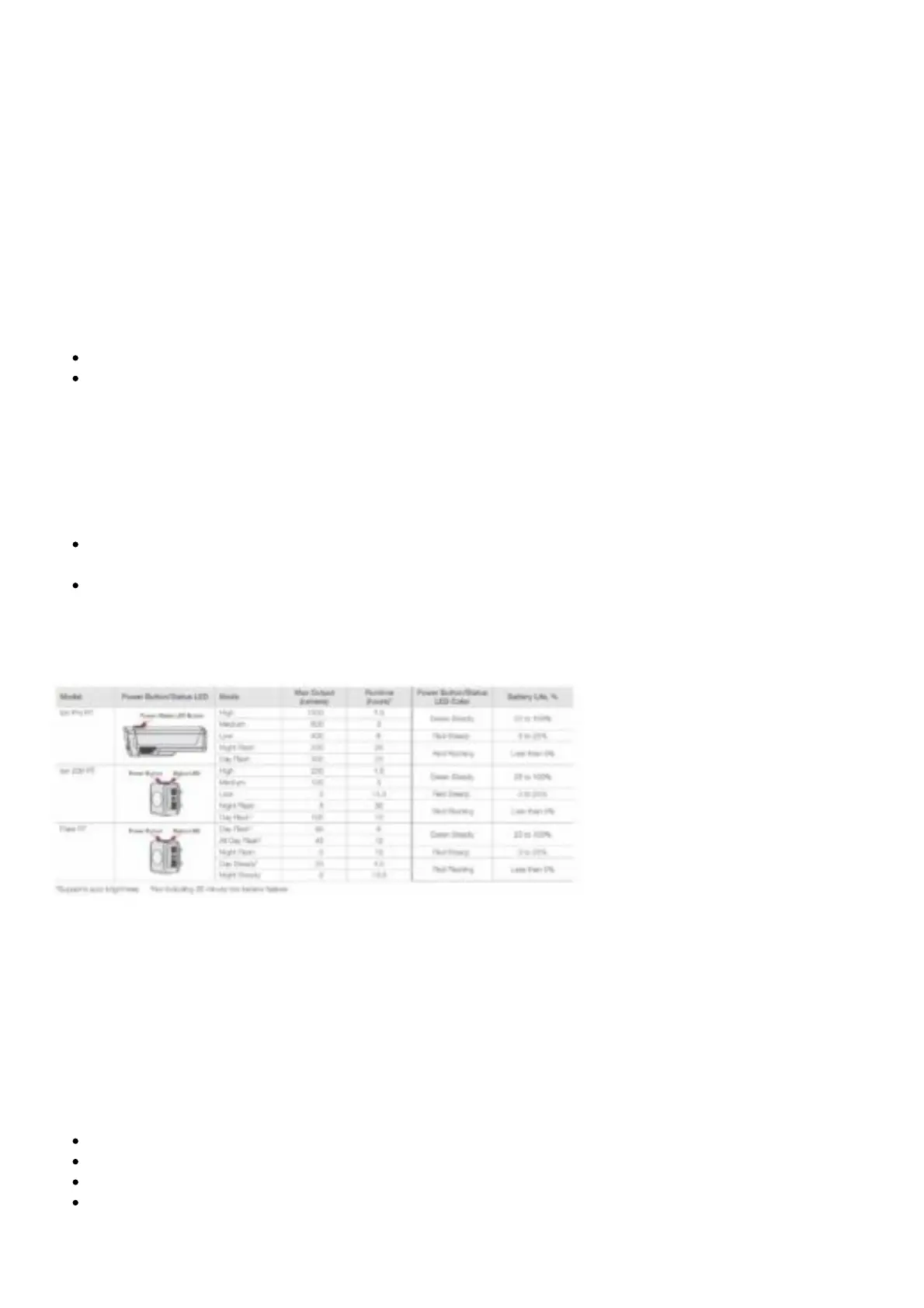
Basic operation (see Table 1)
To turn on, double click (Ion Pro RT) (similar to a computer mouse) and single click (Ion 200 RT /
Flare RT) the power button.
To turn off, press and hold the power button. To change mode, quick-press the power button.
NOTE: When turned on Ion Pro RT, Ion 200 RT and the Flare RT will return to the last active mode.
Table 1. Modes, runtime, and battery life
Battery charging and care (see Table 2)
Although the light is charged at the factory, it is recommended to charge it before first use.
To charge the battery
IMPORTANT: For best results, charge at room temperature in a dry place. Use a quality CE or UL
approved USB charger rated for 500 mA or greater. Avoid extreme conditions including wet, cold, or
extremely hot.
Open the USB port cover.
Plug the Micro charger cable into the USB port on the light.
Plug the cable into a computer or wall adapter.
When the charge is complete, unplug the Micro charger cable and close the USB port cover.
IMPORTANT: Ensure the USB cover is latched before riding in rain or in wet conditions. If the USB











 To Next Page