To turn on all lights
ON: Quick-press the center button.
OFF: Press and hold the center button.
To turn on an individual light
ON: Quick-press the corner button that controls the light.
OFF: Press and hold the same button.
To change modes of an individual light
Each quick-press of a button that controls a light will cycle through the modes.
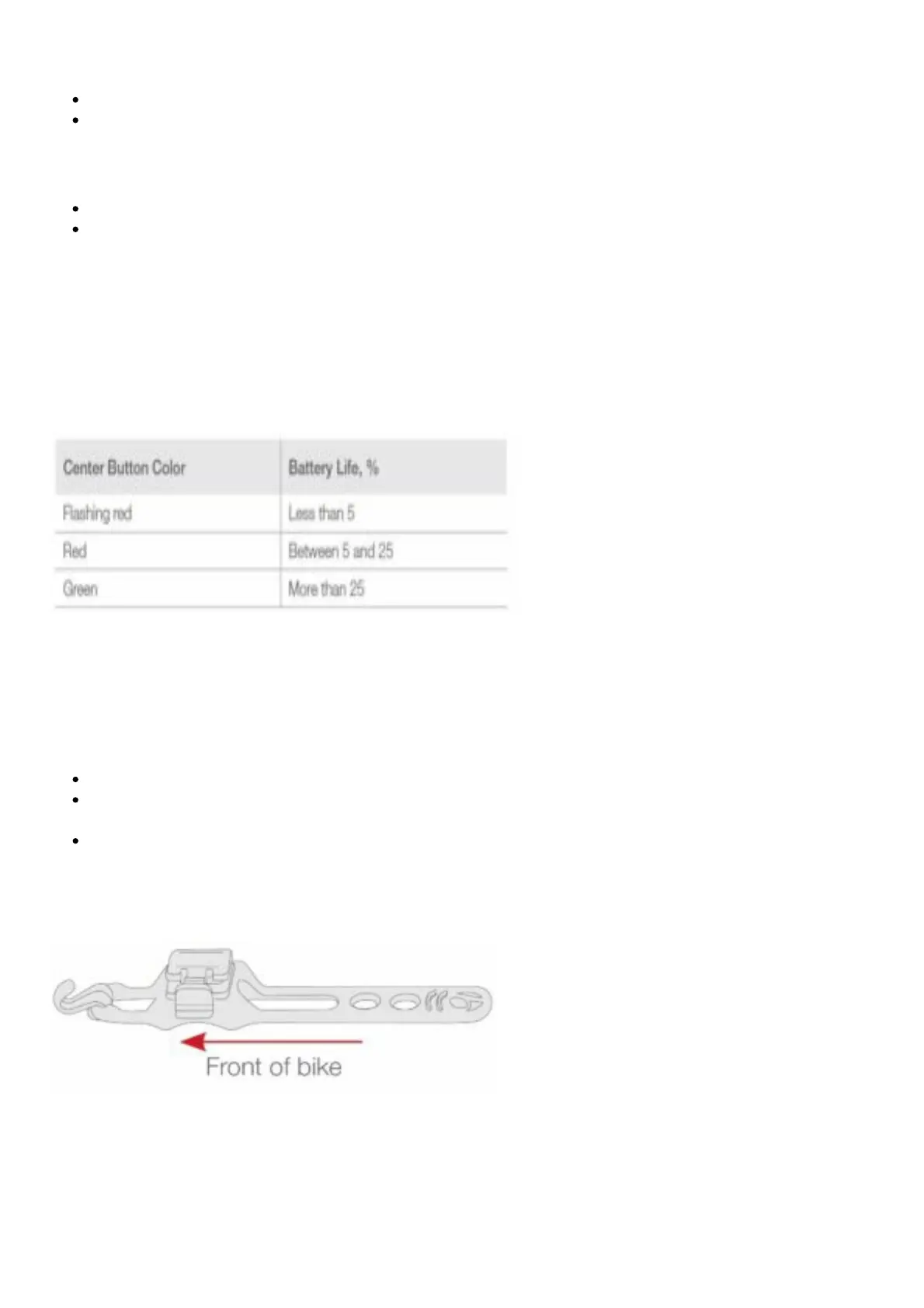
To see battery power status on the remote
When a corner button is pressed, the center button will show the battery status of the light.
Ion 200 RT information, installation, and special features
Installation
To attach with the Quick Connect 0˚ offset bracket
Place the quick connect on the handlebar with the hook in front.
Stretch the strap under the bar and connect to the hook.
NOTE: Use the second hook to latch excess strap.
Slide the Ion 200 RT onto the bracket until it clicks. The power button should be facing up and the
lens of the light should be perpendicular to the road.
Removal
Press down on the tab and slide the light away from the lever. Alternatively, you can remove the entire
quick-connect bracket, with the light attached.











 To Next Page