Allows you to hear the caller and automated prompts.
Allows you to take photos, record videos or join video
conferences while facing the screen.
Allows you to adjust the media volume, ringtone volume or
voice volume.
Allows you to turn the phone or the screen on or off.
Allows you to take photos and videos.
Allows you to hear different ringtones, sounds or the caller’s
voice in speakerphone mode.
Allows you to connect the phone charger or the USB cable.
Allows you to plug in either a stereo headset or an optional
headset for convenient, hands-free conversations.
Transmits your voice for phone calls or records your voice or
ambient sounds for voice recordings and videos.
Helps illuminate subjects in low-light environments when the
camera is focusing and capturing a photo or video.
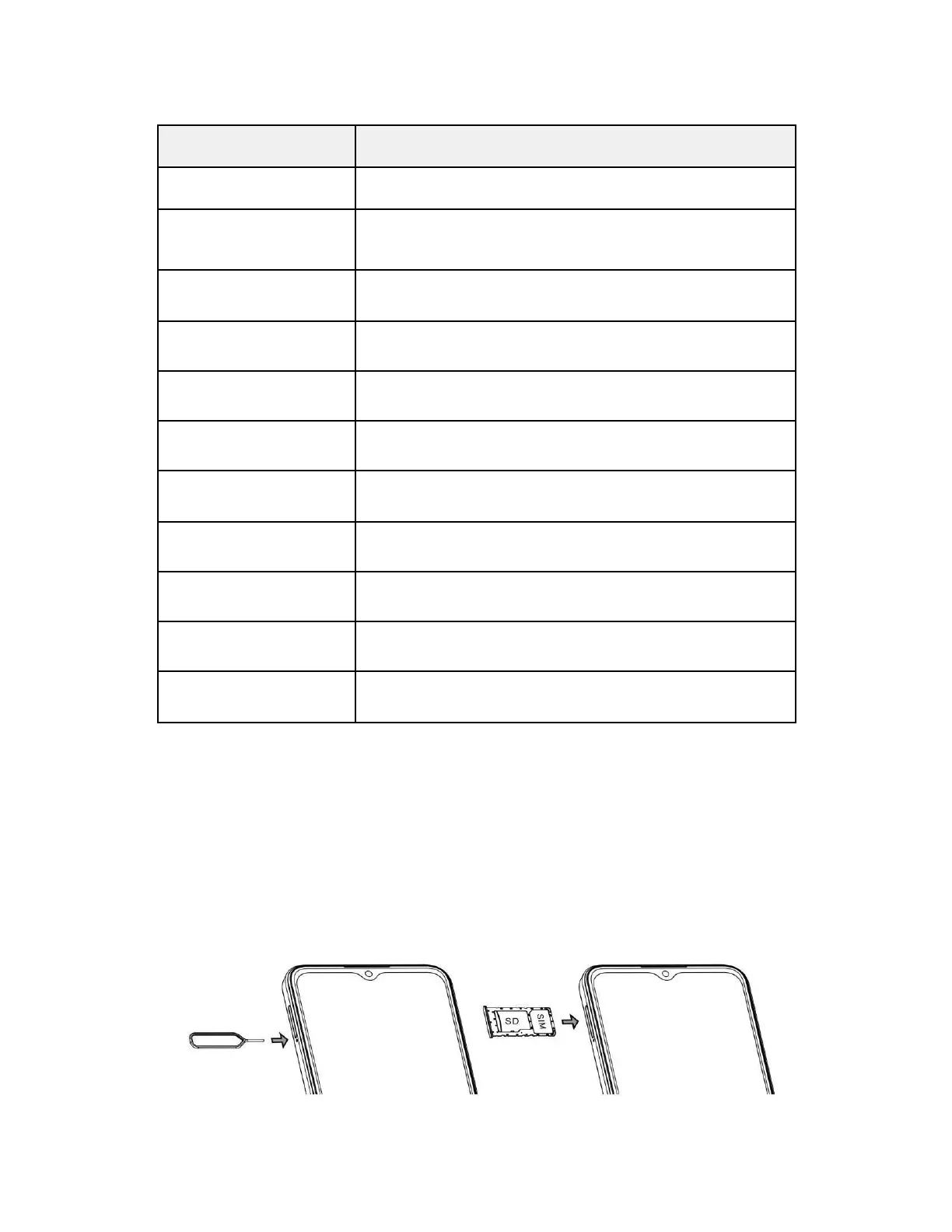
Follow the steps below to install the SIM and microSD cards.
CAUTION: Inserting an accessory into the incorrect jack may damage the phone.
Setup
Install the SIM/SD Card
Please follow the steps below to install the SIM card into your phone. Please note that you don’t have to
insert a SIM card to make an emergency call (9-1-1). Use only nano SIM cards with this device. Do not
attempt to insert any other types of SIM cards to avoid damage to your device.



 To Next Page