Apps and Entertainment
BoostMax
TM
Audio
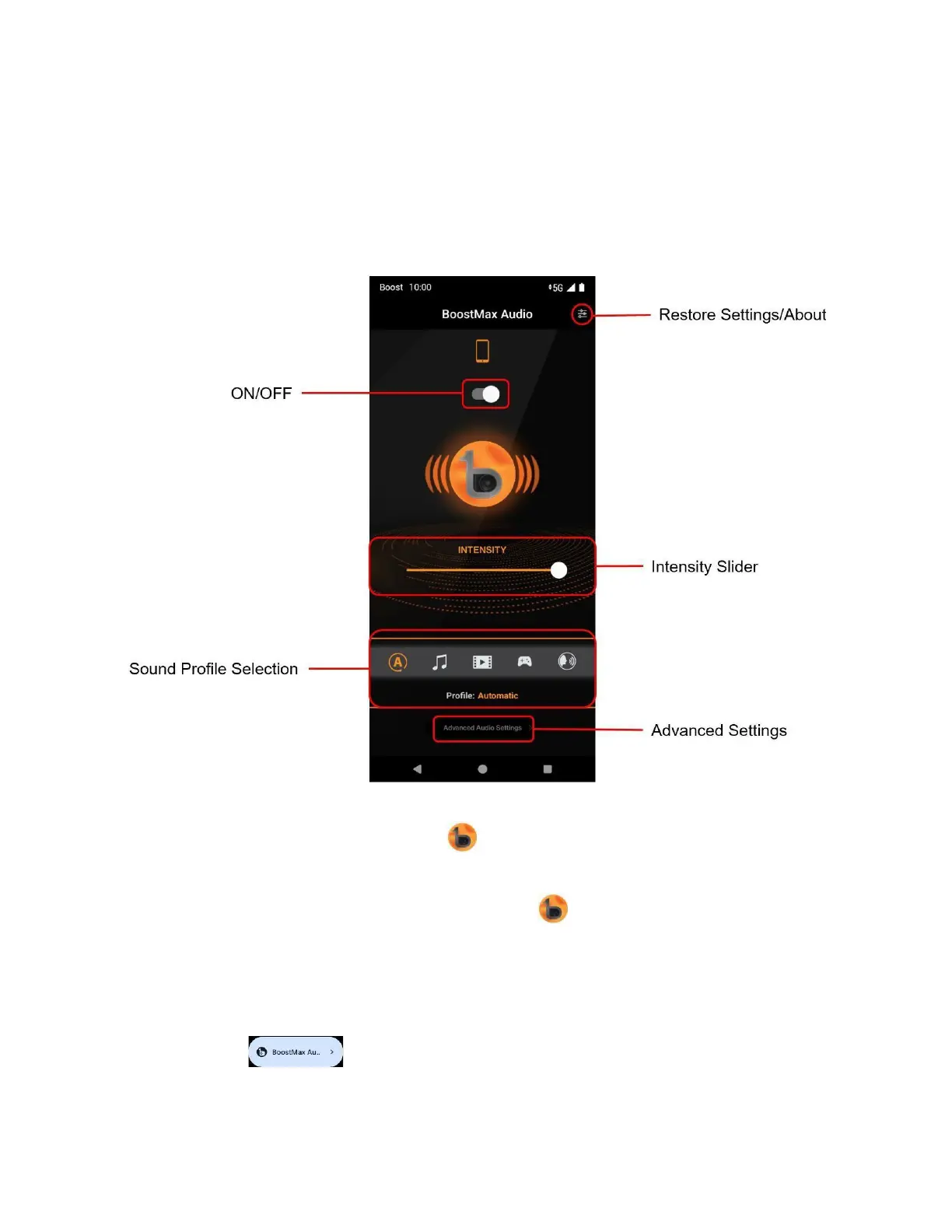
BoostMax Audio increases loudness, bass, clarity, and voice presence to provide a greatly enhanced audio
experience..
You can choose one of the following ways to access BoostMax Audio:
• From the Home Screen, tap BoostMax Audio .
• From the Home Screen, swipe up for the Apps list and tap BoostMax Audio. Or, swipe up for the Apps list
and tap Settings > Sound & vibration > BoostMax Audio .
After the phone's initial setup, a BoostMax Audio popup window will appear on top of the Home Screen, you
can tap Try it now to access the BoostMax Audio application.
To quickly turn on or off the BoostMax Audio, swipe down on the status bar to access Quick Settings Panel, then
tap BoostMax Audio .



 To Next Page