EasyManua.ls Logo

Bosch BAT 131 - User Manual

Bosch BAT 131
13 pages
Print Icon
To Next Page IconTo Next Page
Loading...
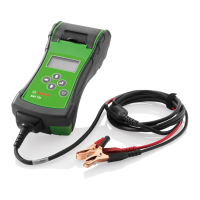
BAT 131
en
Original instructions
Battery Tester
fr
Notice originale
Vérificateur de bateries
es
Manual original
Comprobadores de batarías

Questions and Answers

  • B
    Benjamin ShannonAug 15, 2025
    What to do if Bosch BAT 131 Test Equipment says 'BATTERY POWER TOO LOW TO USE PRINTER'?
    • M
      Matthew SmithAug 15, 2025
      If your Bosch Test Equipment displays 'BATTERY POWER TOO LOW TO USE PRINTER', ensure the tester is properly connected to a vehicle battery providing 11.50 to 16.00V. Also, verify that the clamps are correctly connected (red to positive, black to negative) and that both sides of the clamps are making good contact with the terminals.
  • S
    shannon04Aug 18, 2025
    Why does my Bosch BAT 131 say 'CONNECT TO 12V BATTERY'?
    • M
      Mrs. Jaime GouldAug 18, 2025
      If your Bosch Test Equipment displays 'CONNECT TO 12V BATTERY', it means the tester is not connected to a vehicle battery. Connect it to a vehicle battery.
  • A
    April DanielAug 21, 2025
    What to do if the Bosch Test Equipment display does not turn on?
    • M
      morrisondanielAug 21, 2025
      First, press and hold the MENU button for at least 2 seconds. Then, check the connection to the vehicle battery. If that doesn't work, the vehicle battery may be too low (below 1 volt), so fully charge it and retest. Also, the analyzer’s AA batteries may need replacement. Finally, if the analyzer still doesn't power on when you press and hold the button, replace the AA batteries.
  • T
    Tiffany WilliamsAug 25, 2025
    How to turn on the display of Bosch BAT 131?
    • E
      Elizabeth RossAug 26, 2025
      If the display of your Bosch Test Equipment doesn't turn on, try the following: First, press and hold the MENU button for at least 2 seconds. Then, check the connection to the vehicle battery. If that doesn't work, the vehicle battery may be too low (below 1 volt), so fully charge the battery and retest. Also, the analyzer’s AA batteries may need replacement. Finally, if it still doesn't power on when you press and hold the power button, replace the AA batteries.
  • H
    Hunter HowellAug 28, 2025
    What to do if Bosch Test Equipment shows 'PRINTER OUT OF PAPER'?
    • T
      Tracie MyersAug 28, 2025
      If your Bosch Test Equipment shows 'PRINTER OUT OF PAPER', the printer is out of thermal paper. First, verify that the paper is inserted correctly. Then, insert a new roll of paper. Finally, verify that the paper sensor is clean and undamaged.
  • A
    Andrea HallAug 31, 2025
    What to do if Bosch BAT 131 says 'PRINTER DOOR OPEN'?
    • S
      Sandra WagnerSep 1, 2025
      If your Bosch Test Equipment displays 'PRINTER DOOR OPEN', check that the door covering the printer paper is properly closed and latched.
  • R
    Robert ShafferSep 4, 2025
    What does 'QC DATA MEMORY FULL' mean on Bosch Test Equipment?
    • J
      Jasmine LeonSep 4, 2025
      If your Bosch Test Equipment displays 'QC DATA MEMORY FULL', the QC mode memory is full. Select QC mode from the Options Menu to clear the memory.
  • J
    James PetersenSep 7, 2025
    What does 'LOW INTERNAL AA BATTERIES. REPLACE AA BATTERIES SOON!' mean on Bosch Test Equipment?
    • J
      Jessica JenningsSep 7, 2025
      Internal AA batteries are low and need to be replaced.
  • C
    Christina WilliamsSep 12, 2025
    What does 'NON 12 VOLT SYSTEM DETECTED' mean on Bosch BAT 131 Test Equipment?
    • C
      Christine GoodwinSep 12, 2025
      If your Bosch Test Equipment shows 'NON 12 VOLT SYSTEM DETECTED', it indicates that the system being tested is not a 12-volt system.

Summary

Symbols Used

Symbols in Documentation

Explains warning notices structure, meaning and symbols used in the documentation.

Symbols On Product

Instructions to observe warning notices on the product and ensure legibility.

User Information

Important Notes

Information on copyright, liability, warranty, user and company obligations for Bosch Battery Test Equipment.

Safety Instructions

Details pertinent safety instructions for Bosch Battery Test Equipment, essential for operation.

Intended Use

Describes the BAT 131's capability to test batteries and starting/charging systems for vehicles.

User Interface

Scope of Delivery

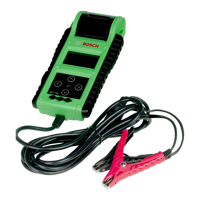
Lists the components included with the BAT 131, such as the unit, connecting cable, and instructions.

Product Description

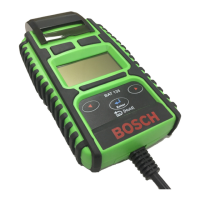
Overview of the BAT 131 device, identifying its main parts and features.

Function of Keys

Explains the function of each button and symbol on the BAT 131 interface for navigation and operation.

Switch On

Instructions on how to power on the BAT 131 unit by pressing the power button.

Switch Off

Procedure for safely powering off the BAT 131 unit, noting conditions when it cannot be switched off.

Perform Test

Test Preparations

Steps to prepare the battery and vehicle for testing, including cleaning terminals and ensuring loads are off.

Connecting BAT 131

Instructions for correctly connecting the red and black clamps to the battery terminals for testing.

Battery Test

Guides through selecting the battery location (in/out of vehicle) and initiating the battery test.

Battery Test Results

Details how to interpret and print the results of the battery test, including various messages.

Starter System Test

Procedure for testing the vehicle's starter system, including pre-test checks and interpreting results.

Charging System Test

Steps for conducting a charging system test and the actions to take based on the results.

Unused Battery Mode

Application

Select the vehicle type (automotive, motorcycle, marine) for the unused battery test.

Battery Type

Choose the battery type (Standard, AGM, GEL) for the unused battery test.

Battery Standard

Select the battery's rating system (e.g., CCA, DIN, EN) for the unused battery test.

Battery Rating

Select the numeric rating units for the unused battery test.

Voltage Limit

Set the voltage limit to be used for the unused battery test.

Maintenance & Troubleshooting

Cleaning

Guidelines for cleaning the BAT 131 housing and display using soft cloths and neutral agents.

Service Parts

Lists service parts and parts subject to wear with their respective ordering numbers.

Changing Printer Paper

Step-by-step instructions for replacing the thermal paper roll in the integrated printer.

Changing Cable Assembly

Procedure for replacing the tester's cable assembly, including screw removal and connection.

Replacing the Battery

Instructions for removing and replacing the internal AA batteries in the BAT 131.

Troubleshooting the Display

Solutions for issues where the BAT 131 display does not turn on.

Troubleshooting the Printer

Addresses common printer issues and provides actions to resolve them.

Disposal

Environmental and health precautions for the proper disposal of the BAT 131 according to WEEE guidelines.

Technical Data

Function Range

Specifies the operating temperature range and accuracy range for the BAT 131.

Battery-Test and Voltmeter

Details operating voltage, current, entry range for Cold Start Current, and supported battery standards.

Printer Paper

Information on printer paper storage period, maximum storage temperature, and humidity.

Bosch BAT 131 Specifications

General IconGeneral
BrandBosch
ModelBAT 131
CategoryTest Equipment
LanguageEnglish

Related product manuals