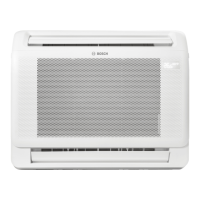
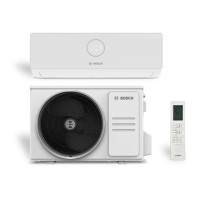
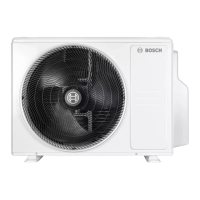
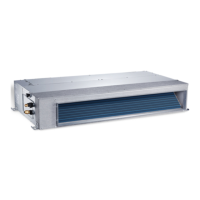
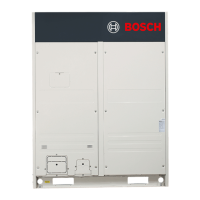
The Bosch Climate 5000i M is a multi-split air conditioning system designed for both commercial and residential use, offering a range of operating modes to ensure optimal indoor climate control. This system is intended for installation inside a building, connected to an outdoor unit and other system components like controls. The outdoor unit is designed for installation outside the building, connecting to one or more indoor units and other system components.
Function Description
The Climate 5000i M system provides several operating modes: automatic, cooling, heating, dehumidification, and fan-only. In automatic mode, the unit intelligently switches between heating, cooling, fan, and dehumidification based on the set temperature, aiming to maintain a comfortable environment without constant manual adjustment. The cooling mode allows users to set a desired room temperature and fan speed to cool the space, while the heating mode provides warmth, also with adjustable temperature and fan speed. The dehumidification mode helps reduce humidity levels in the room, and the fan-only mode circulates air without heating or cooling.
The system features a wired room controller and a remote control for convenient operation. The wired room controller provides a comprehensive display of the main operating modes, temperature, status, time, and timer settings. It includes keys for switching the unit on/off, setting the operating mode, adjusting settings (up/down), confirming choices, setting timers, and adjusting fan speed. The remote control offers similar functionalities, including switching on/off, mode selection, advanced operating functions, temperature adjustment, fan step control, and a "Turbo" function for rapid cooling or heating. It also includes an LED button to switch the indoor unit's display and alarm buzzer on/off.
A key feature of the Climate 5000i M is its timer functionality, which includes one-time ON/OFF timers and weekly ON/OFF timers. Users can program the unit to switch on or off at specific times and days, allowing for automated climate control tailored to their schedule. The weekly event timer further enhances this by allowing up to eight events per day to change the operating mode, temperature, and fan speed. Settings can be copied from one day to another, simplifying programming for recurring schedules.
The "Follow Me" function is another notable feature, which activates the temperature sensor in the wired room controller. This allows the system to measure the room temperature at the controller's location rather than at the indoor unit, potentially providing a more accurate reflection of the user's immediate environment. The system also includes a keylock function for the wired room controller, preventing unintended changes to settings. For enhanced connectivity, the system supports a wireless control function via WLAN, requiring an optional IP-Gateway accessory.
Safety features are integrated into the system's design. The appliance is filled with R32 refrigerant, a gas with low combustibility and toxicity. The system includes a built-in protection device that may prevent operation outside specified temperature ranges. In case of a power failure, the unit restarts automatically, and settings are retained. The system also has a safety mechanism to prevent overloading, which may cause a brief delay before restarting.
Usage Features
Operating the Climate 5000i M is designed to be intuitive. Users can switch the appliance on or off using either the wired room controller or the remote control. The unit saves settings even when switched off and retains them after a power failure. Setting the day and time is straightforward, with options to toggle between 12- and 24-hour displays.
To select an operating mode, users repeatedly press the "M" key on the wired controller or the "Mode" key on the remote control until the desired mode appears. Temperature and fan speed adjustments are made using the up/down arrow keys. The fan speed in automatic and dehumidification modes cannot be adjusted, as the system optimizes these settings automatically.
The timer functions are highly customizable. For one-time timers, users select the ON/OFF timer symbol, confirm, and then set the desired time. For weekly timers, users access "WEEK 1" or "WEEK 2" on the display, select the weekday, and set ON/OFF times. Up to four ON/OFF times can be set per day, and these procedures can be repeated for subsequent days. The weekly event timer allows for even more detailed programming, enabling changes in operating mode, temperature, and fan speed for up to eight events per day. Users can provisionally disable timers for selected days or delete them entirely. The system also allows for programming a switch-on delay for weekly timers.
The "Turbo cool/Turbo heat" function is activated by switching to cooling or heating mode and then pressing the "FUNC." key, providing a quick boost to reach the desired temperature. The "Follow Me" function is similarly activated via the "FUNC." key, allowing the wired room controller's sensor to take temperature readings. The key sound can be switched on or off, and the keylock function for the wired room controller is activated by simultaneously pressing the "TIMER" and "COPY" keys for three seconds.
Maintenance Features
Regular maintenance is crucial for the optimal performance and longevity of the Climate 5000i M. Before any maintenance work, it is essential to disconnect the power supply to prevent electric shock or injury from moving parts. Any maintenance steps not explicitly listed in the manual should be carried out by an approved installer.
Replacing the batteries in the remote control is a simple process, requiring two AAA batteries. Users remove the battery cover, insert new batteries ensuring correct polarity, and then reinstall the cover. Rechargeable batteries are not recommended for the remote control.
Cleaning the appliance involves wiping the control unit with a soft cloth. It is important not to splash or pour water directly onto the unit and to avoid using hot water, thinner, abrasive powders, or strong solvents, as these can damage the device. The indoor and outdoor units should only be cleaned or serviced by an approved installer.
The air filter requires regular cleaning, ideally every two weeks, and always before and after extended periods of decommissioning. To clean the air filter, the indoor unit must be switched off. The filter is then pulled out, washed with hot water and a mild cleaning agent, and dried in the shade, away from direct sunlight to prevent deformation.
For re-commissioning after an extended period of non-use, specific steps are recommended. Before decommissioning, the air filter should be cleaned, and the indoor unit's fan should be run for approximately 24 hours in Fan Mode to dry the inside of the appliance. The unit should then be switched off, disconnected from the power supply, and protected from dust. The outdoor unit should be checked periodically for wear. After a long period of non-use, the air inlet grille should be wiped clean, and it should be ensured that the air inlet and outlet are unobstructed. All cables should be checked, the power supply connected, and the air filter reinstalled if necessary.


 To Next Page
 General