This document is an operation manual for the Bosch Compress 3400iAWS E Air to Water Heat Pump, which includes a heat pump (outdoor unit) and an indoor unit. It provides detailed instructions for operation, maintenance, and an overview of the system's features and settings.
Function Description
The Bosch Compress 3400iAWS E is an air-to-water heat pump designed to recover energy from outdoor air for both heating and domestic hot water (DHW) heating. It can also be configured for cooling by reversing the process, removing heat from the heating water and releasing it to the outdoor air.
The system consists of two main parts:
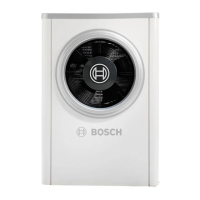
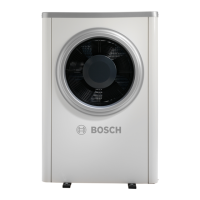
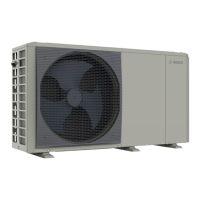
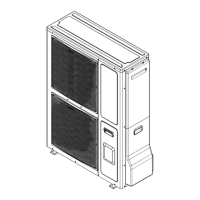
- Outdoor Unit (CS3400iAWS): This unit is installed outdoors and is the central heat source. It contains the entire refrigerant circuit, excluding the condenser. It recovers energy from the outdoor air and transfers it to the indoor unit. The compressor speed and fan speed are automatically varied to supply the precise amount of energy required, optimizing energy consumption. The outdoor unit switches off when the outdoor temperature falls below a minimum threshold (e.g., -20 °C or -15 °C, depending on the model) or exceeds a maximum threshold (e.g., 45 °C).
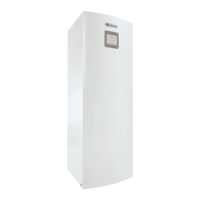
- Indoor Unit: Installed inside the building, the indoor unit distributes heat from the outdoor unit to the heating system and DHW cylinder. It includes an integrated electric booster heater that acts as an auxiliary heater when heat demand is particularly high (e.g., at very low outdoor temperatures). The circulation pump speed in the indoor unit is controlled to reduce automatically when demand is low, further saving energy.
Refrigerant Circuit Overview:
The system operates by circulating a refrigerant through a closed loop:
- Evaporator: Located in the outdoor unit, the evaporator absorbs heat from the outdoor air, causing the refrigerant to boil and turn into a gas.
- Compressor: The gaseous refrigerant is then compressed, increasing its pressure and temperature.
- Condenser: In the indoor unit, the hot, high-pressure refrigerant transfers its heat to the heating water or DHW, causing the refrigerant to condense back into a liquid.
- Expansion Valve: The liquid refrigerant then passes through an expansion valve, which reduces its pressure before it returns to the evaporator to repeat the cycle.
Defrosting:
During low outside temperatures, ice can form on the evaporator. If this ice layer becomes too thick, an automatic de-icing process is initiated. This is typically achieved by reversing the flow direction of the refrigerant in a circuit via a 4-way valve (reverse circulation) until all ice has melted, after which the heat pump returns to normal operation.
Control Unit (HPC 410):
The HPC 410 control unit, located in the indoor unit, manages the entire heating system. It controls heat production based on outdoor sensor values, potentially in combination with a room temperature-dependent controller (CR10H accessory). The system automatically adapts the building's temperature based on the outside temperature. Users set the desired room temperature via the control unit or a room temperature-dependent controller. The control unit also monitors the system and switches off the heat pump in case of faults to prevent damage to components.
DHW Production (AWS E model):
When combined with the AWS E indoor unit and an external DHW cylinder, the heat pump can also produce domestic hot water. A 3-way valve manages the changeover between heating and DHW modes. The integrated electric booster heater in the indoor unit can be activated if needed for DHW production.
Usage Features
The manual outlines various operational features, primarily controlled via the HPC 410 user interface:
Control Unit Operation:
- Power Failure: Settings are retained after a power failure, though time and date may need to be reset.
- Control Elements: The interface includes a "fav" key for favorites, an "extra DHW" key for additional DHW charging, a "DHW" key for setting DHW heating mode, a "menu" key for the main menu, an "info" key for system information, a "back" key, and a selector for navigation and confirmation.
- Standard Display: Shows current temperature, time, date, outside temperature, and operating mode.
- Switching Off/On: The system can be temporarily switched off or on via a pop-up menu by pressing and holding the selector.
- Heating Circuit Selection: If multiple heating circuits are installed, users can select which circuit's data is shown on the standard display.
Operating Modes:
- Automatic Mode (with time program): The system operates according to a predefined time program, automatically switching between heating and setback phases.
- Optimised Operation (without time program): Allows users to set a desired room temperature that remains constant.
- Outdoor-temp.-compensated: Flow temperature is adjusted based on outside temperature and an optimized heating curve.
- Outdoor-temp.-compensated with low end: Flow temperature is adjusted based on outside temperature and a simplified heating curve.
- Room Temperature Adjustment:
- Temporary: Users can temporarily change the room temperature, which applies until the next switching time in the active time program.
- Permanent: Users can permanently change the room temperature for optimized operation.
Time Programs:
- Adapting Settings: Users can adapt heating system settings using time programs, including setting switching times, operating modes (heating, setback), and temperatures for specific time slots.
- Deleting Switching Times: Individual switching times can be deleted.
- Copying Time Programs: Time programs can be copied to different days of the week or groups of days.
- Renaming: Time programs and heating circuits can be renamed for easier identification.
- Activating: Users can select and activate a specific time program for the heating system.
DHW Settings:
- Operating Mode Selection: Users can choose between "Always on - DHW Eco+" (lowest energy consumption), "Always on - DHW Eco" (medium energy consumption), "Always on - DHW comfort" (highest energy consumption), or "Own time program" for DHW heating.
- Extra DHW Cylinder Charging: Allows for temporary additional hot water production outside of normal charging schedules.
- Thermal Disinfection: A function to heat DHW to a higher temperature to prevent legionella formation. This should be performed outside normal hours of use, and a mixer should be installed to prevent scalding.
- DHW Alternating Operation: If activated, the system alternates between DHW heating and space heating based on set priority times when both demands occur simultaneously.
- DHW Circulation: Settings for the DHW circulation pump, including operating mode (off, on, linked to DHW heating time program, or own circulation time program) and start frequency.
Holiday Program:
- Setup: Users can define start and end dates for a holiday period, during which the system adjusts heating and DHW settings.
- Heating/DHW Selection: Users can specify which heating circuits and DHW systems the holiday program applies to.
- Interruption/Clearing: A holiday program can be interrupted or deleted.
General Settings:
- Time and Date: Allows setting the current time and date.
- Key Block: The parental lock (key block) can be switched on or off to prevent unauthorized changes.
- Favorite Functions: Users can customize the list of frequently used functions accessible via the "fav" key.
- Language: Changes the language of the display texts.
- Time/Date Format: Allows switching between 24-hour and 12-hour time formats and changing the date format.
- Auto. Time Switchover: Activates or deactivates automatic changeover between summer and winter time.
- Display Contrast: Adjusts the display contrast.
- Warning Sound: Can be blocked for a settable time interval.
- Reduced DHW Temp.: Reduces DHW temperature if a compressor fault occurs, to reduce auxiliary heater use.
- DHW Temp. Correction: Corrects the displayed DHW temperature.
- Time Correction: Corrects the internal clock.
- Standard Display Settings: Configures additional temperatures displayed.
- Internet Connection: Settings for connecting to the internet via a communication module, including password, pairing status, and hotspot activation.
- Low-noise Operation: Activates a reduced sound operation mode for the heat pump during specified times.
Information Menu:
The "info" menu provides current system values and operating conditions without allowing changes. This includes information on heating/cooling mode, room temperatures, flow temperatures, DHW temperatures, ventilation settings, pool settings, and operating data (e.g., operating hours, energy consumption, number of starts).
Faults:
The system displays active faults, which can be confirmed and viewed. Users are advised to contact an authorized contractor with the fault code and ID number if faults persist.
Maintenance Features
The manual outlines several maintenance tasks to ensure the system's safe and efficient operation:
General Safety:
- Disconnect Power: Always disconnect the power supply before performing maintenance work to prevent electric shock.
- Cleaning Products: Do not use acidic, chlorine-based, or abrasive cleaning products, as they can damage the units.
Indoor Unit Maintenance:
- Operating Pressure Check: The pressure gauge should be checked 1-2 times per year. If the pressure is below 0.5 bar, it should be slowly increased to a maximum of 2 bar by filling with water via the fill valve.
- Overheating Protection: For indoor units with integrated booster heaters, the overheating protection must be manually reset if triggered. This requires contacting an installer or dealer.
- Particle Filter: The filter prevents particles from entering the heat pump and should be cleaned when blocked. The system does not need to be emptied for filter cleaning, as it's integrated into the shut-off valve.
- Cleaning Steps: Close the valve, unscrew the cap, remove and clean the strainer with running water, check and clean the magnet, reinstall the strainer, screw the cap back on, and open the valve.
- Pacemaker Warning: Individuals with pacemakers should not clean the filter or check the magnetite indicator due to the strong magnet.
- Moisture in Cooling Mode: Frequent moisture near the indoor unit or fan convectors in cooling mode may indicate defective condensation insulation. If this occurs, the heat pump should be switched off, and a system installer consulted.
- Safety Valves: Safety valves should be checked 1-2 times per year. They should only release water if the maximum pressure is exceeded. If water is released at pressures below 2 bar, an installer should be contacted. The drainage hose from the safety valve must be discharged into the drainage system.
Heat Pump (Outdoor Unit) Maintenance:
- Dirt and Leaves: Remove dirt and leaves from the outdoor unit with a brush.
- Casing: Clean the outside with a damp cloth if required. Spot repair cracks and damage with anti-corrosive paint, and apply standard car wax for protection.
- Evaporator: Wash off any layers of dust or dirt from the evaporator surface.
- Caution: The aluminum fins are sensitive; avoid direct drying with a cloth. Wear protective gloves. Do not use high water pressure.
- Cleaning Steps: Spray detergent on the evaporator fins, then rinse thoroughly with water.
- Snow and Ice: Remove snow from the top and back of the heat pump, especially in regions with heavy snowfall, to prevent ice formation. Hot water can be used to rinse off ice.
- Tightness Test: According to EU F-Gas Regulation, the equipment must be checked for leaks during installation and every 12 months. An installer should be consulted for this.

 Need help?
 General



 To Next Page