14/18
Bosch Rexroth Canada ı 07.22.2013 ı Revision 2.0
9 Liquid + Mode
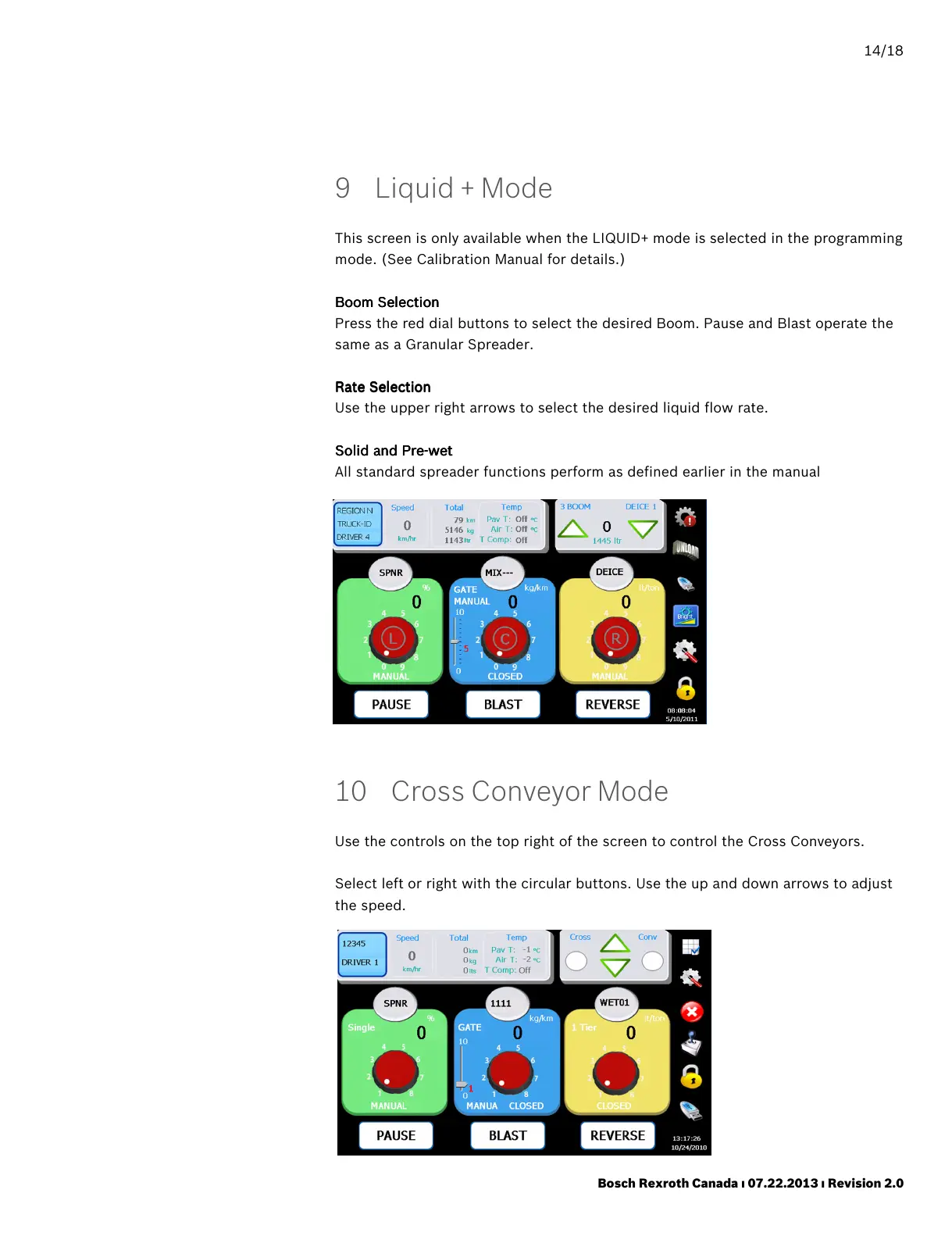
This screen is only available when the LIQUID+ mode is selected in the programming
mode. (See Calibration Manual for details.)
Boom Selection
Boom SelectionBoom Selection
Boom Selection
Press the red dial buttons to select the desired Boom. Pause and Blast operate the
same as a Granular Spreader.
Rate Selection
Rate SelectionRate Selection
Rate Selection
Use the upper right arrows to select the desired liquid flow rate.
Solid and Pre
Solid and PreSolid and Pre
Solid and Pre-
--
-wet
wetwet
wet
All standard spreader functions perform as defined earlier in the manual
10 Cross Conveyor Mode
Use the controls on the top right of the screen to control the Cross Conveyors.
Select left or right with the circular buttons. Use the up and down arrows to adjust
the speed.



 To Next Page