
 Need help?
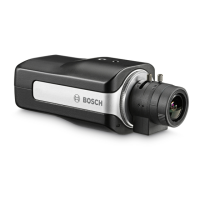
Do you have a question about the Bosch DINION 5100i IR and is the answer not in the manual?
Details the minimum hardware and software needed for browser access.
Explains how to connect the device to the network and access it.
Covers setting a strong password for device security and access.
Overview of the Configuration page for device settings and interface.
Details on viewing and controlling live video streams from the browser.
Covers stream selection, searching, exporting, and controlling video playback.
Covers password protection, authentication modes, and user creation/editing.
Configuration for VCA metadata, trajectories, icons, and dashboard display.
Adapting Live page functions like transmitting audio, auto logout, and snapshots.
Initial camera setup including sensor mode and image quality settings.
Settings for HDR, image rotation, mirror image, and electronic image stabilization.
Using the Lens Wizard for field of view, focus, optical zoom, and autofocus.
Procedures for restoring default settings and factory defaults.
Settings for video authentication, signature, and camera positioning calibration.
Inputting tilt, roll, height, and focal length for accurate camera calibration.
Displaying sensor values and using sketch for manual camera calibration.
Using Configuration Manager or sketch for camera calibration.
Selecting predefined scene modes for optimizing image quality in various conditions.
Adjusting brightness, contrast, saturation, and white balance for image color.
Adjusting shutter speed, exposure, lens aperture (Piris), and day/night modes.
Adjusting high dynamic range, backlight compensation, intelligent defog, and contrast.
Setting up encoder profiles for different streams, prioritizing quality or bit rate.
Configuring optimization strength, maximum bit rate, and target bit rate.
Managing storage via iSCSI media or local microSD cards for recording.
Procedures for firmware updates, configuration saving, and maintenance logs.
Steps to perform a hardware reset on the camera to restore operation.
 General
| Day/Night | Yes |
|---|---|
| Ingress Protection | IP66 |
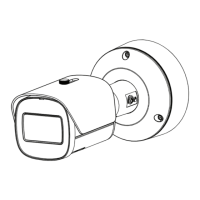
| Camera Type | Bullet |
| Aperture | F1.4 |
| Frame Rate | 30 fps |
| Power Supply | PoE (IEEE 802.3af), 12 VDC |
| IR Range | 30 m |
| Sensor Type | CMOS |
| Video Compression | H.265, H.264, MJPEG |
| Network Interface | RJ-45 |
| Operating Temperature | -30 °C to +60 °C |
| Lens Type | Fixed Lens |



 To Next Page