
 Need help?
Do you have a question about the Bosch DINION XF LTC 0495 and is the answer not in the manual?
The lightning flash symbol indicates dangerous voltage.
The exclamation mark symbol indicates important operating instructions.
Avoid electric shock by not removing covers; refer servicing to qualified personnel.
Read and follow all safety instructions and warnings provided in the manual.
Apparatus should not be exposed to rain or moisture; avoid liquids.
Equipment tested and found to comply with Class B digital device limits per FCC Rules.
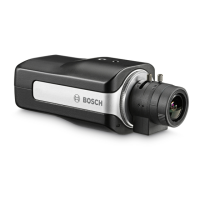
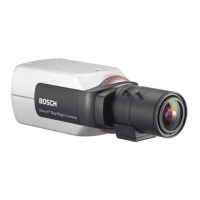
High-performance smart surveillance color camera with 15-bit digital signal processing.
Details different model numbers, standards, supply voltage, and CCD types.
Ensure that your power supply matches the rated voltage of your camera before installing.
Lists items included in the packaging: camera, lens adapter, protection cap, connector, instructions.
Explains low and high voltage power connections and wire specifications.
Illustrates how to connect composite video using BNC connectors.
Details how to connect sync signals for stable video.
Explains Y/C signal connection and provides a pinout table.
Describes alarm input/output pins, wire gauge, and logic configurations.
Explains CS and C-mount lens compatibility and cautions for mounting.
Details pin functions for video iris lenses (Supply, Not used, Video signal, Ground).
Details pin functions for DC iris lenses (Damp -, Damp +, Drive +, Drive -).
Step-by-step guide to adjust back focus for sharp images in various lighting and zoom conditions.
Camera can be mounted top or bottom; DC-iris lens recommended for outdoor scenes.
Details the motorized IR filter and four switching methods for Day/Night operation.
Access advanced options for optimal picture under special circumstances via Mode/Installer menus.
Explains how to use the five keys for navigating through camera menus.
Visual representation of the Mode menu hierarchy and options.
Visual representation of the Installer menu hierarchy and options.
Access settings related to lens type, detection, back focus, and level.
Details settings for Input/Output, Synchronization, and Camera Identification.
Detailed explanation of how each key (Up, Down, Left, Right, Menu/select) functions within the menus.
Describes actions like accessing menus, opening installer menu, scrolling, changing parameters, restoring defaults, and closing menus.
Explains functions like MODE, ALC, ENHANCE, COLOR, BLC, VMD, MODE ID, DEFAULTS, EXIT.
Details ALC LEVEL, SHUTGAIN, PEAK AVERAGE, ALC SPEED, and EXIT options.
Explains AES, FL, and FIXED shutter modes and their descriptions.
Details SENSUP, GAIN (AGC/FIXED), MAXGAIN, and FIXGAIN settings.
Covers DAY/NIGHT modes (COLOR, MONO, AUTO), LEVEL, PRIORITY, IR CONTRAST, and MONO BURST.
Details AUTO BLACK, BLK LEVEL, CONTOUR, DNR, and XF-DYN settings.
Explains WHITE BALANCE, WB SPEED, RED/GREEN/BLUE GAIN, and SATuration settings.
Covers BLC ON/OFF, BLC LEVEL, and AREA selection for optimizing image areas.
Details VMD modes (OFF, SIL, OSD), AREA setup, ACTIVE, MOTION, and SENS settings.
Options for restoring factory defaults for modes and confirming settings.
Main installer functions: LENS WIZARD, I/O, SYNC, CAMERA ID, DEFAULTS, EXIT.
Settings for LENS TYPE, DETECTED, SET BACK FOCUS NOW, and SET LVL.
Procedures for adjusting manual-iris lenses, including back focus.
Procedures for adjusting video-iris lenses, including back focus and level.
Settings for SYNC IN, COMM, CABLE COMP, COMP LEVEL, and ALARM.
Settings for ACTIVE, ACTION, and ALARM OUT configuration.
Settings for SYNC, DETECTED SYNC, VPHASE, HPHASE, and SUB PHASE.
Settings for CAMERA ID and ID POS (position).
Explains coaxial communication transceiver for remote control and disabling local keys.
Technical details for 1/2" CCD models including type numbers, pixels, voltage, and illumination.
Technical details for 1/3" CCD models including type numbers, pixels, voltage, and illumination.
Lists Day/Night modes, Sens Up, Auto black, AGC, XF-DYN, DNR, Contour, BLC, White balance, Color saturation.
Details Lens Mount, ALC lens, Power consumption, Dimensions, Weight, Tripod Mount, Operating temperature, Controls.
Lists compatible power transformers with their voltage and VA ratings.
Lists recommended varifocal and zoom lenses with specifications.
 General
| Brand | Bosch |
|---|---|
| Model | DINION XF LTC 0495 |
| Category | Security Camera |
| Language | English |



 To Next Page
