EasyManua.ls Logo

Bosch ICP-AMAX4-P2-EN - User Manual

Bosch ICP-AMAX4-P2-EN
72 pages
Print Icon
To Next Page IconTo Next Page
Loading...
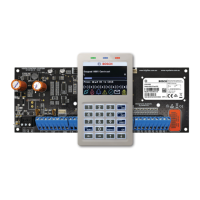
AMAX panel 4000 / AMAX panel 4000 EN
ICP-AMAX4-P1 / ICP-AMAX4-P2-EN / ICP-AMAX4-P3-EN
en Quick Start Guide

Questions and Answers

  • S
    Samuel BerryAug 19, 2025
    How to fix Bosch ICP-AMAX4-P2-EN Security System when it doesn't dial during an alarm?
    • J
      Joseph PalmerAug 19, 2025
      If your Bosch Security System isn't dialing when an alarm is triggered, the receiver parameters might not be correctly set. Ensure you've correctly set the telephone number, configured the transmission format to CID, and assigned the zone alarm to the appropriate paths.
  • C
    crystal65Aug 21, 2025
    Why does my Bosch ICP-AMAX4-P2-EN still show a battery failure after replacing the battery?
    • M
      Melissa MerrittAug 21, 2025
      The system tests the battery approximately 4 hours after each arming. Also, the battery voltage might be below 12V. The fault should automatically clear when the system is reset or the battery is re-tested. If not, charge the new battery until its voltage reaches 12V or higher.
  • E
    elizabethhannaAug 23, 2025
    What to do if my Bosch ICP-AMAX4-P2-EN Security System won't enter programming mode after powering up?
    • T
      Tina Thomas MDAug 25, 2025
      If your Bosch Security System doesn't enter programming mode after power up, it might be because the system is in an alarm or arming state. Try resetting the alarm or disarming the system and keeping it in the disarming status.
  • R
    Robert HuffAug 26, 2025
    Why is my Bosch Security System showing an over current protection of the auxiliary power?
    • P
      phillip09Aug 26, 2025
      This issue can occur due to abnormal wiring of the 12V auxiliary power, or if the auxiliary power draw exceeds the control panel's 2000mA limit. Reconnect the auxiliary power, and for perimeter devices, consider using an external power supply.
  • J
    Julie BaileyAug 28, 2025
    Why is remote telephone arming failing on my Bosch Security System?
    • M
      Michael WilsonAug 28, 2025
      Remote telephone arming may fail if it is disabled (address 0144 is set to 0) or if the system has multiple areas. Program address 0144 to a number from 1 to 15. Telephone arming is only available when the system has area 1 only.
  • D
    Derek BishopAug 30, 2025
    How to troubleshoot an AC power fault in Bosch ICP-AMAX4-P2-EN?
    • H
      Harold HendersonAug 30, 2025
      An AC power fault can occur if the AC power fuse is burnt. Check if the 18V of the transformer is correctly wired and replace the fuse.
  • T
    Timothy BrownSep 1, 2025
    What to do if the auxiliary power cannot be recovered after a short circuit in my Bosch ICP-AMAX4-P2-EN Security System?
    • B
      Brian NunezSep 1, 2025
      The auxiliary power may not recover after a short circuit if the AC power and battery fail. Power up the AC power and battery again.
  • V
    Victor WalshSep 4, 2025
    Why does the red LED on the main board of my Bosch Security System go off?
    • K
      Kelly PonceSep 4, 2025
      The red LED might be off due to abnormal AC power or backup battery, or the main board may have failed. Check the AC power and backup battery. If the problem persists, replace the main board.
  • A
    Ana NicholsonSep 6, 2025
    Why is my Bosch ICP-AMAX4-P2-EN Security System experiencing abnormal communication with Contact ID/personal telephone alarm?
    • V
      Valerie RamirezSep 6, 2025
      Abnormal communication can occur if an extension system is used in the telephone network or if the telephone network supports ADSL. Try adding dial delay in programming or connecting the system after the ADSL filter.
  • J
    John IrwinSep 8, 2025
    Why can't RPS perform remote programming and control on my Bosch Security System?
    • A
      anthonymossSep 8, 2025
      RPS might fail to perform remote programming and control if both addresses 0144 and 0145 are set to 0. Program address 0144 to a number from 1 to 15, and program address 0145 to 1.

Summary

Short Information Overview

System Overview

Installation Procedures

System Power Up Details

Procedures and indications after the system is powered up or reset.

System Status Indicator Guide

Indication of system status via LED on the main board.

Installer and User Code Commands

Support for programmable 4- to 6-digit Installer and User Codes.

Certification Installation Prerequisites

Requirements for EN 50131-3 Grade 2 certification compliance.

System Configuration Settings

Keypad Programming Methods

Methods for programming the system using keypads.

LCD Keypad Menu Programming

Procedure for programming via LCD keypad menu.

LED;Icon LCD Keypad Address Programming

Procedure for programming addresses via LED/Icon LCD keypad.

Factory Default Reset Procedure

Procedure to reset the control panel to factory default settings.

LCD Menu Programming Navigation

Navigation and operation for LCD menu programming.

Address Programming Details

Configuration of system addresses for various functions.

Communication and Report Settings

Configuring communication parameters and report options.

Zone Programming Configuration

Configuration of zone functions, areas, and modules.

Output Programming Options

Setting up output event types, modes, and times.

Access Codes Configuration

Setting up code length and installer codes.

System Programming Parameters

Configuration of system parameters like exit and entry delay.

Troubleshooting Common Issues

Technical Data and Specifications

Bosch ICP-AMAX4-P2-EN Specifications

General IconGeneral
SeriesAMAX
ModelICP-AMAX4-P2-EN
ManufacturerBosch
Max Zones64
CommunicationEthernet, PSTN
Operating Temperature-10°C to +55°C
Product TypeControl Panel
Battery Backup7 Ah
ComplianceEN50131 Grade 2

Related product manuals