en | 27
7 620 210 017 | 11.2013Robert Bosch Car Multimedia GmbH
en
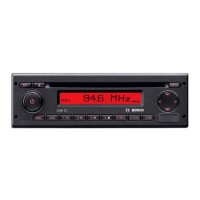
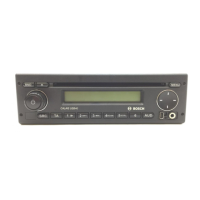
1 Volume control
2 BND
Short press: Selects the memory bank or
waveband
Long press: Start the Travelstore function
3 On/Off button
Short press: Switches the device on
In operation: Muting (Mute)
Long press: Switches the device off
4 Display
5 MENU
Calls up the menus for basic settings
6 Multifunction rocker
7 Front AUX-IN socket
8 Mini USB socket
9 AUD button
Short press: Opens the audio menu for
setting bass, middle, treble, balance,
fader and loudness
Long press: Restore factory tone settings
(treble and bass adjustments for the
audio source currently being used)
: Button group 1– 6
; TA button
Switches priority for traffic information
on/off
Cancels an ongoing traffic announcement
< SRC button
Source selection between radio and (if
connected and switched on) USB and
AUX
= Code LED
Controls
02_MR12_en.indd 27 25.11.13 16:23




 To Next Page