32 | en
7 620 210 017 | 11.2013 Robert Bosch Car Multimedia GmbH
CODE theft protection | Switching on and off
Once the time has been confirmed, the device
switches into normal operating mode.
Switching on/off
There are various ways of switching the device
on/off:
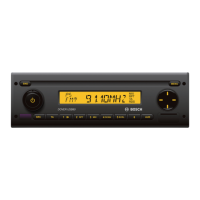
Switching on/off with the On/Off
button
f Press the On/Off button
3
to switch on.
f To switch the device off, press and hold
down the On/Off button
3
for longer
than two seconds.
Note:
To protect the vehicle battery, the
device is automatically switched off
after an adjustable time period if the
vehicle ignition is switched off (see
the section "Adjusting the switch-off
time" in this chapter).
Switching on/off with microphone
If a microphone is connected to the device, the
device can be switched on and off with the
microphone for making announcements. For
further details read the “Microphone mode”
section in the “Adjusting the volume” chapter.
f Switch the microphone on while the
device is switched off.
The device automatically switches on and
allows you to make announcements over the
connected loudspeakers.
f Switch off the microphone.
The device switches off again.
Switching on/off via vehicle igni-
tion
If the device is connected to the vehicle’s
ignition and you did not switch the device off
02_MR12_en.indd 32 25.11.13 16:23











 To Next Page