EasyManua.ls Logo

Bosch NDN-498 - User Manual

Bosch NDN-498
138 pages
Print Icon
To Next Page IconTo Next Page
Loading...
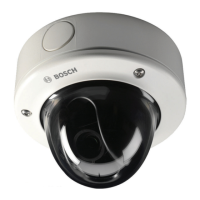
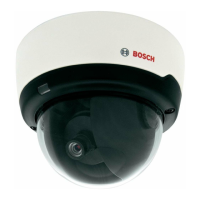
FlexiDome2X IP Camera
NDN-498
en Installation and Operation Manual

Table of Contents

Other manuals for Bosch NDN-498

Questions and Answers

Summary

Safety Information

Safety Precautions

Explains hazard symbols (DANGER, WARNING, CAUTION) and their associated risks.

Important Safety Instructions

Provides essential guidelines for safe operation, maintenance, and installation of the unit.

Connection in Applications

Details on connecting power lines, power sources (12 VDC/24 VAC, PoE), and earth connection for safe operation.

FCC & ICES Compliance

Information regarding compliance with FCC and ICES regulations for digital devices.

UL Certification

Disclaimer regarding UL testing, shock/casualty hazards, and disposal information.

Bosch Notices

Information on video loss liability, copyright, trademarks, and notes for users.

Copyrights

Details on font usage and software copyrights, including permissions and usage terms.

Introduction to FlexiDome2 X Camera

Features

Overview of the FlexiDome2X IP Day/Night camera's capabilities and design.

System Information and Features

Overview of Functions

Details the camera's function as a network video server and its H.264 encoding.

Progressive Scan

Explains how the camera captures and processes progressively scanned images for sharper motion.

Day;Night Function

Describes enhanced night viewing via motorized IR filter and automatic switching between color and monochrome.

Wide Dynamic Range

Details the 20-bit processing for enhanced sensitivity and dynamic range in varying light conditions.

Tri-streaming, ONVIF Compliance

Allows simultaneous encoding in 3 profiles and states ONVIF compliance for system integration.

Audio and Alarm I;O

Covers two-way audio and the use of alarm input/output for device control.

Tamper Detection & Motion Detectors

Configuration options for tamper alarms and built-in motion detection algorithms.

Video Encoding & Multicast

Notes H.264 compression and simultaneous real-time transmission to multiple receivers.

Power-over-Ethernet & Encryption

Describes power supply via Ethernet and protection options using HTTPS/SSL.

Receiver, Recording & Snapshots

Lists compatible receivers, recording to iSCSI, and capturing individual JPEG images.

Backup & Configuration

Saving video images to a computer and configuring settings via browser.

Operation with External Systems

Lists compatible Bosch software and hardware systems for camera integration.

Planning and Preparation

Unpacking

Lists the contents of the packaging and instructions for handling damaged equipment.

System Requirements

Details the necessary PC hardware and software for operating the camera.

Install Players

Provides step-by-step instructions for installing playback software from the DVD.

Installation Guide

Disassembly

Details on disassembling surface and flush mount versions of the camera unit.

Flush Mount Version Disassembly

Lists components and steps for disassembling the flush mount camera/housing unit.

Mounting the Unit

Covers various mounting methods, including surface and flush mount options.

Surface Mount Installation

Details the process of surface mounting the camera using the surface mount box.

Flush Mount Installation

Provides diagrams and information for flush mounting the camera.

Making Connections

Explains cable connections, power, network, and alarm I/O wiring.

Network & PoE Connection

Details network cable requirements and default Power-over-Ethernet connection.

Alarm Input;Output

Configuration of alarm triggers and relay output switching behavior.

Indicators and Reset

Details on the indication LED status and how to use the reset button for factory defaults.

Mounting the Camera Module

Instructions for securing cables and mounting the camera module base.

Camera Positioning

Guide for connecting a monitor and adjusting camera position (pan, tilt, twist).

Focal Length and Focus Adjustment

Step-by-step guide for adjusting focal length and focus using the menu.

Closing the Unit

Instructions for reassembling the camera unit after adjustments are made.

Camera Setup Procedures

Camera Menu Navigation

Explains how to navigate the camera's setup menu using the five navigation keys.

Install Menu Overview

Details the options within the Install menu, including mode selection and submenus.

Pre-defined Operating Modes

Describes six pre-programmed modes (24-hour, Traffic, Low light, etc.) for easier configuration.

Network Submenu

Configuration of IP address, subnet mask, and gateway for network integration.

Defaults Submenu

Option to restore all camera settings to their default factory values.

Lens Wizard Submenu

Instructions for setting the backfocus for particular lens types.

Day;Night Switching

Configuring the motorized IR filter and switching modes (Auto, Monochrome, Color).

Browser Connection and Operation

System Requirements

Lists the required PC hardware and software for browser access.

Establishing the Connection

Steps to connect to the camera via a web browser using its IP address.

Password Protection

Details on setting up password protection with different authorization levels (service, user, live).

Protected Network

Configuration for Radius server authentication (802.1x) for network access control.

Connecting to Hardware Decoder

How to connect a hardware decoder to the camera via Ethernet for viewing.

Alarm Connection to Decoder

Establishes automatic connection between camera and decoder when an alarm is triggered.

Connection Established Overview

Describes the initial display of the Livepage and available application items.

Livepage, Recordings & Settings

Function of Livepage, accessing recordings, and configuring the application interface.

Basic Mode Configuration

Basic Mode Menu Tree

Overview of the basic configuration parameters available in Basic Mode.

Device Access & Password

Settings for assigning a camera name and configuring password protection levels (service, user, live).

Date;Time Settings

Configuration of device date, time, zone, and synchronization options.

Network Configuration

Settings for integrating the device into a network, including IP address and DHCP.

Encoder Profile & Audio

Selecting encoding profiles and controlling camera audio input/output.

Recording & Storage Management

Configuring image recording to a storage medium and managing storage media.

System Overview

Displays hardware and firmware information for troubleshooting.

Advanced Mode Configuration

General Settings

Contains settings for identification, password, date/time, and display stamping.

Identification Settings

Settings for Camera ID, Camera Name, and Initiator Extension.

Password Configuration

Details on password protection levels and setting passwords.

Date;Time Configuration

Configuration of date format, device date/time, and time zone settings.

Display Stamping

Settings for overlaying camera name, time, and date on the video image.

Web Interface Appearance

Customizing web interface appearance, changing company/device logos, and website language.

Livepage Functions

Customizing displayed information and controls on the Livepage.

Logging Settings

Settings for saving event logs and system logs to text files.

Encoder Settings

Settings related to video encoding, including privacy masks and profiles.

Privacy Masks & Encoder Profile

Defining privacy mask areas and adapting video transmission settings.

Encoder Streams

Selecting H.264 codec algorithms and default profiles for streams 1 and 2.

Audio Settings

Controls for switching camera audio on/off and adjusting levels.

Camera Settings Overview

Contains settings for operating modes, ALC, shutter/AGC, day/night, enhance, color, and installer options.

Camera Operating Modes

Describes six pre-programmed operating modes for the camera.

ALC Level Adjustment

Adjusting ALC level and peak average for video output control.

Shutter & AGC Settings

Settings for shutter speed (fixed, AES, flickerless) and automatic gain control (AGC).

Day;Night Switching

Configuring the motorized IR filter and switching modes (Auto, Monochrome, Color).

Enhance Settings

Settings for dynamic engine (XF, 2X), Smart BLC, auto black, sharpness, and noise reduction.

Color Settings

White balance settings (ATW, AWB hold, manual) and color saturation adjustment.

Installer Options

Settings for synchronization, ticker bar, camera buttons, LED, test patterns, and default restore.

Recording Configuration

Configuring image recording to an iSCSI system via a Video Recording Manager (VRM).

Recording Profiles

Defining and assigning up to ten recording profiles for different days/times.

Retention Time for Recordings

Specifies retention times for recordings to manage memory capacity and overwriting.

Recording Scheduler

Links recording profiles to days and times, including weekdays and holidays.

Recording Status

Displays information about the current recording activity.

Alarm Configuration Overview

Settings for alarm connections, VCA, audio alarm, E-mail, and task editor.

Alarm Connections Setup

Configuring automatic alarm connections to IP addresses and managing destination details.

Video Content Analyses (VCA)

Using integrated VCA for detecting and analyzing signal changes, and configuring VCA settings.

VCA Configuration Profiles

Configuring and saving VCA profiles, including renaming and loading.

VCA Configuration - Scheduled

Scheduling VCA profile activation based on weekdays and holidays.

VCA Configuration - Event Triggered

Activating VCA based on specific events, with options for triggers, delay, and configurations.

Audio Alarm Setup

Creating alarms based on audio signals, configuring signal ranges, threshold, and sensitivity.

Alarm Email Notifications

Configuring email notifications for alarm states, including server details and message format.

Alarm Task Editor

Editing alarm functions using scripts as an alternative to standard alarm settings.

Interfaces Overview

Configuration of alarm inputs and relay outputs for camera triggers and actions.

Alarm Input Configuration

Configuring alarm triggers, naming inputs, and selecting actions for alarm input 1.

Relay Output Configuration

Configuring switching behavior of the relay output, including idle state and trigger events.

Network Configuration

Network Settings

Integrating the device into a network, automatic IP assignment, and basic network parameters.

Advanced Network Settings

SNMP, authentication (802.1x), RTSP port, interface mode, MSS, and DynDNS.

Multicasting Configuration

Enabling and configuring multicast streaming for multiple receivers via UDP/IGMP.

JPEG Posting to FTP Server

Saving JPEG images to an FTP server, configuring file names, intervals, and paths.

Service and Maintenance

Maintenance & Firmware Update

Instructions for updating firmware and managing the device.

Licenses Activation

Window for activating additional functions using license codes.

System Overview Information

Displays system information for technical support.

Browser Operation

Livepage Display

Displays live video image and various text overlays, depending on configuration.

Processor Load Information

Displays processor load and network information in the upper right of the browser window.

Image Selection & Digital I;O

Options to view image full screen, switch streams, and view alarm input/relay status.

System Log & Event Log

Information on camera status, connections, and events, with options to delete entries.

Saving Snapshots & Video Sequences

Saving individual frames and video clips to the computer's hard drive.

Running Recording Program

Indicates automatic recording status via a hard drive icon on the Livepage.

Audio Communication

Sending and receiving audio signals via the Livepage.

Recordings Page & Playback Control

Accessing and playing back recorded videos using playback controls and time bar.

Troubleshooting and Support

Function Test

Verifying camera functions like remote access, data transmission, and alarm response.

Resolving Image & Connection Problems

Table identifying causes and solutions for image transmission and connection issues.

Customer Service & Firmware Issues

Contact info for support and troubleshooting firmware upload failures.

Maintenance and Service

Testing Network Connection

Using the ping command to check network connectivity between IP addresses.

Repairs & Disposal

Cautionary notes on repairs and guidelines for environmentally sound disposal of the unit.

Technical Specifications

Specifications Overview

Detailed technical specifications of the camera, including type number, lens, and power.

Dimensions (Flush Mount)

Diagrams showing flush mount dimensions of the camera unit.

Dimensions (Surface Mount)

Diagrams showing surface mount dimensions of the camera unit.

Accessories Information

Information on contacting Bosch representative for available accessories.

Glossary of Terms

Summary

Safety Information

Safety Precautions

Explains hazard symbols (DANGER, WARNING, CAUTION) and their associated risks.

Important Safety Instructions

Provides essential guidelines for safe operation, maintenance, and installation of the unit.

Connection in Applications

Details on connecting power lines, power sources (12 VDC/24 VAC, PoE), and earth connection for safe operation.

FCC & ICES Compliance

Information regarding compliance with FCC and ICES regulations for digital devices.

UL Certification

Disclaimer regarding UL testing, shock/casualty hazards, and disposal information.

Bosch Notices

Information on video loss liability, copyright, trademarks, and notes for users.

Copyrights

Details on font usage and software copyrights, including permissions and usage terms.

Introduction to FlexiDome2 X Camera

Features

Overview of the FlexiDome2X IP Day/Night camera's capabilities and design.

System Information and Features

Overview of Functions

Details the camera's function as a network video server and its H.264 encoding.

Progressive Scan

Explains how the camera captures and processes progressively scanned images for sharper motion.

Day;Night Function

Describes enhanced night viewing via motorized IR filter and automatic switching between color and monochrome.

Wide Dynamic Range

Details the 20-bit processing for enhanced sensitivity and dynamic range in varying light conditions.

Tri-streaming, ONVIF Compliance

Allows simultaneous encoding in 3 profiles and states ONVIF compliance for system integration.

Audio and Alarm I;O

Covers two-way audio and the use of alarm input/output for device control.

Tamper Detection & Motion Detectors

Configuration options for tamper alarms and built-in motion detection algorithms.

Video Encoding & Multicast

Notes H.264 compression and simultaneous real-time transmission to multiple receivers.

Power-over-Ethernet & Encryption

Describes power supply via Ethernet and protection options using HTTPS/SSL.

Receiver, Recording & Snapshots

Lists compatible receivers, recording to iSCSI, and capturing individual JPEG images.

Backup & Configuration

Saving video images to a computer and configuring settings via browser.

Operation with External Systems

Lists compatible Bosch software and hardware systems for camera integration.

Planning and Preparation

Unpacking

Lists the contents of the packaging and instructions for handling damaged equipment.

System Requirements

Details the necessary PC hardware and software for operating the camera.

Install Players

Provides step-by-step instructions for installing playback software from the DVD.

Installation Guide

Disassembly

Details on disassembling surface and flush mount versions of the camera unit.

Flush Mount Version Disassembly

Lists components and steps for disassembling the flush mount camera/housing unit.

Mounting the Unit

Covers various mounting methods, including surface and flush mount options.

Surface Mount Installation

Details the process of surface mounting the camera using the surface mount box.

Flush Mount Installation

Provides diagrams and information for flush mounting the camera.

Making Connections

Explains cable connections, power, network, and alarm I/O wiring.

Network & PoE Connection

Details network cable requirements and default Power-over-Ethernet connection.

Alarm Input;Output

Configuration of alarm triggers and relay output switching behavior.

Indicators and Reset

Details on the indication LED status and how to use the reset button for factory defaults.

Mounting the Camera Module

Instructions for securing cables and mounting the camera module base.

Camera Positioning

Guide for connecting a monitor and adjusting camera position (pan, tilt, twist).

Focal Length and Focus Adjustment

Step-by-step guide for adjusting focal length and focus using the menu.

Closing the Unit

Instructions for reassembling the camera unit after adjustments are made.

Camera Setup Procedures

Camera Menu Navigation

Explains how to navigate the camera's setup menu using the five navigation keys.

Install Menu Overview

Details the options within the Install menu, including mode selection and submenus.

Pre-defined Operating Modes

Describes six pre-programmed modes (24-hour, Traffic, Low light, etc.) for easier configuration.

Network Submenu

Configuration of IP address, subnet mask, and gateway for network integration.

Defaults Submenu

Option to restore all camera settings to their default factory values.

Lens Wizard Submenu

Instructions for setting the backfocus for particular lens types.

Day;Night Switching

Configuring the motorized IR filter and switching modes (Auto, Monochrome, Color).

Browser Connection and Operation

System Requirements

Lists the required PC hardware and software for browser access.

Establishing the Connection

Steps to connect to the camera via a web browser using its IP address.

Password Protection

Details on setting up password protection with different authorization levels (service, user, live).

Protected Network

Configuration for Radius server authentication (802.1x) for network access control.

Connecting to Hardware Decoder

How to connect a hardware decoder to the camera via Ethernet for viewing.

Alarm Connection to Decoder

Establishes automatic connection between camera and decoder when an alarm is triggered.

Connection Established Overview

Describes the initial display of the Livepage and available application items.

Livepage, Recordings & Settings

Function of Livepage, accessing recordings, and configuring the application interface.

Basic Mode Configuration

Basic Mode Menu Tree

Overview of the basic configuration parameters available in Basic Mode.

Device Access & Password

Settings for assigning a camera name and configuring password protection levels (service, user, live).

Date;Time Settings

Configuration of device date, time, zone, and synchronization options.

Network Configuration

Settings for integrating the device into a network, including IP address and DHCP.

Encoder Profile & Audio

Selecting encoding profiles and controlling camera audio input/output.

Recording & Storage Management

Configuring image recording to a storage medium and managing storage media.

System Overview

Displays hardware and firmware information for troubleshooting.

Advanced Mode Configuration

General Settings

Contains settings for identification, password, date/time, and display stamping.

Identification Settings

Settings for Camera ID, Camera Name, and Initiator Extension.

Password Configuration

Details on password protection levels and setting passwords.

Date;Time Configuration

Configuration of date format, device date/time, and time zone settings.

Display Stamping

Settings for overlaying camera name, time, and date on the video image.

Web Interface Appearance

Customizing web interface appearance, changing company/device logos, and website language.

Livepage Functions

Customizing displayed information and controls on the Livepage.

Logging Settings

Settings for saving event logs and system logs to text files.

Encoder Settings

Settings related to video encoding, including privacy masks and profiles.

Privacy Masks & Encoder Profile

Defining privacy mask areas and adapting video transmission settings.

Encoder Streams

Selecting H.264 codec algorithms and default profiles for streams 1 and 2.

Audio Settings

Controls for switching camera audio on/off and adjusting levels.

Camera Settings Overview

Contains settings for operating modes, ALC, shutter/AGC, day/night, enhance, color, and installer options.

Camera Operating Modes

Describes six pre-programmed operating modes for the camera.

ALC Level Adjustment

Adjusting ALC level and peak average for video output control.

Shutter & AGC Settings

Settings for shutter speed (fixed, AES, flickerless) and automatic gain control (AGC).

Day;Night Switching

Configuring the motorized IR filter and switching modes (Auto, Monochrome, Color).

Enhance Settings

Settings for dynamic engine (XF, 2X), Smart BLC, auto black, sharpness, and noise reduction.

Color Settings

White balance settings (ATW, AWB hold, manual) and color saturation adjustment.

Installer Options

Settings for synchronization, ticker bar, camera buttons, LED, test patterns, and default restore.

Recording Configuration

Configuring image recording to an iSCSI system via a Video Recording Manager (VRM).

Recording Profiles

Defining and assigning up to ten recording profiles for different days/times.

Retention Time for Recordings

Specifies retention times for recordings to manage memory capacity and overwriting.

Recording Scheduler

Links recording profiles to days and times, including weekdays and holidays.

Recording Status

Displays information about the current recording activity.

Alarm Configuration Overview

Settings for alarm connections, VCA, audio alarm, E-mail, and task editor.

Alarm Connections Setup

Configuring automatic alarm connections to IP addresses and managing destination details.

Video Content Analyses (VCA)

Using integrated VCA for detecting and analyzing signal changes, and configuring VCA settings.

VCA Configuration Profiles

Configuring and saving VCA profiles, including renaming and loading.

VCA Configuration - Scheduled

Scheduling VCA profile activation based on weekdays and holidays.

VCA Configuration - Event Triggered

Activating VCA based on specific events, with options for triggers, delay, and configurations.

Audio Alarm Setup

Creating alarms based on audio signals, configuring signal ranges, threshold, and sensitivity.

Alarm Email Notifications

Configuring email notifications for alarm states, including server details and message format.

Alarm Task Editor

Editing alarm functions using scripts as an alternative to standard alarm settings.

Interfaces Overview

Configuration of alarm inputs and relay outputs for camera triggers and actions.

Alarm Input Configuration

Configuring alarm triggers, naming inputs, and selecting actions for alarm input 1.

Relay Output Configuration

Configuring switching behavior of the relay output, including idle state and trigger events.

Network Configuration

Network Settings

Integrating the device into a network, automatic IP assignment, and basic network parameters.

Advanced Network Settings

SNMP, authentication (802.1x), RTSP port, interface mode, MSS, and DynDNS.

Multicasting Configuration

Enabling and configuring multicast streaming for multiple receivers via UDP/IGMP.

JPEG Posting to FTP Server

Saving JPEG images to an FTP server, configuring file names, intervals, and paths.

Service and Maintenance

Maintenance & Firmware Update

Instructions for updating firmware and managing the device.

Licenses Activation

Window for activating additional functions using license codes.

System Overview Information

Displays system information for technical support.

Browser Operation

Livepage Display

Displays live video image and various text overlays, depending on configuration.

Processor Load Information

Displays processor load and network information in the upper right of the browser window.

Image Selection & Digital I;O

Options to view image full screen, switch streams, and view alarm input/relay status.

System Log & Event Log

Information on camera status, connections, and events, with options to delete entries.

Saving Snapshots & Video Sequences

Saving individual frames and video clips to the computer's hard drive.

Running Recording Program

Indicates automatic recording status via a hard drive icon on the Livepage.

Audio Communication

Sending and receiving audio signals via the Livepage.

Recordings Page & Playback Control

Accessing and playing back recorded videos using playback controls and time bar.

Troubleshooting and Support

Function Test

Verifying camera functions like remote access, data transmission, and alarm response.

Resolving Image & Connection Problems

Table identifying causes and solutions for image transmission and connection issues.

Customer Service & Firmware Issues

Contact info for support and troubleshooting firmware upload failures.

Maintenance and Service

Testing Network Connection

Using the ping command to check network connectivity between IP addresses.

Repairs & Disposal

Cautionary notes on repairs and guidelines for environmentally sound disposal of the unit.

Technical Specifications

Specifications Overview

Detailed technical specifications of the camera, including type number, lens, and power.

Dimensions (Flush Mount)

Diagrams showing flush mount dimensions of the camera unit.

Dimensions (Surface Mount)

Diagrams showing surface mount dimensions of the camera unit.

Accessories Information

Information on contacting Bosch representative for available accessories.

Glossary of Terms

Bosch NDN-498 Specifications

General IconGeneral
Day/Night FunctionalityYes
IR Cut FilterYes
EnvironmentIndoor/Outdoor
Night VisionYes
Weather ResistanceIP66
Zoomoptical zoom
IR RangeUp to 30 m
Video CompressionH.264
Power SupplyPoE (IEEE 802.3af)
Sensor Size1/2.7 inch
StorageMicroSD card slot
ConnectivityEthernet

Related product manuals