EasyManua.ls Logo

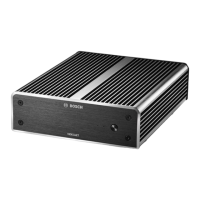
Bosch VJM-4016 - User Manual

Bosch VJM-4016
34 pages
Print Icon
To Next Page IconTo Next Page
Loading...
VIDEOJET multi 4000
VJM-4016
en Installation Manual

Questions and Answers

Summary

Safety

Electric shock hazard

Safety instructions regarding electric shock hazards and proper connection.

Installation and operation

Guidelines for safe installation and operation of the unit.

Maintenance and repair

Procedures for maintenance and repair, emphasizing qualified personnel.

Short information

About this manual

Details about the manual's purpose and intended audience.

Conventions in this manual

Explanation of symbols and notations used in the manual.

Intended use

Defines the primary function and permissible applications of the unit.

EU Directives

Lists compliance with relevant European Union directives.

Rating plate

Information on locating the model and serial number for identification.

System overview

Parts included

Lists all components included in the product package.

System requirements

Specifies the necessary hardware and software for operation.

Overview of functions

Describes the main functionalities and capabilities of the encoder.

Summary

Summarizes the main functions and features of the VIDEOJET multi 4000 encoder.

Connections, controls and displays

Details the various connections, controls, and display elements of the unit.

Front view

Details the controls, indicators, and connectors on the front panel of the unit.

Rear view

Details the connectors and indicators on the rear panel of the unit.

Installation

Preparations

Prepares the user for the installation process, including environmental conditions.

Installing in a switch cabinet

Provides step-by-step instructions for mounting the unit in a switch cabinet.

Connection

Connecting cameras

Explains how to connect video sources to the BNC input sockets.

Establishing the network connection

Details the process of connecting the unit to a network via the ETH socket.

Connecting audio

Provides instructions for connecting audio sources and receivers to the unit.

Connecting alarm inputs and relay output

Explains how to connect external alarm devices and the relay output.

Creating a serial connection

Describes how to establish a serial data connection for control purposes.

Power on;power off

Outlines the procedure for powering the unit on and off.

Configuration

Setup

Details the network requirements and default IP address for unit setup.

Setup using Video Client

Guides the user through installing and using the Video Client software for configuration.

Troubleshooting

Contact

Provides contact information for support if malfunctions cannot be resolved.

General malfunctions

Lists common malfunctions and their potential causes and recommended solutions.

Malfunctions with iSCSI connections

Addresses specific issues that may arise when using iSCSI connections.

LEDs

Explains the meaning of the LEDs on the unit for status indication.

Processor load

Describes how to monitor the unit's processor load.

Network connection

Explains how to display information about the network connection status.

Terminal block

Details the contacts and pin assignments for the terminal block.

Copyrights

Lists copyright information for fonts, software, and audio technology.

Maintenance

Updates

Information on how to perform firmware updates for the unit.

Factory reset

Instructions for restoring the unit to its original factory default settings.

Repairs

Guidelines for maintenance and repair, emphasizing qualified personnel.

Decommissioning

Transfer

Advice on passing on the unit with its installation manual.

Disposal

Information on the proper disposal of the unit at its end-of-life.

Technical data

Electrical

Details electrical specifications such as input voltage, current, and power consumption.

Mechanical

Provides mechanical specifications including dimensions, weight, and connector types.

Environmental conditions

Lists operating and storage temperature, and humidity requirements.

Standards

Specifies supported video standards, coding protocols, and data rates.

Summary

Safety

Electric shock hazard

Safety instructions regarding electric shock hazards and proper connection.

Installation and operation

Guidelines for safe installation and operation of the unit.

Maintenance and repair

Procedures for maintenance and repair, emphasizing qualified personnel.

Short information

About this manual

Details about the manual's purpose and intended audience.

Conventions in this manual

Explanation of symbols and notations used in the manual.

Intended use

Defines the primary function and permissible applications of the unit.

EU Directives

Lists compliance with relevant European Union directives.

Rating plate

Information on locating the model and serial number for identification.

System overview

Parts included

Lists all components included in the product package.

System requirements

Specifies the necessary hardware and software for operation.

Overview of functions

Describes the main functionalities and capabilities of the encoder.

Summary

Summarizes the main functions and features of the VIDEOJET multi 4000 encoder.

Connections, controls and displays

Details the various connections, controls, and display elements of the unit.

Front view

Details the controls, indicators, and connectors on the front panel of the unit.

Rear view

Details the connectors and indicators on the rear panel of the unit.

Installation

Preparations

Prepares the user for the installation process, including environmental conditions.

Installing in a switch cabinet

Provides step-by-step instructions for mounting the unit in a switch cabinet.

Connection

Connecting cameras

Explains how to connect video sources to the BNC input sockets.

Establishing the network connection

Details the process of connecting the unit to a network via the ETH socket.

Connecting audio

Provides instructions for connecting audio sources and receivers to the unit.

Connecting alarm inputs and relay output

Explains how to connect external alarm devices and the relay output.

Creating a serial connection

Describes how to establish a serial data connection for control purposes.

Power on;power off

Outlines the procedure for powering the unit on and off.

Configuration

Setup

Details the network requirements and default IP address for unit setup.

Setup using Video Client

Guides the user through installing and using the Video Client software for configuration.

Troubleshooting

Contact

Provides contact information for support if malfunctions cannot be resolved.

General malfunctions

Lists common malfunctions and their potential causes and recommended solutions.

Malfunctions with iSCSI connections

Addresses specific issues that may arise when using iSCSI connections.

LEDs

Explains the meaning of the LEDs on the unit for status indication.

Processor load

Describes how to monitor the unit's processor load.

Network connection

Explains how to display information about the network connection status.

Terminal block

Details the contacts and pin assignments for the terminal block.

Copyrights

Lists copyright information for fonts, software, and audio technology.

Maintenance

Updates

Information on how to perform firmware updates for the unit.

Factory reset

Instructions for restoring the unit to its original factory default settings.

Repairs

Guidelines for maintenance and repair, emphasizing qualified personnel.

Decommissioning

Transfer

Advice on passing on the unit with its installation manual.

Disposal

Information on the proper disposal of the unit at its end-of-life.

Technical data

Electrical

Details electrical specifications such as input voltage, current, and power consumption.

Mechanical

Provides mechanical specifications including dimensions, weight, and connector types.

Environmental conditions

Lists operating and storage temperature, and humidity requirements.

Standards

Specifies supported video standards, coding protocols, and data rates.

Bosch VJM-4016 Specifications

General IconGeneral
BrandBosch
ModelVJM-4016
CategoryMedia Converter
LanguageEnglish

Related product manuals