15
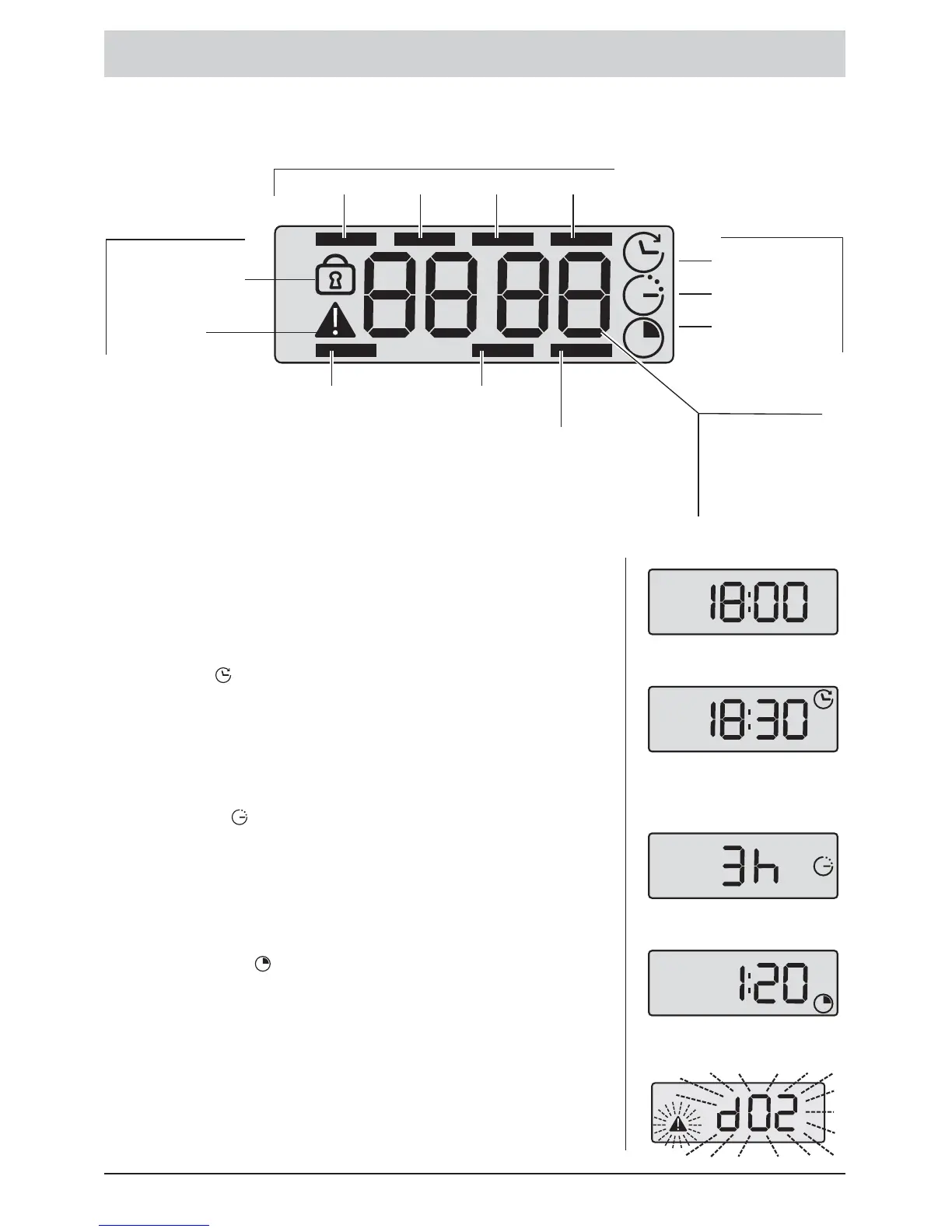
Display panel
Malfunction
indicator
Ending Time
Time
Ending Time
Delayed Start
Remaining Time
Error coding
Delayed
Start
Remaining
Time
Childproof Lock
(depending upon
the model)
Programme sequence
Functions
Safety features
Prewash Washing Rinsing Spinning
Pause
(the display bar for the
current programme
sequence also flashes
in turn)
Water inlet
Lid latch
Display
Ending Time
The desired time at which the programme is to end can be set
via this function.
Delayed Start
The Delayed Start time in hours (whole number) from 1-24 can
be set via this function.
Remaining Time
Display of remaining programme time.
Additional displays
For information, additional coded messages appear in the display
panel. Explanations may be found in the chapter entitled
TROUBLESHOOTING MINOR FAULTS.
Time
This setting is required for the ENDING TIME function,
see page 17.







 To Next Page