EasyManua.ls Logo

Bose 1600-VI - User Manual

Bose 1600-VI
32 pages
Print Icon
To Next Page IconTo Next Page
Loading...
Bose
®
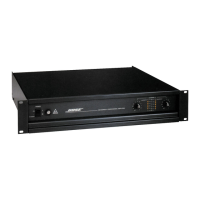
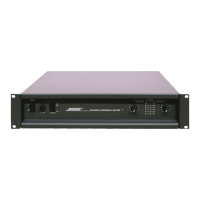
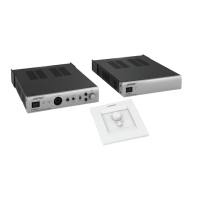
Model 1800-VI and 1600-VI Professional
Stereo Power Amplifier
Owner’s Guide

Other manuals for Bose 1600-VI

Questions and Answers

  • R
    richard33Aug 8, 2025
    What to do if my Bose Amplifier has no sound and no power?
    • L
      lauriewyattAug 8, 2025
      If your Bose Amplifier has no sound and no power, it usually indicates a power supply problem, either in the power line itself or the amplifier’s power supply. Here are some things to check: * Ensure the amplifier is turned on. * Verify the line cord is connected properly. * Check the fit between the plug and AC receptacle; try another receptacle. * Confirm power at the AC receptacle using a tester or lamp. * Inspect and replace the amplifier fuse if it's blown. * If there's an open thermal breaker in the power transformer, allow the amplifier to cool down so the breaker can reset itself.
  • M
    Michael JonesAug 13, 2025
    How to fix Bose Amplifier distortion?
    • J
      Jeffrey JonesAug 13, 2025
      Distortion in your Bose Amplifier is usually caused by excessive loss in the input controls when the mixer/equalizer/crossover doesn't produce enough output, over-driving that results in output clipping, or current limiting caused by excessively low load impedances. To resolve this: * Check the input level controls. If they are set too low, the preceding equipment may not have sufficient output. * Check speaker connections and verify that all screw connections are tight and that there are no stray strands of wire causing short circuits. * Verify that the total load impedance presented to the amplifier is within the specified limits for the selected mode of operation.
  • E
    Elizabeth CraigAug 19, 2025
    Why does my Bose 1600-VI have power but low or no output?
    • C
      Courtney FaulknerAug 20, 2025
      If your Bose Amplifier powers on but has low or no output, it's usually related to the signal source, a bad cable, or a partial output short circuit. Here's how to troubleshoot: * Reset the input level controls if they are set too low. * Check if the problem originates from the source by moving the input connections to another working amplifier. * Ensure there are no small wire strands touching similar strands from the other wire in the cable. * Confirm that the speakers are functioning correctly. * If using bridged-mono mode, verify the stereo/mono switch is set correctly. * Use a voltmeter to check if the power line voltage drops excessively when the amplifier is driven hard.
  • A
    Ashley McdanielAug 26, 2025
    What to do if Bose Amplifier playback is mixed with hum?
    • R
      Robin WrightAug 26, 2025
      If your Bose Amplifier playback is mixed with hum: * Check or replace the connecting cables. * Ensure each screw terminal connection is tight. * Make sure signal cables are not routed too closely to AC cables, power transformers, motors, or other EMI inducing devices. * Connect another source to the power amplifier inputs. If the hum stops, the problem lies with the original source component.
  • M
    Mr. Donald GomezSep 1, 2025
    How to troubleshoot unnatural sound from Bose 1600-VI?
    • V
      vthomasSep 1, 2025
      To troubleshoot unnatural sound from your Bose Amplifier, check the EQ cards. Verify that the EQ card corresponds to the model speaker being used and that the EQ card is installed in the proper channel. Verify that the speakers are connected to the same channel that the corresponding EQ card is installed in.

Summary

Safety Information

Electrical Safety and Warnings

Covers precautions against electrical shock, opening the unit, and handling internal parts.

Electrical Noise Interference

Information on FCC compliance for electrical noise and measures to correct interference.

Before You Begin

Unpacking and Initial Inspection

Instructions for carefully unpacking the amplifier and checking for any visible signs of damage.

Bose Model 1800-VI and 1600-VI Professional Stereo Power Amplifiers

Product Overview and Capabilities

Details the design, power ratings, protection circuits, and equalization features of the amplifiers.

Installation

Location and General Precautions

Guidance on selecting a suitable location and general precautions for amplifier placement.

Mechanical and Thermal Considerations

Details on rack mounting, physical dimensions, and ventilation requirements for installation.

AC Power and Magnetic Leakage

Guidelines for power connection and considerations regarding magnetic flux leakage.

Balanced Input Wiring

Instructions for connecting balanced audio signals using 1/4" phone jacks and XLR connectors.

Unbalanced Input Wiring

Instructions for connecting unbalanced audio signals using 1/4" phone jacks.

Input Sensitivity Adjustment

Details on how to modify the amplifier's input sensitivity settings.

Output Wiring

Guidance on using heavy gauge wire for speaker connections and wire gauge selection.

Polarity and Dual Mono Operation

Ensuring correct speaker phasing and configuring dual mono output for stereo/mono switch.

Bridged Mono and Parallel Mono Operation

Instructions for bridged mono and parallel mono configurations, including load considerations.

Clipping Eliminator Function

Explanation of the clipping eliminator circuit and how to enable or disable it.

Operation

Using the Amplifier

Tips for powering up, setting controls, and operating the amplifier for optimal performance.

Input Modules

Details on standard input modules and the optional ACM-1 control module.

Front Panel Controls and Indicators

Description of the front panel layout, including power, LEDs, and level controls.

Power Switch and Standby Mode

Explanation of the power switch functionality and the standby mode for different voltage versions.

AC Power Fuse and Level Controls

Information on the AC power fuse and how to adjust the channel level controls.

Status and Data Receive Indicators

Explanation of the various LEDs on the front panel indicating status and data reception.

Rear Panel Overview

Description of the rear panel connectors and switches for both standard and ACM-1 modules.

Stereo;Mono and Clipping Eliminator Switches

Configuration of stereo/mono modes and bypass of the clipping eliminator circuit.

Input Connectors and EQ OUT

Details on various input connector types and the equalized line level output.

Equalizer LEDs and Bi-Amp;Full Range Switch

Explanation of equalizer LEDs and the switch for bi-amp/full range configuration.

Level Defeat and Sequencer Connector

Information on defeating level controls and using the sequencer connector for sequential power-up.

Speaker Outputs and Power Cord

Guidance on connecting loudspeakers to the amplifier outputs and connecting the power cord.

Troubleshooting

No Sound or Power Issues

Troubleshooting steps for common problems related to no sound or no power.

Low Output, Hum, and Distortion

Solutions for issues like low output, playback hum, and audio distortion.

Unnatural Sound and General Care

Addressing unnatural sound quality and providing guidelines for amplifier maintenance and care.

Features

1800-VI Amplifier Features

Detailed list of power output, connectivity, controls, and protection features for the 1800-VI model.

1600-VI Amplifier Features

Detailed list of power output, connectivity, controls, and protection features for the 1600-VI model.

Warranty, Service

Warranty Period and Service Contact

Information on the five-year limited warranty and how to contact dealers for service.

Specifications

1800-VI Amplifier Specifications

Detailed technical specifications for the 1800-VI amplifier, including power, gain, and consumption.

1600-VI Amplifier Specifications

Detailed technical specifications for the 1600-VI amplifier, including power, gain, and consumption.

Amplifier Sensitivity and Bandwidth

Specifications for input sensitivity, power bandwidth, and frequency response common to both models.

Input Impedance, Distortion, and Slew Rate

Technical data on input impedance, distortion levels, slew rate, and CMRR.

Bose 1600-VI Specifications

General IconGeneral
Channels2
Frequency Response20Hz - 20kHz
THD<0.1%
Signal-to-Noise Ratio>100dB
Input Sensitivity1Vrms
Dimensions15.75 inches

Related product manuals