English
29
2. ControlSpace
™
AMS-8 System rack control
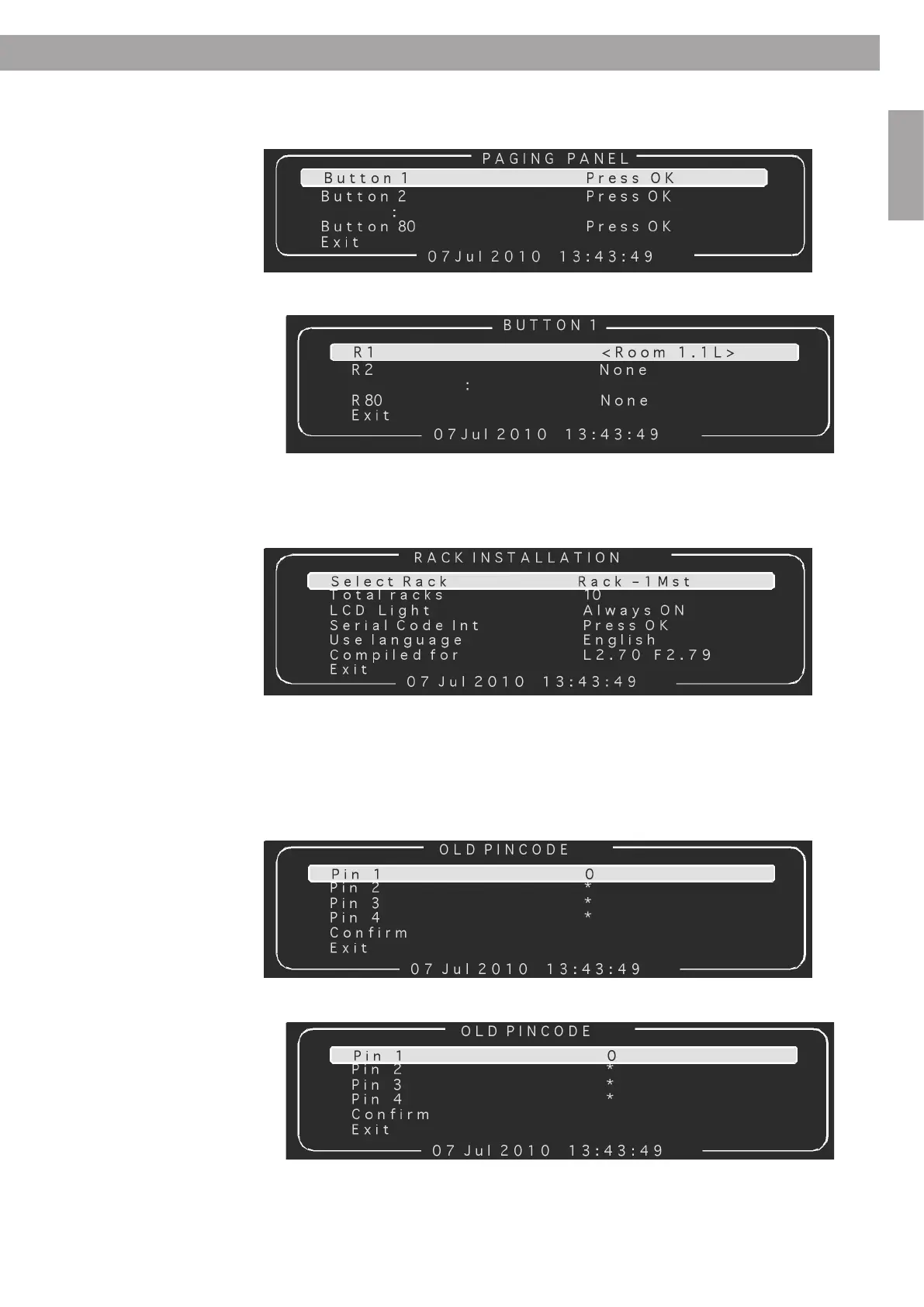
2.2.7 Paging panel
Select a Paging Panel button one would like to configure.
Add rooms to the selected button.
Use this menu to configure the rack installation (master/slave configuration when 2 or more system
racks are used). Turn the power safe mode (LCD backlight) On or Off. Select another system language.
Install/setup a Serial Code Interface. Look up the Firmware version of the system.
To change the pin code of the installation menu, one should first enter the Old pin code.
Once the old pin code has been entered, one should enter a new pin code.
2.2.8 Rack installation
2.2.9 Change pincode



 To Next Page
 Loading...