EasyManua.ls Logo

Bose PowerMatch PM8250 - User Manual

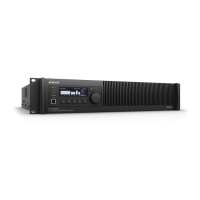
Bose PowerMatch PM8250
52 pages
Print Icon
To Next Page IconTo Next Page
Loading...
PowerMatch
®
Configurable Professional Power Amplifiers
Installation and Operating Guide
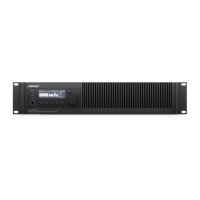
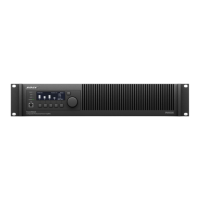
PM8500 / PM8500N
PM8250 / PM8250N
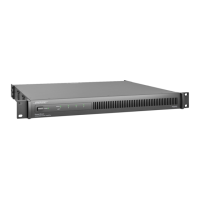
PM4500 / PM4500N
PM4250 / PM4250N

Table of Contents

Other manuals for Bose PowerMatch PM8250

Questions and Answers

  • S
    sotohollyAug 4, 2025
    How to troubleshoot a Bose Amplifier with no power?
    • J
      Jeffrey HillAug 4, 2025
      To resolve a no power issue with your Bose Amplifier, first, turn on the power switch. The Clip, Limit, and Signal LEDs should light up for about 15 seconds, after which the amplifier should be ready. The LCD screen will display the firmware version for approximately 10 seconds, then switch to the operating screen. Also, check the power cable and ensure the retaining clip is secure, and verify the mains circuit.
  • J
    Jackson BradshawAug 8, 2025
    What to do if my Bose PowerMatch PM8250 Amplifier has power but no sound?
    • J
      Jason ElliottAug 8, 2025
      If your Bose Amplifier has power but no sound, start by checking the LCD screen for output meter activity. If there's no signal, check the Input Meter screen for a signal. If there's still no signal, troubleshoot the source or cabling. Also, ensure that input and output signals are not muted, the Input Routing is configured properly, the Input Source is set to the correct signal type (analog or digital), the Output Attenuate is not set too low, the loudspeakers are correctly wired, the Output Configuration is correctly set, and Standby Mode is not active.
  • D
    Donna HillAug 11, 2025
    Why is the sound so low on my Bose Amplifier?
    • D
      David AndersonAug 12, 2025
      If your Bose Amplifier has power, but the sound is low, verify the source level by monitoring the Input Meter. Also, ensure that Input Routing and Input Sensitivity are set for optimal gain. Then, check that Output Attenuate is not set too low, the loudspeakers are wired correctly, the Output Configuration is correct, and Limiting parameters are set properly.
  • M
    Michael HooverAug 16, 2025
    What to do if USB is connected to PC but Bose ControlSpace Designer software doesn't find the Amplifier?
    • S
      Stacy StantonAug 17, 2025
      If the ControlSpace Designer software isn't detecting your Bose Amplifier when connected via USB, try these steps: 1. Unplug and replug the USB connector. 2. Uninstall the ControlSpace Designer software, download the latest version, and reinstall it. 3. Restart your PC and try again. 4. Try a different USB port on your computer. 5. Try a different USB cable.
  • Z
    Zachary JohnstonAug 20, 2025
    Why isn't my Bose PowerMatch PM8250 Amplifier found by ControlSpace Designer software over Ethernet?
    • J
      jessica81Aug 21, 2025
      If your PowerMatch Bose Amplifier isn't being found by the ControlSpace Designer software over the network, check the amplifier's IP address. Ensure no other device on the network has the same address and that ControlSpace Designer is connected to the same subnet as the amplifier. Try a different CAT5/6 cable. You can also launch a Windows Command prompt and "ping" the amplifier's IP address to check for successful replies.
  • T
    Thomas HarrisAug 25, 2025
    Why does my Bose PowerMatch PM8250 sound unnatural?
    • M
      Michael StephensonAug 26, 2025
      If the sound from your Bose Amplifier is unnatural, check that all DSP functions (EQs, Limiter, Band Pass, Delay) are set appropriately.
  • C
    Chad Charles PhDAug 29, 2025
    How to unlock the front panel of a Bose PowerMatch PM8250 if the combination is lost?
    • M
      Michael SmithAug 29, 2025
      To unlock the front panel of your Bose Amplifier when the combination is lost, use ControlSpace® Designer™ software to connect to the amplifier.

Bose PowerMatch PM8250 Specifications

General IconGeneral
Damping factor1000
Amplifier classD
Audio output channels- channels
Peak power per channel- W
Signal-to-Noise Ratio (SNR)99 dB
Total Harmonic Distortion (THD)0.4 %
Bridge-mode power output per channel (4 Ohm)500 W
PurposePerformance/stage
EqualizerYes
Product colorBlack
Connectivity technologyWired
AC input voltage100 - 240 V
AC input frequency50 - 60 Hz
Speakers connectivity type-
Operating temperature (T-T)0 - 40 °C
Operating relative humidity (H-H)10 - 90 %
Weight and Dimensions IconWeight and Dimensions
Depth525 mm
Width483 mm
Height88 mm
Weight11100 g

Related product manuals