This document describes the PowerShareX Adaptable Power Amplifiers (models PSX1204D, PSX2404D, and PSX4804D) from Bose Professional, designed for fixed-installation systems. The manual provides essential installation, safety, technical, and operational guidelines for professional installers.
Function Description
The PowerShareX amplifiers are designed to provide adaptable power output for various loudspeaker configurations, including low and high impedance loads. They feature a forced-air cooling system to maintain constant operating temperatures and include sensing circuits that shut down channels in case of overheating, automatically resuming normal operation once a safe temperature is reached. The amplifiers can be remotely controlled and monitored via an Ethernet connection using Bose ControlSpace Designer software, and they also support Dante® audio streaming for networked audio systems.
Important Technical Specifications
The PowerShareX series offers three models with varying amplifier power outputs:
- PSX1204D: 4 x 300 W
- PSX2404D: 4 x 600 W
- PSX4804D: 4 x 1200 W
All models operate within an input voltage range of 100-240 V at 50/60 Hz.
- Operating Temperature Range: 0 °C to 35 °C
- Storage Humidity: 10% to 85% humidity
- Dimensions (H x W x D): 44.5 mm x 483.0 mm x 358.0 mm (1.75 in x 19.02 in x 14.09 in)
- Net Weight: 7.0 kg (15.4 lbs)
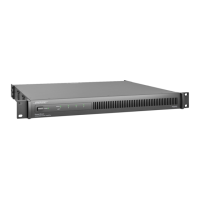
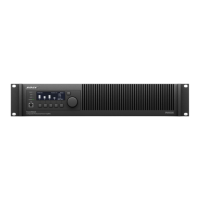
The amplifiers are designed for standard 48-centimeter (19-inch) rack mounting, occupying one rack-unit (RU) in height and requiring a mounting depth of 35.8 centimeters (14 inches) from the front rack rail.
Usage Features
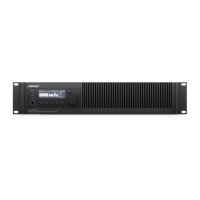
Front Panel Controls (cover removed):
- Power Button: Toggles between system On and Standby modes (press and hold for three seconds).
- Operating Mode LEDs: Indicate whether the amplifier is On (solid green) or in Standby (solid orange/blinking orange for auto-standby).
- Channel Attenuation Controls: Adjust the output level for each of the four channels. These controls are in series with the Remote Level connector.
- Channel Status LEDs: Provide signal metering (CLIP, -6dB/TEMP, -12dB, -24dB, SIGNAL, READY, ALARM) for each channel, indicating input clipping, thermal warnings, muted status, or channel faults.
- System Status LEDs: Indicate overall system status (LIMIT, TEMP, CHECK, REMOTE, POWER ON, MAINS, ALARM), showing conditions like Breaker Save activation, thermal warnings, self-check status, system readiness, AC mains voltage status, and PSU faults.
- Soft Reset Button: Resets network parameters to default settings (DHCP) (press and hold for three seconds).
- Hard Reset Button: Restarts the amplifier without affecting settings or loudspeaker EQs/presets (press and hold for three seconds).
Rear Panel Connections and DIP Switches:
- Power Input: Standard AC power cord connection.
- Output Configuration DIP Switches: Four switches per channel allow mixed configurations of low and high impedance output loads (70V/100V, Lo-Z/Hi-Z, 35Hz/70Hz, HPF Off/HPF On).
- Output Connector: An eight-terminal Euroblock connector for loudspeaker connections.
- Remote Level Connector: Allows remote adjustment of each channel's level using a linear 10 kΩ potentiometer. Multiple channels can be controlled simultaneously by connecting the potentiometer's resistive variable pin in parallel.
- Line Input Connector: Euroblock connectors for balanced analog audio signals.
- GPI/Remote Connector: Provides remote on/off control, responding to a differential voltage between 5 VDC and 24 VDC.
- System Configuration DIP Switches: Control overall system output and performance (CH1 MSTR for master level control, GAIN for sensitivity adjustment, BRK SAVE for limiting power draw, NRG SAVE for energy saving, and 2Ω for low-impedance optimization).
- Ethernet Port: RJ45 connector for network communication and remote control via ControlSpace Designer.
- GPO/Alarm Connector: General-purpose output connections (Normally Open/Normally Closed) for each channel, indicating potential faults or unsafe operating conditions.
- Dante Port: RJ45 connector for Dante® audio streaming, accepting four input streams. Dante Controller software is used to manage the Dante network.
Software Integration:
- ControlSpace Designer: Required for amplifier configuration, control, and monitoring. The latest version should be downloaded from PRO.BOSE.COM. It automatically identifies PowerShareX amplifiers on the network and allows firmware updates via the Hardware Manager tool.
Placement and Rack Mounting:
- Ensure free front-to-back airflow for adequate ventilation. Avoid covering or blocking vents.
- Protect the chassis from direct heat sources.
- Secure both front and rear brackets to the rack.
- Install the amplifier away from EMF-emitting devices.
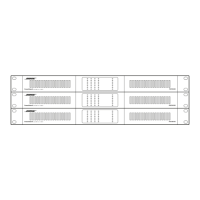
- Leave 1 RU of space between every collection of four amplifiers in a rack for adequate airflow.
Maintenance Features
- Cleaning: Use a dry cloth for cleaning the chassis and front panel.
- Air Filter Cleaning: Air filter cleaning frequency should be scheduled based on the dust levels in the operating environment.
- Filter Removal: Front panel faceplates can be pulled away to disengage magnets for filter access.
- Filter Cleaning Method: Use compressed air to remove dust from filters, or wash with clean water (ensure filters are thoroughly dry before reinstallation).

 Need help?

 To Next Page
 General