BOSS Electronics 7” PC TABLET User Guide
10
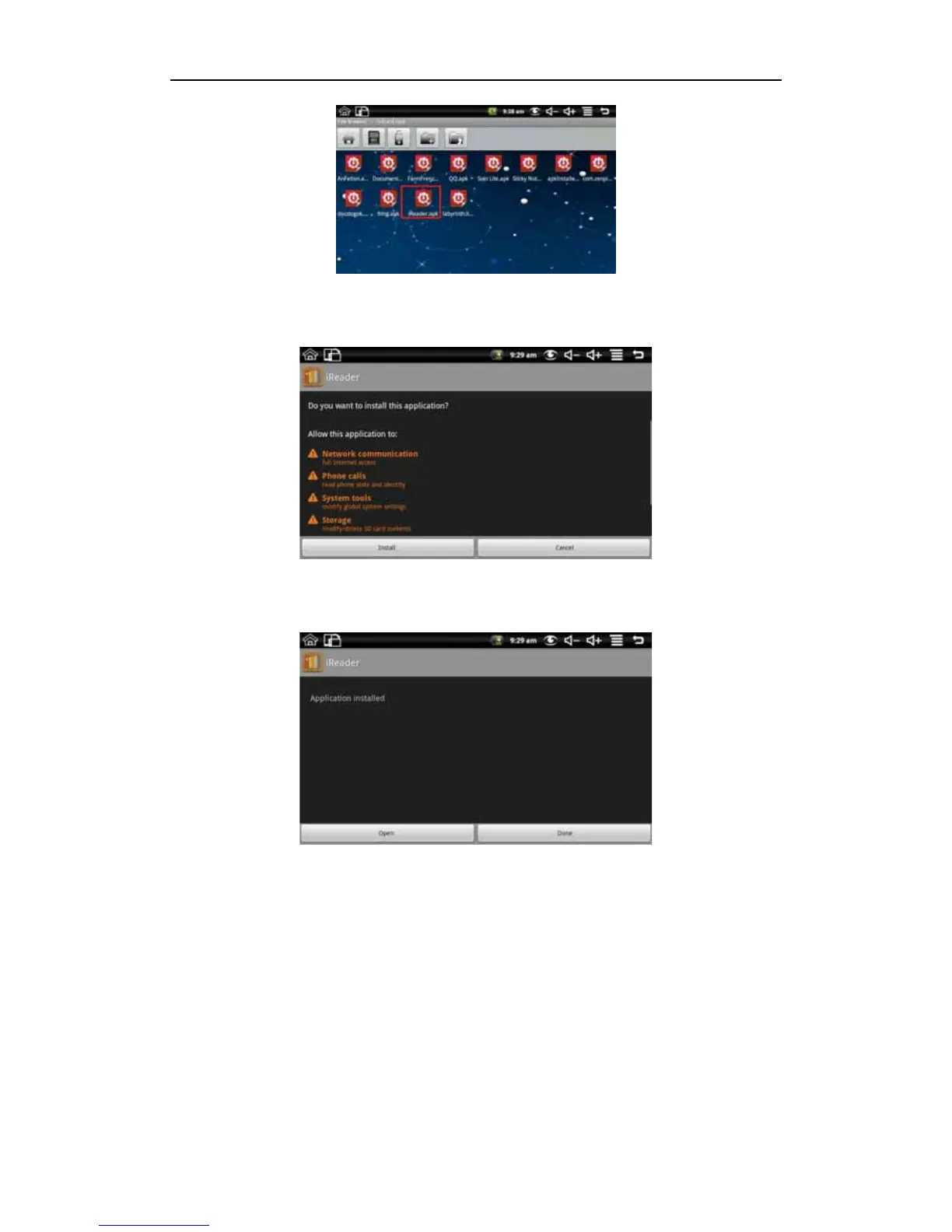
As an example……Click iReader.apk like the above picture to pop up the install interface:
Click install button, and then the device will begin to install iReader. It shows like the
following picture after installing:
Now the application is installed. Click open iReader directly and click done to back to the
file browser.
Uninstall
To uninstall third-party software installed, long press back Settings Application
management application. Like the following picture:


 To Next Page