BOSS Electronics 7” PC TABLET User Guide
18
Click to switchable arrangement of pictures;
Click
can do delete and properties;
Click can do slide show.
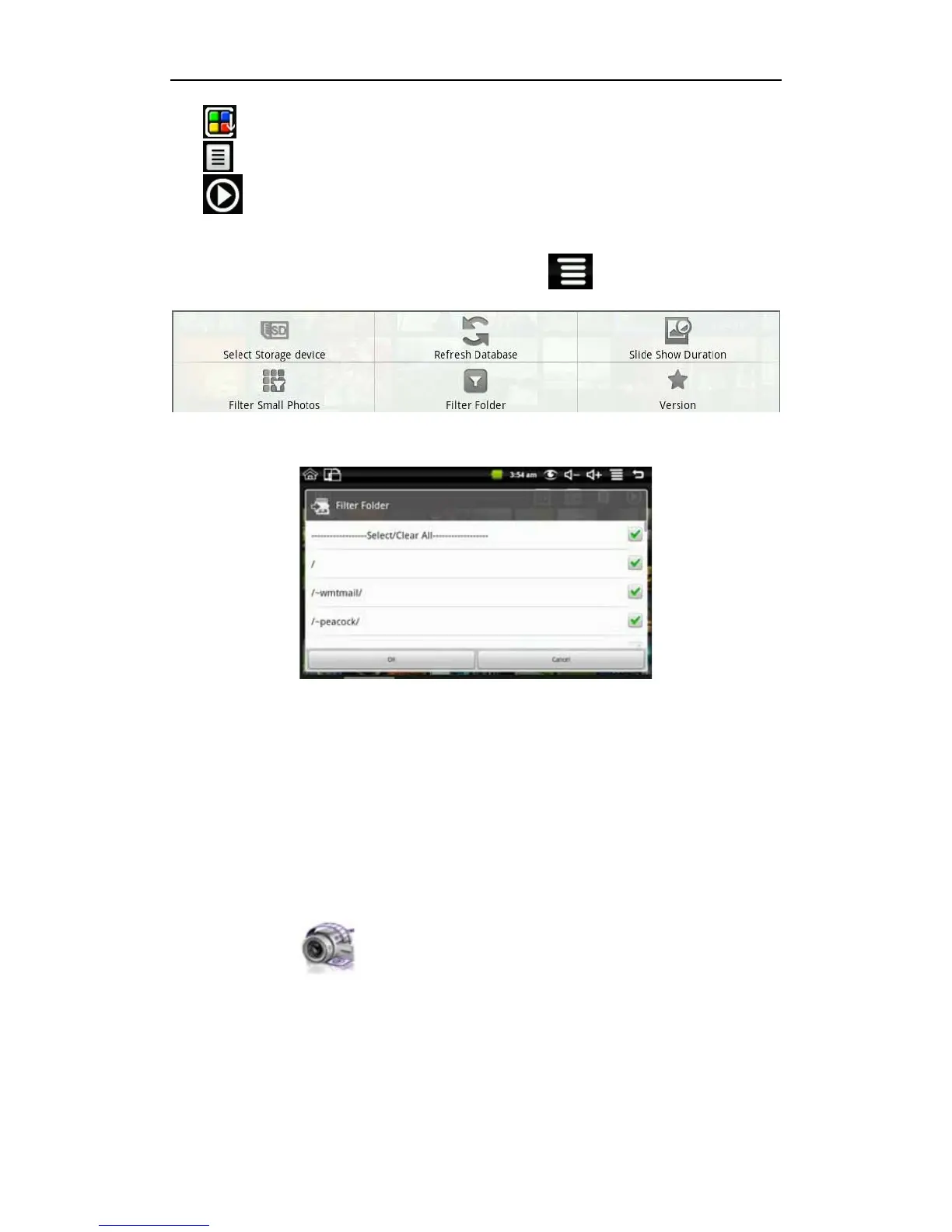
Filter folder:
Long press back button or click the on screen MENU icon in My Photo will pop up the
following shortcut menu:
Click filter folder and then you can filter all the folders with photos, like the following
picture:
If “Select/Clear All” is selected, all the photos will be displayed; and if “Select/Clear All” is
not selected, there will no photo displayed.
If you don’t select one folder single with “Select/Clear All” is selected, the photos in this
folder will not be displayed; and if you select one folder single with “Select/Clear All” is not
selected, there will only displayed the photos in this folder.
The picture format supports: JPEG, BMP and PNG.
7.5 My Video
Click My Video icon to get in the list of the video


 To Next Page