BOSS Electronics 7” PC TABLET User Guide
26
Unmount SD Card
To remove the SD card safely, long press back Settings SD card & device storage
Unmount SD card.
Format SD Card
To format the (clear) SD card, long press back Settings SD card & device storage
Formatted SD card.
Factory data reset
To restore factory settings, long press back Settings SD card & device storage
Factory data reset.
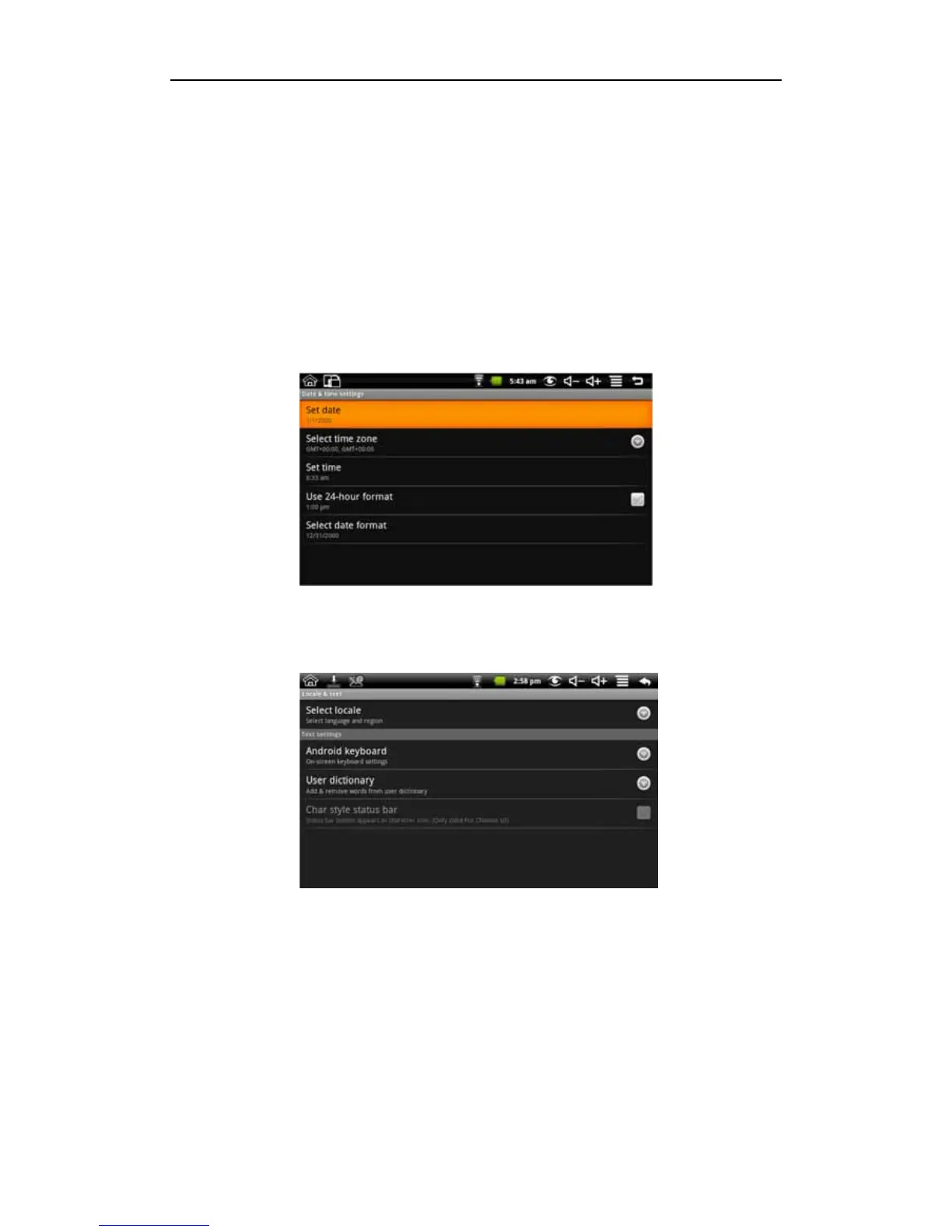
9.5 Date and Time
To set the date, time, time zone, time and format of the system, long press back
Settings Date and Time.
9.6 Locale & Text
Set local (language and region), text input and auto-correction options
Select local
To select the language and region, long press back Settings Local &text Select
local.
Android keyboard
To choose Android keyboard and do Android keyboard settings, long press back
Settings Local &text Android keyboard.
User dictionary
To add words to the user dictionary and remove the word from the user dictionary, long
press back Settings Local &text User dictionary.


 To Next Page