BOSS Electronics 7” PC TABLET User Guide
23
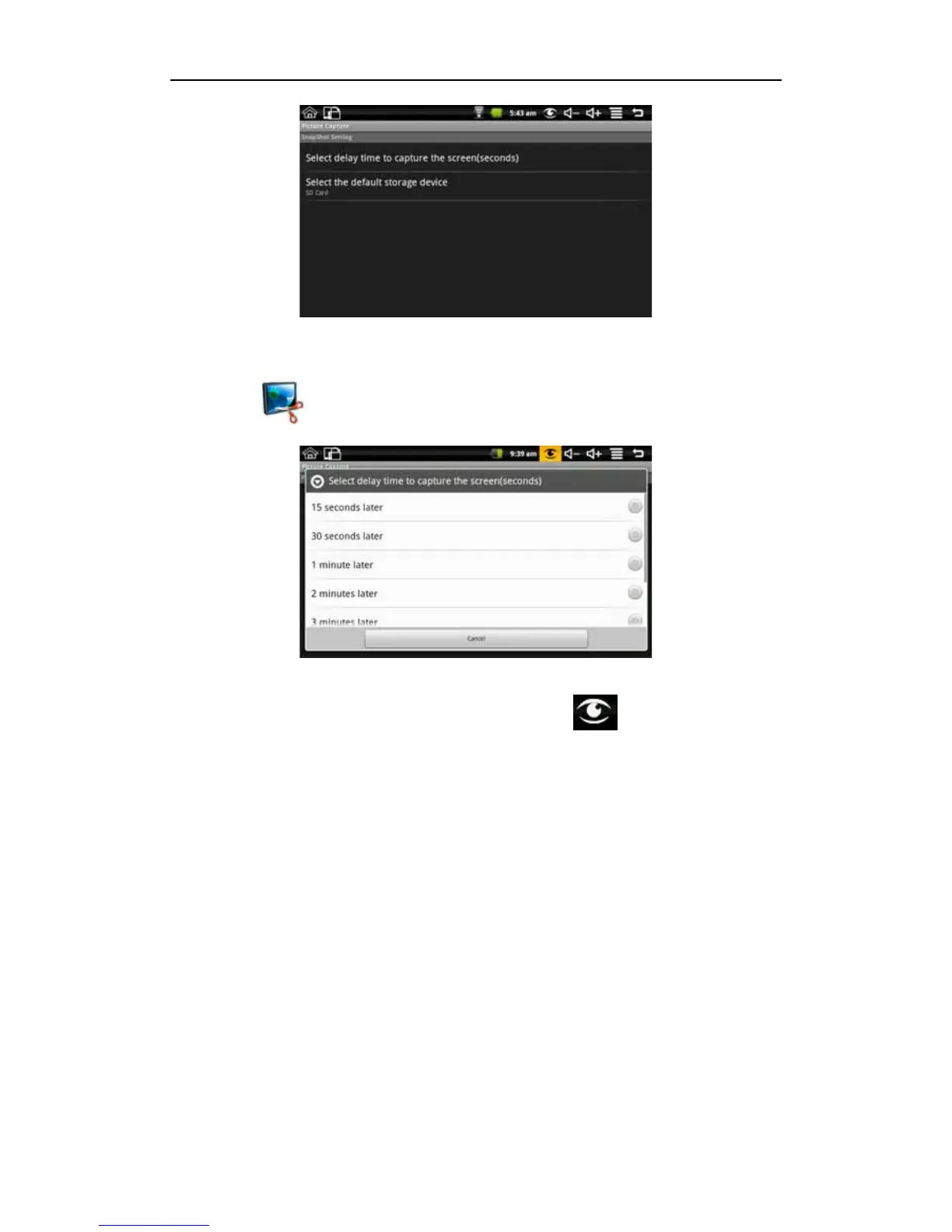
Picture storage: The pictures captured are saved in the Internal Flash (ROM) default, and
you can select the default storage device to be SD card and USB storage.
Delay capture: if you need time to re capture the previous screen, please click picture
capture icon
on the desktop to enter first, and then select “Select delay time to
capture the screen (seconds)” to enter the next interface like the following picture:
Select the delay time. You will immediately see the time counting down right on your
screen. after the timer it will capture the interface. The method applies to the full screen
interface. Immediate capture: click the picture capture icon
on the desk top screen
status bar to immediately capture the screen.
8.3 Battery Tips
As the device has a large screen, it will consume a lot of power. To extend battery life, you
can reduce the frequency of use of the following features:
1. Recording or watching videos, listening to music or take photographs;
2. Display brightness: Please long press back Settings Sound & display (Display
Settings) Brightness (reduce the brightness);
3. Web Search: Please long press back Settings Wireless controls Wi-Fi settings
Network notification;
4. Wi-Fi use: Please long press back Settings Wireless controls Wi-Fi (turn off
Wi-Fi).


 To Next Page