BOSS Electronics 7” PC TABLET User Guide
16
In the file browser, it can revert back to the previous , create a new folder ,
switch to USB , switch to memory card “SD Card” and switch to internal
device storage “Local Disk” .
Copy files:
In the file browser, the internal device storage “Local Disk”; the memory card named “SD
Card”; and the external USB disk. If you want to copy files between the memory card, USB
and internal device storage, please refer to the following actions:
Example: copy files from external memory source to the internal device storage.
1. Enter the file browser and click the memory card icon to enter the SD Card
folder;
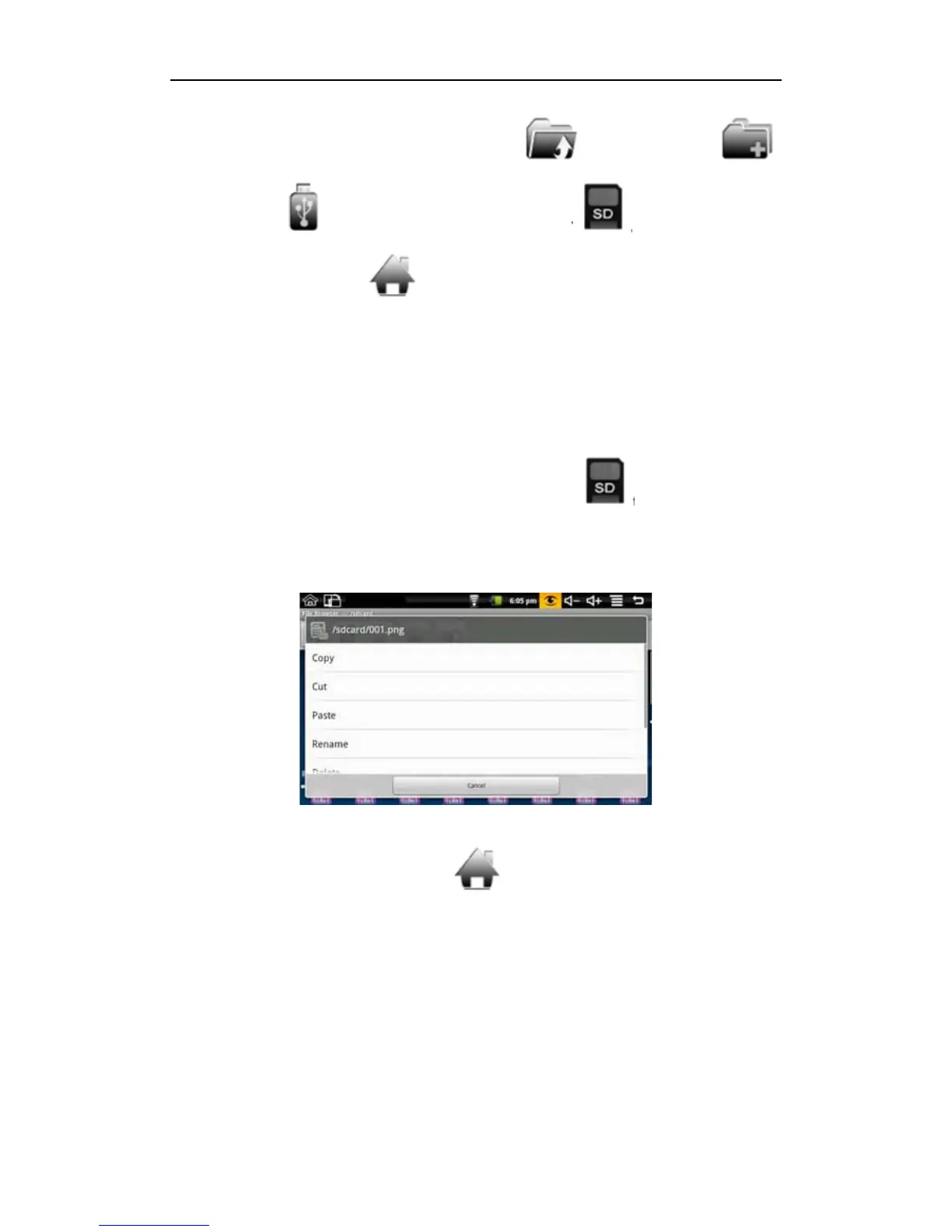
2. Select the file you want to copy and press the icon for 2 seconds, then it will pop the
following list:
3. Click copy;
4. Click the internal device storage icon
to enter the Local Disk folder;
5. Long press the blank to pop the following list:


 To Next Page