77
Useful Functions
Using the Looper
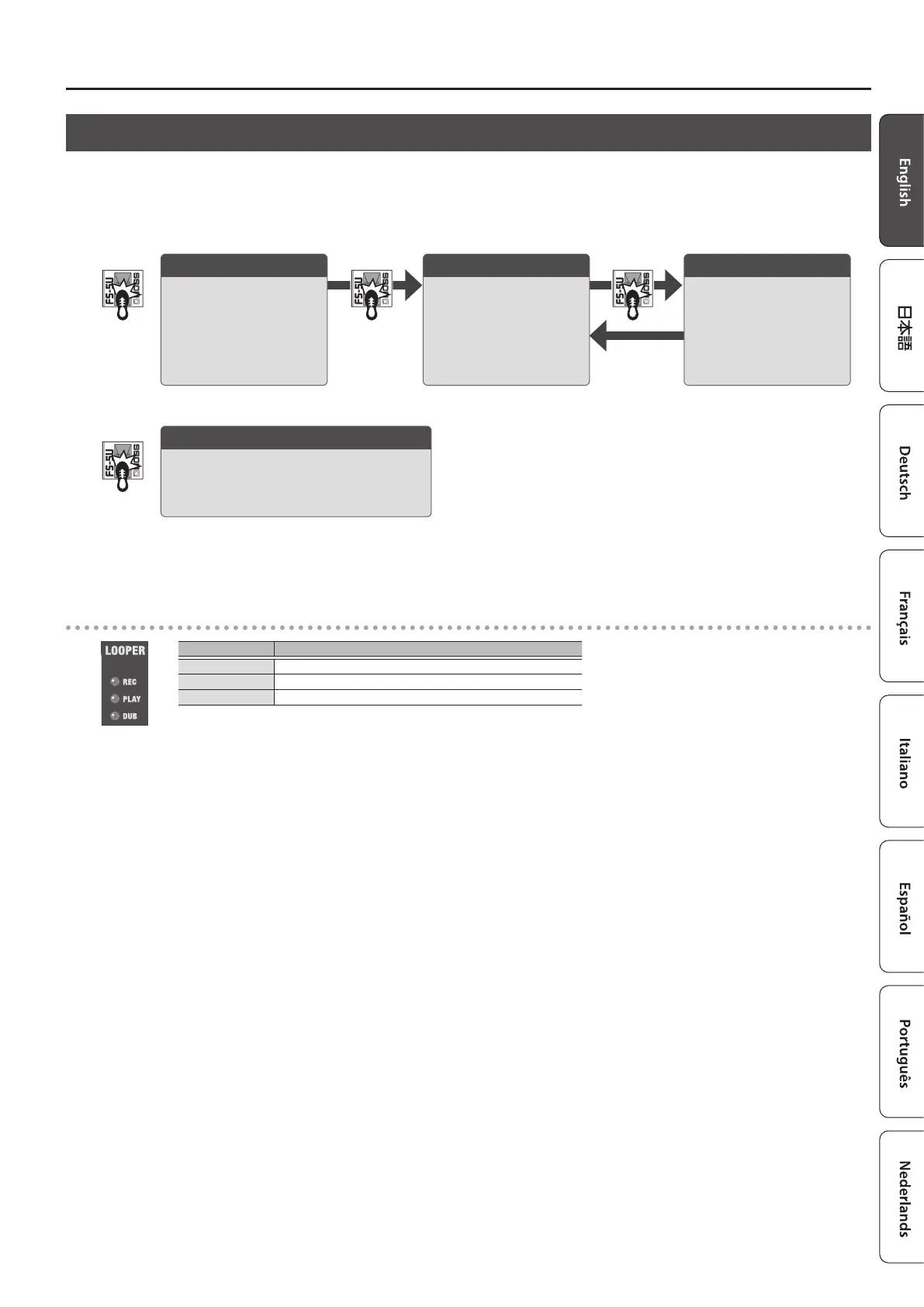
You can use the looper by connecting a footswitch (FS-5U, FS-6, FS-7; sold separately) to the FOOT SW jack.
You can record up to 90 seconds (in mono) and play back the recorded section over and over. You can also layer additional performances with the recording
as it plays back (overdubbing). This lets you create real-time backing performances on the y.
* The factory default setting is set to a maximum of 45 seconds (stereo). With the dedicated app (p. 4) or mobile device app (p. 9), you can select up to a
maximum of 90 seconds (mono).
Stop/clear
If you press the footswitch (connected via the
ring) twice in one second, the looper stops.
Hold for two seconds or longer to clear the
phrase.
Recording
Recording starts.
Press the footswitch
(connected via the ring) to
switch to playback, at the
point where you want to
loop.
Loop playback
The loop plays back.
Pressing the footswitch
(connected via the ring)
switches to overdubbing.
Overdubbing
Record additional layers
while the loop plays back.
Press the footswitch
(connected via the ring) to
switch to playback.
* Once you reach the maximum available recording time, the unit automatically switches to playback mode.
* Anything you record is lost once you turn o the power.
LOOPER indicators
Indicator Explanation
REC Lights up during recording
PLAY Lights up during playback, and blinks when stopped
DUB Lights up while overdubbing



 To Next Page