Adjusting the Bass
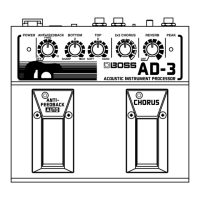
Sound (Bottom)
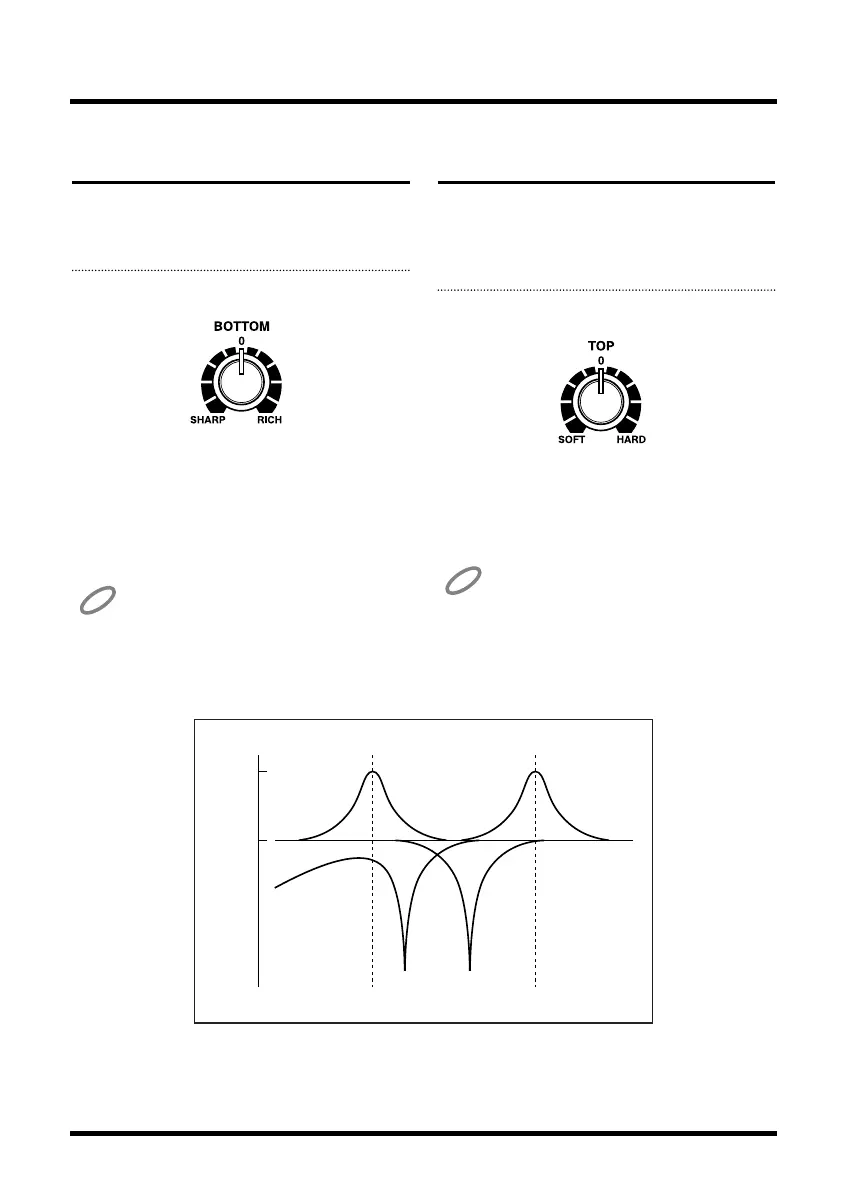
This knob adjusts the sound of the guitar’s sound
box, or suppresses excess bass notes.
1. Adjust the Bottom knob.
fig.10
Setting this more toward RICH accents the rich-
ness of the sound-box reverberations, and setting
it more toward SHARP suppresses the bands that
interfere with vocals and the like, thus helping to
prevent acoustic feedback (howling). Setting it to
0 produces flat characteristics.
Adjusting the Bottom knob toward RICH
may result in distortion. If this happens,
lower the input level (p. 11).
Adjusting the Treble
Sound (Top)
This knob adjusts the harmonic components, or
suppresses the idiosyncrasies of piezo pickup
sounds.
1. Adjust the Top knob.
fig.11
Setting this more toward HARD accents the high-
er harmonics, and setting more toward SOFT sup-
presses the piezo pickup’s distinctive harshness,
for a natural sound.
Adjusting the Top knob toward HARD may
result in distortion. If this happens, lower the
input level (p. 11).
13
0 dB
14 dB
100 Hz 6.3 kHz
400 Hz 1 kHz
BOTTOM TOP
AD-3.e 07.6.7 1:22 PM Page 13


 To Next Page