Disc Operation
1. Play/eject
disc
Play
disc
Insert
the disc into the disc
slot with the printing surface up, system
will
detect the disc
and
automatically take it
in
to read and play.
Eject disc
(1)
Click
[
~
l
button on the
panel
to eject the disc.
(2)
If
a disc has not been took away 15 seconds after it is ejected, system
will
automatically
take in the disc but not play.
& Do not insert two discs or more.
2.
DVDNCD
disc playback
During playback
of
disc, touch the
middle lower area
of
the screen to pop up the touch
menu, operate the touch menu to perform various
playback controls.
3.
CD
Disc
Playback
After a
CD
is
inserted, system shall
access disk reading state
immediately.
When there is a disk
in
the device,
click [Disk] at the main interface so as to access disk
reading state.
After the disk being read out, system shall automatically play
in sequence.
4. MP3/JPEG/MPEG4 disk
playing
When the disk contains
readable files,
such as MP3/JPEG/MPEG4
files,
it
shall
be
automatically
read out and played after
slipping
into DVD
player.
During
playing, touch the screen area and the touch menu
shall
pop up. Operate
the
touch menu for playing.
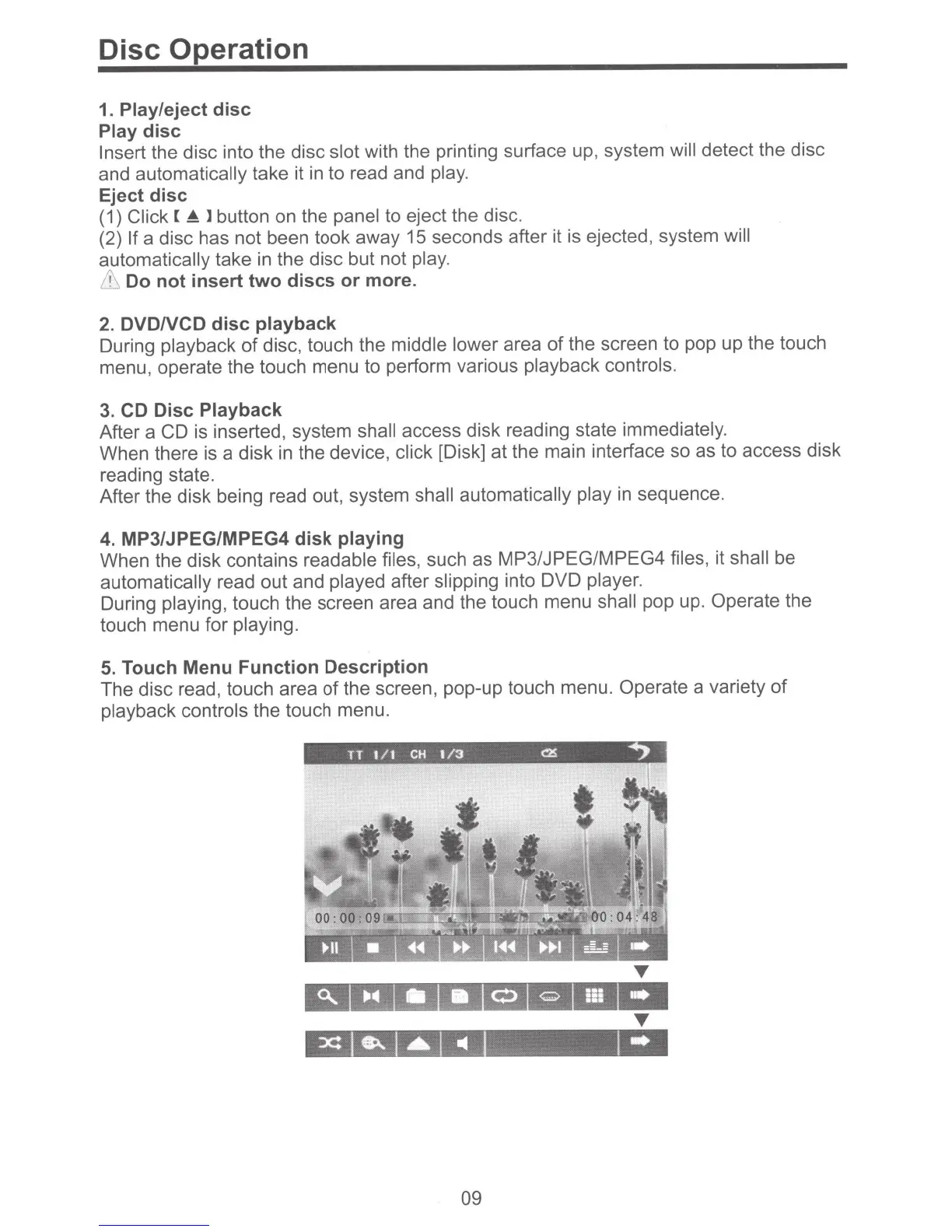
5.
Touch Menu Function Description
The disc read, touch area
of
the screen, pop-up touch menu.
Operate
a variety
of
playback controls the touch menu.
TT
t/1
CH
1/3
C2S
09



 To Next Page