EasyManua.ls Logo

Boss DD-5 - Using the Hold Function

Boss DD-5
14 pages
Print Icon
To Next Page IconTo Next Page
To Previous Page IconTo Previous Page
Loading...
USING
THE
HOLD
FUNCTION
Using
the
Hold
function,
you
can
record
up
to
2
seconds
performance
data
and
play
it
back
repeatedly.
This,
therefore,
can
create
a
special
effect
such
as
you
play
the
musical
instrument
with
the
recorded
data
being
played
back.
*
The
recorded
data
will
be
erased
when
you
change
the
positions
of
the
Mode
Switch
or
switch
off
the
unit.
(PROCEDURE)
1.
Set
the
Mode
Switch
to
"5".
*
The
maximum
time
for
recording
is
2
The
Check
Indicator
will
go
out.
seconds.
Even
if
you
keep
pressing
the
pedal
for
more
than
2
seconds,
the
DD-5
2.
Press
the
Pedal
Switch
to
the
perform-
willautomatically
stop
recording
then
start
ance
you
wish
to
record.
playing
the
recorded
data.
The
Check
Indicator
will
flash
and
the
:
À
4.
Adjustthe
output
level
for
playback
with
performance
will
be
recorded.
the
Effect
Level
Knob.
3.
Release
your
foot
from
the
Pedal
Switch
when
the
performance
to
be
recorded
is
completed.
The
Check
Indicator
will
be
lit
con-
5.
Tostop
playback,
press
the
Pedal
Switch.
The
Check
Indicator
will
go
out
and
returns
to
the
status
of
Step
1.
*
If
you
stop
playing,
the
recorded
data
will
stantly
and
the
recorded
performance
be
erased
and
therefore
cannot
be
played
14
data
will
be
played
back
repeatedly.
back
again.
USING
THE
TEMPO
DELAY
By
pressing
the
Footswitch
(FS-5U
:
optional,
connected
to
the
Tempo
Jack)
to
the
tempo
of
the
song
currently
being
played,
you
can
set
an
appropriate
delay
time
for
the
tempo
or
change
the
delay
time
during
playing.
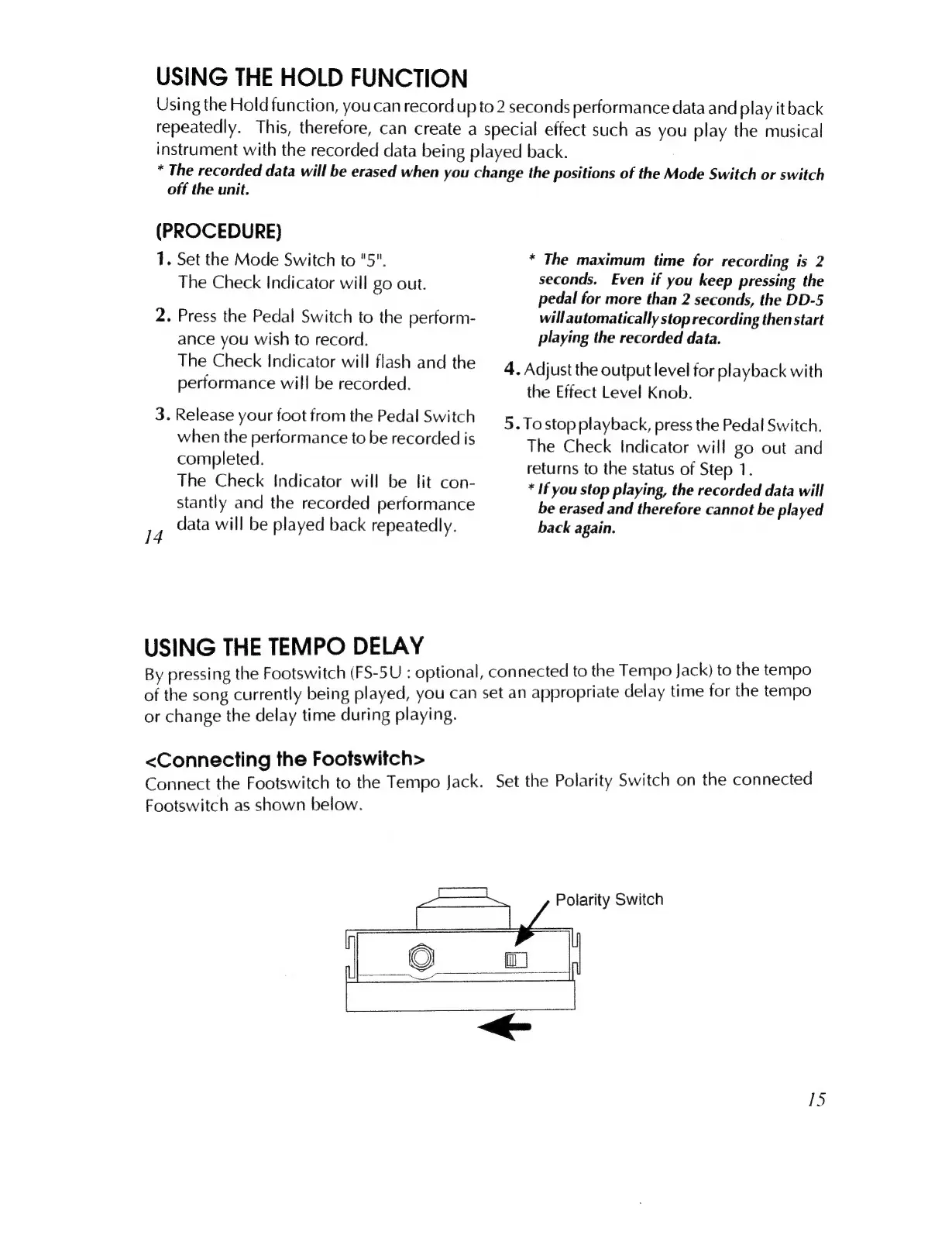
<Connecting
the
Footswitch>
Connect
the
Footswitch
to
the
Tempo
Jack.
Set
the
Polarity
Switch
on
the
connected
Footswitch
as
shown
below.
Polarity
Switch
15

Related product manuals