4
Recording
Recording will start when
you press the [
/ ]
button.
Pressing the [
/ ] button at
the point you want to loop will
switch to overdubbing.
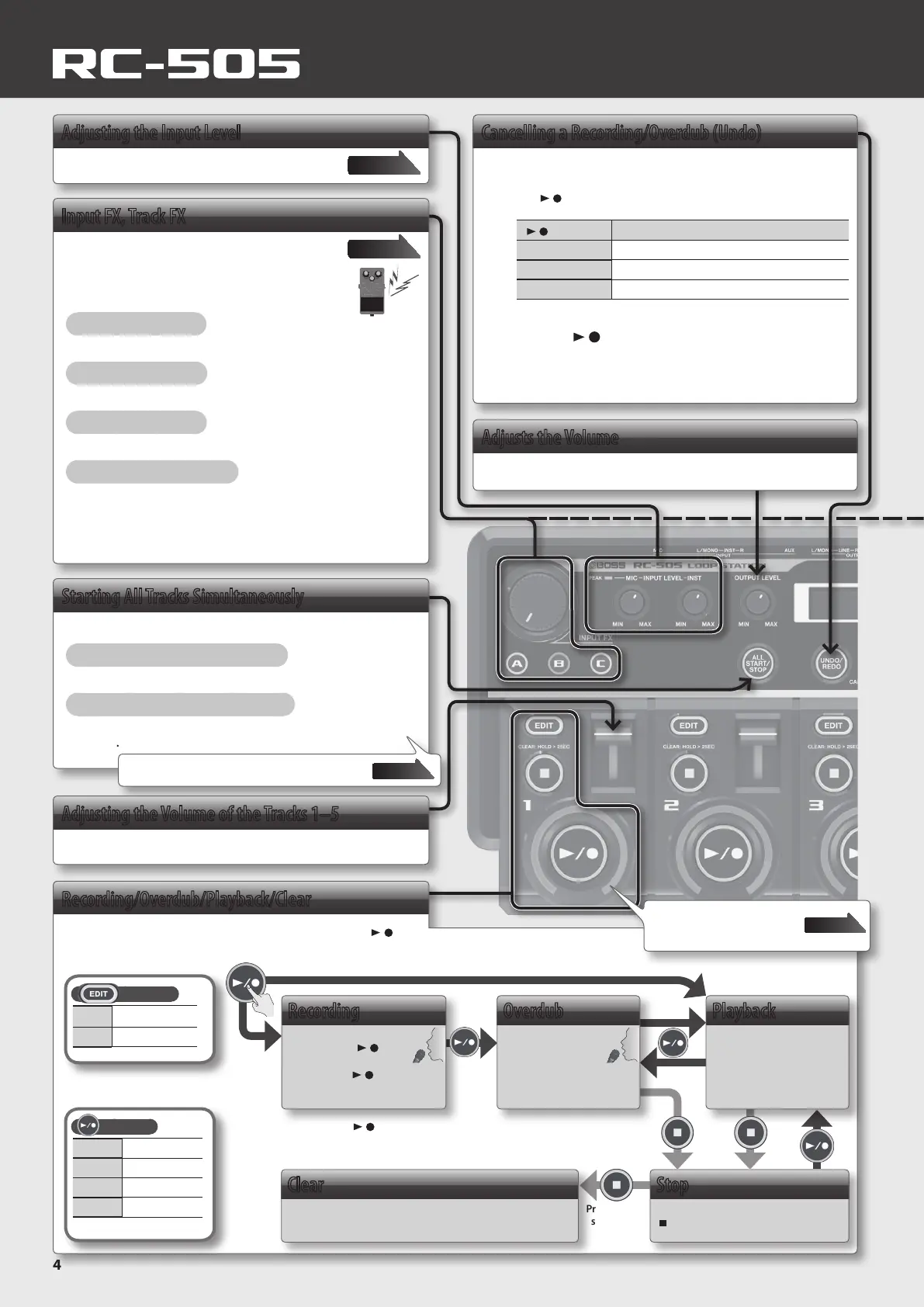
Adjusting the Input Level
You can adjust the input level.
Page 6
Input FX, Track FX
You can apply eects to the audio input and to
the sound of the tracks, respectively.
Three types of eect settings are stored in buttons
[A]–[C].
Turning an Eect On
Press a button [A]–[C] to make it light.
Turning an Eect O
Press the lit button [A]–[C] to make it go dark.
Controlling an Eect
Turn the [INPUT FX]/[TRACK FX] knob.
To Change the Eect Type
1.
Press a button [A]–[C] to make it light.
2. Use the [MEMORY/VALUE] knob to select the eect type you
want.
3. Press the [EXIT] button to return to the play screen.
Page 20
Starting All Tracks Simultaneously
Here’s how to start playing all tracks simultaneously.
Starting All Tracks Simultaneously
Press the [ALL START/STOP] button.
Stopping All Tracks Simultaneously
During playback or recording, press the [ALL START/STOP]
button.
Cancelling a Recording/Overdub (Undo)
Here’s how to cancel recording/overdubbing for a track.
1. Press the [UNDO/REDO] button.
The [ / ] buttons of each track will blink.
[ / ] button
Explanation
Green Undo is available
Red Redo is available
Unlit Undo/redo unavailable
* Redo is only available for overdub.
2. Press the [ / ] button of the track that you want to undo/
redo.
3. Press the [UNDO/REDO] button once again to return to the
normal state.
Recording/Overdub/Playback/Clear
To perform recording, overdub, and playback, press the [ / ]
button as shown in the diagram.
Adjusts the Volume
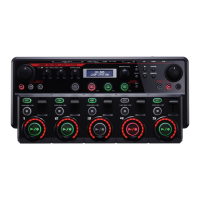
Adjusts the volume of the RC-505.
Indicator
Red Recording
Yellow Overdub
Green Playback
Unlit Stopped
Loop playback will occur if a phrase exists.
Overdub
Record additional
layers while playing
back the loop.
Playback
Play back the loop.
Press for two
seconds or
longer
Indicator
Lit Phrase exists
Unlit No Phrase
Stop
Regardless of the timing, pressing the
[ ] button will stop the track.
Clear
The track will be cleared.
Page 22
Basic Operation Guide
You can use “All Start” to specify the tracks that
will start simultaneously.
Page 16
Adjusting the Volume of the Tracks 1–5
The track sliders adjust the volume of tracks 1–5.
* Pressing the [ / ] button will normally switch the RC-505’s state in the order
of recording g overdub g playback. However, if desired, you can change
this order to recording g playback g overdub (p. 15).
The loop indicator shows the
track status, loop position, and
level.


 To Next Page