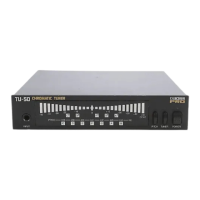
2. Press the MODE button or STREAM/CENT button to change the reference pitch. MODE button: Raises the reference pitch by 1 Hz. STREAM/CENT
button: Lowers the reference pitch by 1 Hz.
* If you allow several seconds to elapse without pressing the MODE button or STREAM/CENT button, the TU-3W will return to normal operation.
* When you turn on the power, the current reference pitch will be displayed for several seconds.
* This setting remains stored even after the power is turned off.
Changing the Meter’s Brightness (High Brightness mode) By switching the meter to High Brightness mode, you can increase its visibility when performing
outdoors. To switch to High Brightness mode, hold down the STREAM/CENT button for two seconds or longer. To return to normal brightness, hold down the
STREAM/CENT for two seconds or longer once again.
* Normal brightness is automatically selected when you turn on the power.
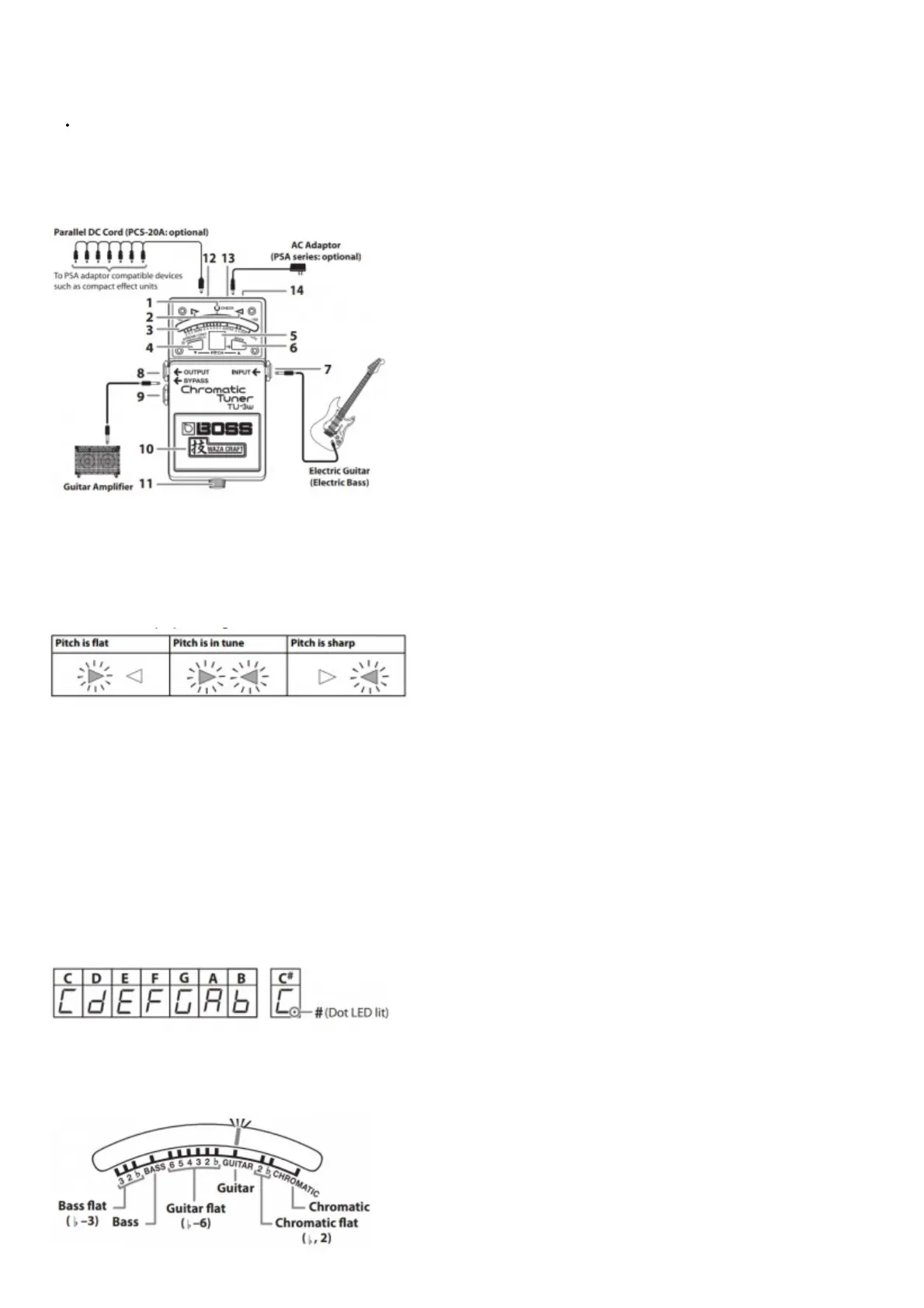
Panel Descriptions
* If you connect other effect units, you must connect them after the TU- 3W. If the TU-3W is connected after other effect units, you won’t be able to tune correctly.
1. CHECK Indicator
This indicator shows whether the effect is on or off, and also doubles as the battery check indicator.
* If you’re powering the unit with a battery and the CHECK indicator goes dim—or doesn’t light at all—when you try to turn the effect on, the battery is near depletion
and should be replaced. For instructions on changing the battery, refer to “Changing the Battery.”
2. Tuning Guide Indicator
Indicates when the proper tuning is reached.
3. Meter
Indicates the tuning of the input sound’s pitch.
4. STREAM/CENT button
Switches the meter’s display pattern.
* This setting remains stored even after the power is turned off.
CENT display
The meter lights farther toward the left as the pitch gets flatter, or farther toward the right as the pitch gets sharper. When the pitch is correct, the center of the meter
lights green.
* The center of the meter and the tuning guide indicator remain lit for several seconds after you’ve selected this setting.
STREAM display
The meter lights stream toward the left if the input pitch is flat, or toward the right if the input pitch is sharp. The lights flow more slowly as the pitch discrepancy
decreases, and stop flowing when the pitch is exact.
* The meter lights stream toward the left for several seconds after you’ve selected this setting.
5. Note Name/String Number Indicator
Indicates the note name, string number, or reference pitch.
Note indicator
6. MODE Button
The tuning mode changes each time you press the MODE button. The meter lights at the position of the currently selected mode.
* When you turn on the power, the current tuning mode will be displayed for several seconds.
* This setting remains stored even after the power is turned off. In this example, the Tuning mode is set to GUITAR.



 To Next Page