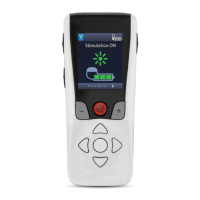
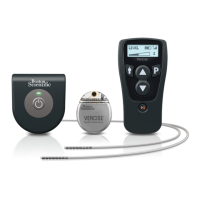
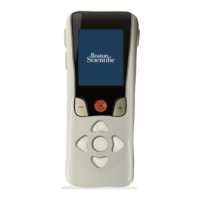
Vercise™ DBS Remote Control 4 Directions for Use
92378769-02 iii of iv
Table of Contents
Description ...............................................................................................................................................1
Cautions ...............................................................................................................................................1
Remote Control Features ........................................................................................................................2
Basic Operation ....................................................................................................................................... 3
Unlocking the Remote Control .............................................................................................................3
Linking a Remote Control to a Patient’s Stimulator .............................................................................4
Establishing Communication Between Stimulator and Clinician Programmer .....................................6
The Home Screen ................................................................................................................................7
Turning Stimulation ON/OFF ...............................................................................................................8
Selecting Your Language/Screen Preference ......................................................................................8
Accessing Additional Options from the Main Menu .............................................................................9
Accessing the Main Menu ....................................................................................................................9
Program Selection and Activation ......................................................................................................10
Restoring Programs ........................................................................................................................... 11
Changing Stimulation Level ...............................................................................................................12
Accessing System Settings ..................................................................................................................13
System Settings Menu .......................................................................................................................13
Remote Settings ................................................................................................................................13
System Info ........................................................................................................................................16
Accessing the Clinician Menu ..............................................................................................................18
Stimulator Search and Linking ...........................................................................................................20
Impedances .......................................................................................................................................24
Reset Stimulator ................................................................................................................................26
CP Mode: Stimulator ..........................................................................................................................27
Exit Clinician Mode ............................................................................................................................28
Remote Control Battery ........................................................................................................................29
Remote Control Battery Status ..........................................................................................................29
Recharging the Remote Control ........................................................................................................29
MRI Mode ................................................................................................................................................30
Enabling MRI Mode ...........................................................................................................................30
Disabling MRI Mode...........................................................................................................................33
MRI Mode Error Screens ...................................................................................................................36
ERI or EOS Screens During MRI Mode .............................................................................................40
Stimulator Battery Messages ...............................................................................................................43
ERI (Elective Replacement Indicator) Screen (For Non-Rechargeable Stimulators Only) ................43



 To Next Page
 Loading...