EasyManua.ls Logo

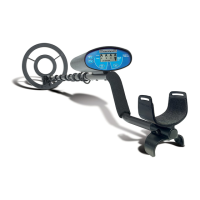
Bounty Hunter Sharp Shooter II - User Manual

Bounty Hunter Sharp Shooter II
20 pages
Print Icon
To Next Page IconTo Next Page
Loading...
OWNER’S MANUAL
The Sharp Shooter II is a professional metal detector. The concepts
and terminology can be quite unfamiliar if you are new to the
hobby. To understand it quickly and to get the most enjoyment
possible from your detector, we strongly recommend that you:
1)
Turn the Sensitivity knob to a low setting if you get false
signals. A little practice is required to understand when and how
you can use the sensitivity at or near 100%.
2)
Do not use indoors. This detector is for outdoor use only. Many
household appliances emit electromagnetic energy, which can
interfere with the detector. If conducting an indoor
demonstration, turn the sensitivity down and keep the search
coil away from all floors, walls and metal objects.
3)
Do not test by placing coins on the floor. Most floors contain
metal.
4) Read this manual.
Most importantly, review the
Summary of Operating Modes .
5) Sweep the search coil from side-to-side. Coil motion is required
in the motion modes to detect metal.
6) Use 9volt
ALKALINE batteries only.
Do not use Heavy Duty batteries.
Do not use normal Zinc-Carbon batteries.
Question and Answer IconNeed help?

Do you have a question about the Bounty Hunter Sharp Shooter II and is the answer not in the manual?

Summary

Terminology

Glossary of Terms

Defines key terms used in the manual for metal detecting.

Quick-Start Demo

Demo Setup and Preparation

Covers supplies, positioning, and powering up the detector for the demo.

Demonstrating Detection Modes

Covers waving objects, discrimination, notch, and no-motion mode.

Basic Operation

Motion Modes

Details on operating the detector in motion-based modes.

No-Motion Mode

Details on operating the detector in the no-motion mode.

Summary of Operating Modes

Motion Mode Summaries

Summaries of motion-based operating modes.

No-Motion Mode Summary

Summary of the no-motion all-metal mode.

LCD Target Display

Reading the Display

How to interpret the LCD target display readings.

Target Identification Categories

Descriptions of metal types displayed on the LCD scale.

Using Headphones

Indicators & Sensitivity Adjustment

Battery Indicator

Explains the low battery warning indicator.

Mode Indicator

Explains how the mode indicator works.

Sensitivity Adjustment

How to adjust the sensitivity for optimal performance.

Audio Target ID

Iron & Steel

Describes audio tones for iron and steel targets.

Gold

Describes audio tones for gold targets.

Pull Tabs

Describes audio tones for pull tabs.

Copper, Silver & Brass

Describes audio tones for valuable metals.

In the Field Techniques

Pinpointing

Technique for locating targets accurately.

Coil Movement

Proper techniques for swinging the search coil.

In the Field Techniques - No-motion mode

Retuning

Procedure for re-tuning the detector.

Temperature Change

How temperature affects detector performance.

Pinpointing

Pinpointing targets in no-motion mode.

Detection Field

Describes the detector's detection field.

Metal Detecting Applications

Common Applications

Details on coin, relic, cache, and jewelry hunting.

Other Uses

Describes alternative applications for the detector.

Troubleshooting Guide

Treasure Hunters Code of Ethics

5-Year Limited Warranty

Bounty Hunter Sharp Shooter II Specifications

General IconGeneral
Frequency6.6 kHz
Search Coil Size8 inches
Weight2.5 lbs
SensitivityAdjustable
PinpointYes
Search CoilWaterproof
LengthAdjustable
Ground BalanceManual
DisplayLCD
TypeVLF (Very Low Frequency)
DiscriminationYes
Audio OutputSpeaker and Headphone Jack
Search ModesAll Metal, Discrimination
Battery9-volt
Power9V battery

Related product manuals