http://web.archive.org/web/20000823212250/www.detecting.com/page26.htm
Images are excluded due to the memory requirements; therefore, there will be references to
illustrations that do not exist in this text only document. All illustrations can be found in the original manual
published by First TX Mfg. Co. and available through the factory: (915) 855-4206.
Copyright ®1998 by Bounty Hunter Corp./First TX Mfg. Co.
All rights reserved, including the right to reproduce this Website and content, or parts thereof, in any form, except for the
inclusion of brief quotations in a review. Published by Bounty Hunter Corp./First TX Mfg. Co.
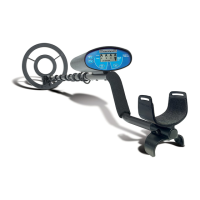
Bounty Hunter Time Ranger
This Detector has two distinct systems in one:
1. No-Motion ALL METAL Mode with SMART TRAC: In this setting, detected targets will cause the
detector to sound off for as long as the target is under the searchcoil--motion is not required to detect a target.
When operating in this Mode, it is required to push the SMART TRAC touchpad to allow the unit to measure
the ground conditions for peak performance (see page 8 for important procedures). All targets will be
detected with a continuous medium tone. Sensitivity should be decreased or increased if necessary to obtain a
low threshold sound from the speaker. After adjustment, SENSITIVITY reading will stay on "5".
2. Motion DISC TARGET Mode: Operates with Three Tone Audio Target Identification, SENSITIVITY
touchpads and Automatic Ground Balance--the SMART TRAC touchpad does not apply in this mode of
operation. In this MODE three levels of PRESET can be selected by pushing the PRESET touchpad up to
three times. Motion is now required to make a detection--items will be tuned out if coil is not in motion (see
page 13 for PRESET details). SENSITIVITY setting, "2" through "8", will read as adjusted.
NOTE: Do not attempt to test unit by placing coin or metal objects onto a floor, because most floors contain
metal which will interfere with the detector's operation.
ASSEMBLY..........................................3
S-Rod Assembly.....................................3
Mounting the Coil....................................3
INSTALLING BATTERIES.......................4
Resetting the Detector................................5
Sentron Co-Relator...................................5
USING HEADPHONES............................6



 To Next Page

 General