EasyManua.ls Logo

Bounty Hunter TimeRanger - User Manual

Bounty Hunter TimeRanger
40 pages
Print Icon
To Next Page IconTo Next Page
Loading...
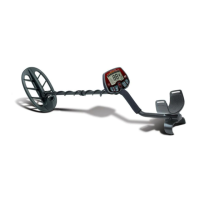
TimeRanger
Metal Detector
Owner’s Manual
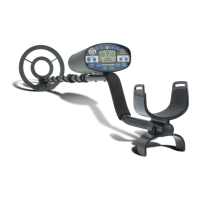
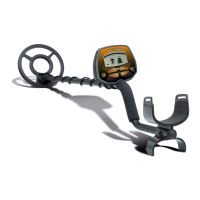
The new improved Time Ranger™ is a top-of-the-line professional
metal detector with the kind of depth performance and sophisticated
features demanded by the serious metal detector enthusiast. A
large LCD screen displays the current operating status at all times,
and displays probable target type and depth when metal is detected.
All features are either named on the touchpads or displayed on the
screen, making it easy for you to program it the way you want.
The Time Ranger™ can be used as a "turn on and go" metal
detector (see page 4 ). However, you'll find a lot more if you read
the manual to acquaint yourself with the many performance-
enhancing features which the Time Ranger™ offers.
Waterproof searchcoil
Touchpad control panel
Microprocessor-controlled
LCD screen with target ID readout
Readout of ground mineral conditions
Numeric readout of target conductivity
SMART TRAC computerized ground balancing
Programmable target type acceptance or rejection
All Metals Pinpoint mode for pinpointing target position
Self-Tuning all metals mode for maximum depth in mineralized ground
Search for coins, lost jewelry, relics, gold nuggets, and other valuable metals

Table of Contents

Questions and Answers

Summary

Quick Start Guide

Understanding Metal Detecting Basics

Types of Metal Detecting

Details various methods of metal detecting, such as coinshooting and relic hunting.

How Metal Detectors Function

Metal Detector Capabilities and Limitations

Detector Depth Performance

Details the maximum detection depth for various object sizes under different conditions.

Target Identification System

Explains how the detector identifies metal types based on conductivity.

Motion Requirement for Detection

Understanding Ground Balancing

Describes the Smart Trac computerized ground balancing feature for depth.

Metal Discrimination Features

Details the detector's ability to ignore unwanted metal objects.

Interpreting Depth Readings

Explains how the detector estimates target depth based on signal strength.

Performing Air Tests

Getting Started with Your Detector

Detector Assembly Instructions

Step-by-step guide for assembling the metal detector components.

Battery Installation and Care

Using Headphones with the Detector

Control Panel Overview

Detector Control Touchpad Functions

Numeric Target Identification Readout

Probable Target Identification Fields

Explains the categories on the LCD screen for identifying detected metal types.

Understanding the Target Detection Dial

Operating the Metal Detector

Selecting Operating Modes

Guides on how to switch between the detector's various operational modes.

Discrimination and Target ID Modes

Preset Program 1: Low Discrimination

Describes the default mode rejecting iron and foil.

Preset Program 2: Medium Discrimination

Explains the mode that rejects iron, foil, and pulltabs.

Preset Program 3: High Discrimination

Details the mode rejecting iron, foil, pulltabs, and zinc penny categories.

Programmable Discrimination;Target System

Covers the user-programmable system for accepting or rejecting specific target categories.

Using the Blanker Feature

Using the SNIFF Feature

All Metal Operating Modes

All Metal Pinpoint Mode

Describes the mode for precise target location without target ID.

SmartTrac Ground Balancing

Explains the computerized ground balancing for improved depth in all metal modes.

Ground Balance Setting Display

Information on how the ground balance setting is displayed and interpreted.

Preset Program 4: Self-Tuning All Metal

Details the high-sensitivity, self-tuning mode for advanced users.

Metal Detector Search Techniques

How to Sweep the Searchcoil

Explains correct coil movement techniques for optimal detection.

Pinpointing Detected Targets

Pinpointing in Self-Tuning Mode

Specific techniques for pinpointing targets when using the self-tuning mode.

Tips for Retrieving Targets

Managing False Signals and Chatter

Estimating Target Size, Depth, and Shape

Ground Balancing Tips and Best Practices

Metal Detecting Types and Tips

Coinshooting Techniques and Tips

Specific advice and considerations for searching for coins.

Relic Hunting Guide

Information and tips for searching for historical artifacts and relics.

Gold Prospecting Techniques

Details on finding gold, including suitable locations and challenges.

Cache Hunting Methods

Guidance on researching and searching for hidden caches of valuables.

Shallow Water Hunting

Advice for metal detecting in shallow water environments, including beaches.

Metal Detector Troubleshooting Guide

Common Detector Problems and Solutions

A table listing typical issues and recommended corrective actions.

Resources for Learning More

Metal Detecting Organizations

Information on key organizations supporting the metal detecting hobby.

Metal Detecting Magazines

Recommended publications for treasure hunting and metal detecting enthusiasts.

Metal Detecting Vendors

Lists vendors offering related books, maps, and equipment.

Metal Detector Specifications

User Notes Section

Additional User Notes

Treasure Hunters Code of Ethics

Bounty Hunter TimeRanger Specifications

General IconGeneral
BrandBounty Hunter
ModelTimeRanger
CategoryMetal Detector
LanguageEnglish

Related product manuals