EasyManua.ls Logo

Bounty Hunter Tracker II - User Manual

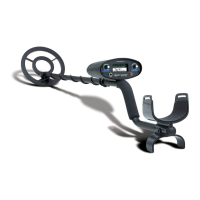
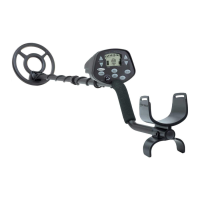
Bounty Hunter Tracker II
16 pages
Print Icon
To Next Page IconTo Next Page
Loading...
OWNER’S MANUAL
Your Tracker II is an advanced technology Metal Detector. If you
are new to the hobby or have never used a metal detector before,
we recommend that you:
1)
Do Not Use Indoors. Household appliances generate
electromagnetic fields, which can interfere with the detector.
If demonstrating indoors, turn the sensitivity down and keep the
search coil away from floors, walls, and metal objects.
2)
Turn SENSITIVITY knob to a low setting in the event of false
signals or chatter.
A little practice is required to understand
when and how to position the sensitivity at or near 100%.
3) Use 9-volt
ALKALINE batteries only.
4)
Please read this manual.

Questions and Answers

  • D
    Darrell HuffmanJul 26, 2025
    How to fix a Bounty Hunter Tracker II Metal Detector with no power and no sounds?
    • M
      Mary HallJul 26, 2025
      If your Bounty Hunter Metal Detector has no power and makes no sounds, the cause could be dead batteries or a cord that is not connected properly. To fix this, replace the batteries and check all connections to make sure they are secure.
  • J
    John HarringtonJul 31, 2025
    Why my Bounty Hunter Tracker II has no power, sounds, chatters, or beeps erratically?
    • A
      Andrew TateAug 1, 2025
      If your Bounty Hunter Metal Detector has no power, produces no sounds, chatters, or beeps erratically, here's what you can do: * **Check the batteries:** Replace them if they are dead, ensuring they are 9-Volt ALKALINE (avoid heavy-duty batteries). * **Battery Connection:** Ensure the batteries are securely snapped onto the connectors. * **Reduce Interference:** Move away from power lines, operating machinery, or other metal detectors (keep at least 20 feet apart). * **Environment:** Use the detector outdoors only. * **Sensitivity:** Reduce the sensitivity if it's set too high for the environment.
  • D
    Daniel ThompsonAug 5, 2025
    Why does my Bounty Hunter Tracker II chatter or beep erratically?
    • I
      Isaiah WalshAug 5, 2025
      If your Bounty Hunter Metal Detector chatters or beeps erratically, it could be due to several reasons. It might be electromagnetic interference from power lines or operating machinery, using the detector indoors, being too close to another metal detector (keep at least 20 feet apart), using the wrong type of batteries (use 9-Volt ALKALINE batteries only), or having the sensitivity set too high for the environment. To resolve this, try using the detector outdoors, reducing the sensitivity, and ensuring you are using the correct type of batteries.
  • K
    Kimberly BowmanAug 10, 2025
    What to do if my Bounty Hunter Metal Detector beeps at the end of sweeps?
    • J
      Jack BrooksAug 10, 2025
      If your Bounty Hunter Metal Detector beeps at the end of sweeps, giving false signals, it's likely due to improper sweep technique. Avoid swinging the coil like a pendulum. Instead, sweep the coil parallel to the ground to ensure accurate readings.
  • E
    Evan WeberAug 15, 2025
    What to do if my Bounty Hunter Metal Detector has many false signals?
    • T
      Timothy PorterAug 15, 2025
      If your Bounty Hunter Metal Detector is giving many false signals, consider the following: * **Ground Balance:** Ground balance the field according to the instructions. * **Sensitivity:** Reduce the sensitivity setting. * **Targets:** Only dig up repeatable signals to avoid oxidized targets. * **Discrimination:** Increase the discrimination level by turning the control clockwise.
  • J
    Jennifer BrownAug 20, 2025
    How to fix false signals when Bounty Hunter Tracker II beeps at end of sweeps?
    • J
      jeffreyjohnsonAug 20, 2025
      If your Bounty Hunter Metal Detector beeps at the end of sweeps (giving false signals), it might be due to improper sweep technique. Ensure you sweep the coil parallel to the ground, avoiding swinging it like a pendulum.

Summary

Terminology Definitions

Basic Metal Detector Terms

Definitions of core terms like Elimination, Discrimination, Relic, Iron, Ferrous.

Operational Terms

Definitions of terms like Pinpointing, Pull-Tabs, Ground Balance, Waterproof.

Application Terms

Definitions of terms like Coinshooting, Cache.

Detector Assembly Instructions

Detector Parts Identification

Lists the main components of the metal detector for assembly.

Stem and Coil Assembly

Instructions for connecting the lower stem to the upper stem and winding the cable.

Battery Installation

Guidance on installing the required 9-volt ALKALINE batteries.

Quick-Start Demonstration Guide

Supplies and Positioning

Items needed and detector positioning for the demonstration.

Power Up and All-Metals Sweep

Steps to power up and test the All-Metals mode.

Tone and Discrimination Modes Demo

Demonstrates detector responses in Tone and Discrimination modes.

Getting Started in the Field

Stance and Sweep Technique

Proper body posture and coil swinging technique for effective detection.

Target Response Interpretation

How to interpret the detector's audio signals for target identification.

Starting Control Settings

Recommended initial settings for the detector's controls.

Operating Modes Overview

All-Metals Mode

Detects all metals with a single tone response.

Tone Mode

Ferrous metals are eliminated; two-tone response classifies metals.

Discrimination Mode

Full discrimination eliminates ferrous metals; two-tone response classifies.

Ground Balancing Procedure

Ground Balance Adjustment

Procedure for adjusting the Ground Control for optimal performance in various soils.

In the Field Techniques: Target Location

Tone Response Interpretation

Classifying buried objects by different tones and repeatability.

Pinpointing Technique

Methods for accurately locating the exact position of a buried target.

In the Field Techniques: Target Identification

Gold Targets

How gold objects produce tones and their discrimination settings.

Silver Targets

How silver objects produce tones and their handling.

Discrimination Control

How rotating the Discrimination knob eliminates metals.

Sensitivity Adjustment

Using Sensitivity to eliminate EMI or isolate targets.

In the Field Techniques: Trash and Indicators

Low Battery Indicator

How the indicator light signals the need for battery replacement.

Trash Items: Pull-Tabs

Characteristics and detection of pull-tabs, a common trash item.

Trash Items: Cans

How cans are detected and distinguished from valuable targets.

Trash Items: Foil

How foil is detected and its common tone response.

Metal Detecting Applications

Coin and Jewelry Hunting

Settings for coinshooting and jewelry hunting applications.

Relic and Cache Hunting

Techniques for finding historical relics and hidden valuables.

Utility and Other Applications

Using the detector for property markers and lost items.

Troubleshooting Common Issues

No Power or Sounds

Symptoms, causes, and solutions for a detector that does not power on or make noise.

Erratic Chatter or Beeps

Causes and solutions for a detector that produces inconsistent or false signals.

Beeps at End of Sweeps

Causes and solutions for false signals occurring at the end of sweeps.

Many False Signals

Causes and solutions for frequent false signals encountered in the field.

Care and Maintenance Guidelines

Handling and Storage

Proper methods for handling and storing the metal detector.

Cleaning the Detector

Instructions on how to clean the metal detector safely.

Coil Submersion and Rinsing

Guidelines for submerging the coil and rinsing after use in saltwater.

Tampering and Warranty

Warning against modifying internal components and its effect on the warranty.

Available Accessories

Finds Pouch and Digging Tool

Details on accessories for collecting finds and digging.

Coil Cover

Information about the protective cover for the search coil.

Headphones

Benefits of using headphones with the metal detector.

Carry Bag

Description of the custom-sized carry bag for the Tracker II.

Treasure Hunters Code of Ethics

Ethical Conduct Guidelines

Rules for respecting property, laws, and preserving historical sites.

Product Warranty Information

5-Year Limited Warranty

Details on the 5-year limited warranty for defects in workmanship or materials.

Bounty Hunter Tracker II Specifications

General IconGeneral
Frequency6.6 kHz
Search ModesAll Metal, Discrimination
Search Coil Size8 inches
Search CoilWaterproof
DiscriminationYes
Pinpoint ModeYes
SensitivityAdjustable
Ground BalancePreset
Target IndicatorsAudio and Visual
DisplayLCD
Weight2.5 lbs
Power SourceBattery
TypeVLF
Intended UseGeneral Purpose
Battery9V (not included)
Warranty5 years

Related product manuals