76
Printed Circuit
Board Assembly
(PCBA)
Printed Circuit
Board Assembly
(PCBA)
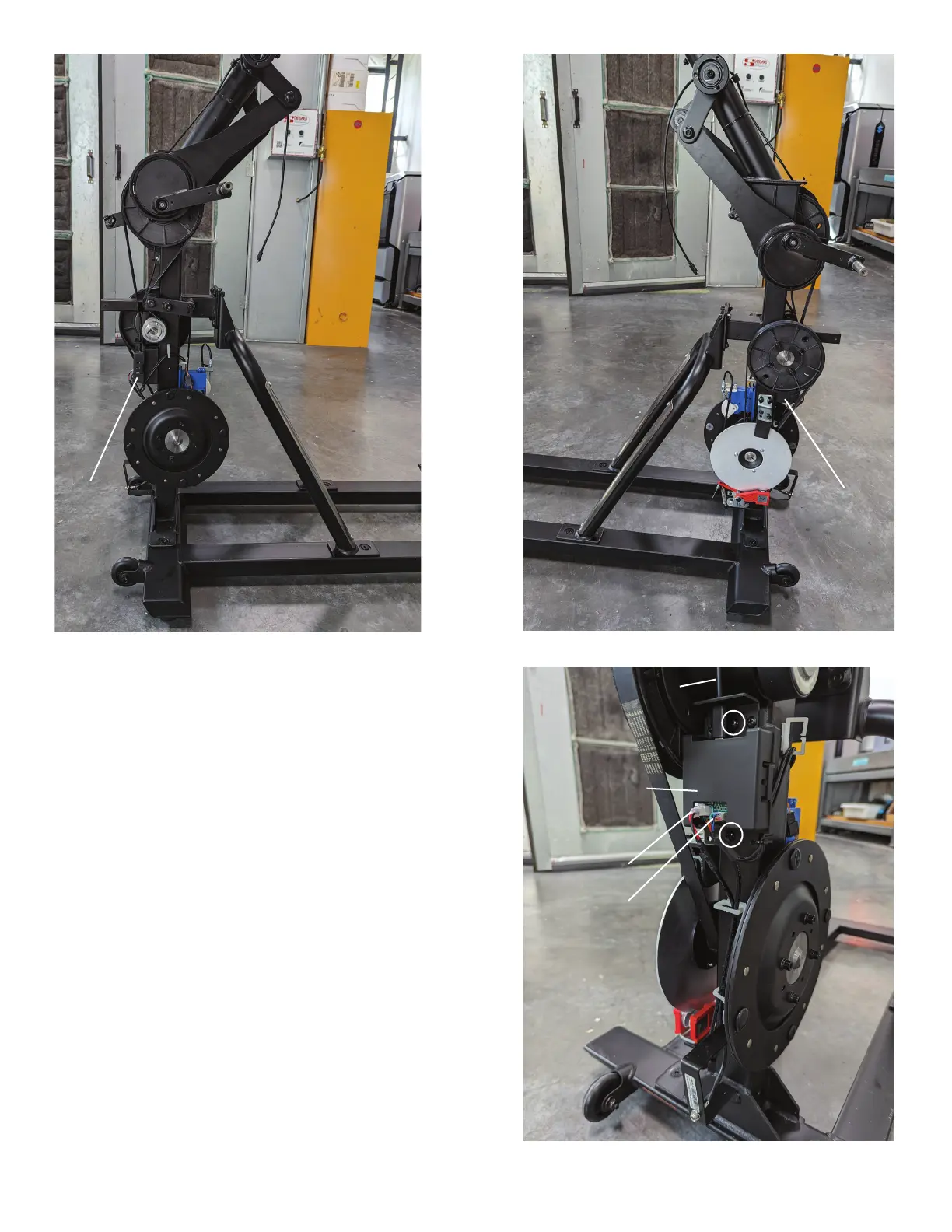
19. Remove the Cables from the PCBA.
Note: Be sure to note where all cables attach for re-
assembly. If the Cable Connectors are secured by a
small amount of glue, use a pair of small nose pliers to
grab and remove the glue.
NOTICE: Do not cut or pinch the cables.
20. Using a #2 Phillips screwdriver, remove the two
screws (indicated by ovals) that attach the PCBA
to the Frame.
21. Using a #2 Phillips screwdriver, attach the new
PCBA to the Frame.
22. Re-connect the Cables in their appropriate
positions on the PCBA.
NOTICE: Do not cut or pinch the cables.
Main Mast
Cable
Printed Circuit
Board Assembly
(PCBA)
DC Power
Cable
Split Cable
(Servo, Speed
and Resistance)
Assembly














 To Next Page