8
Console
Features
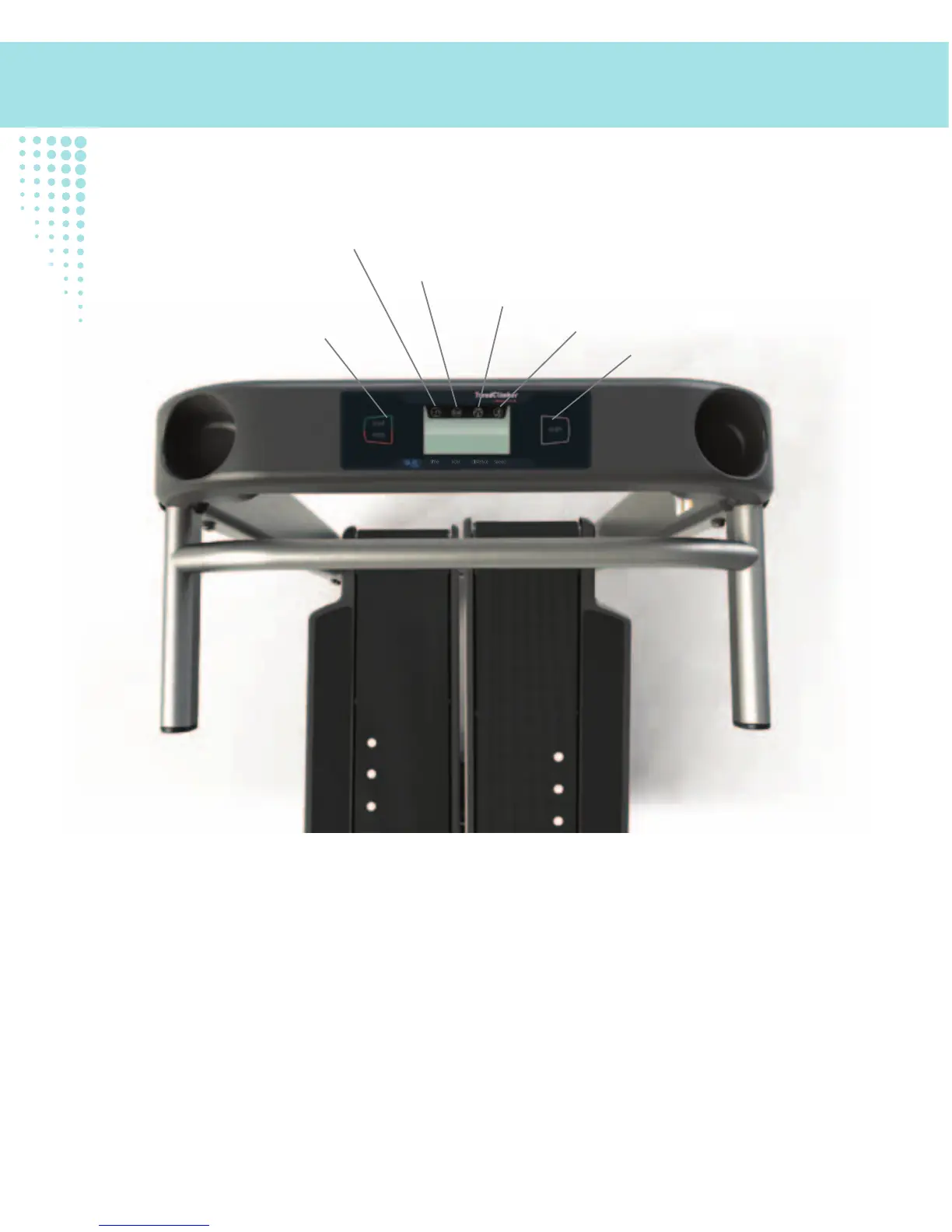
The G.O. Coach™ Console displays one workout value at a time, cycling through all four as you workout.
During this cycling, an icon is shown to defi ne the displayed workout value. The icons are also defi ned below the
console display (time, kcal, distance and speed).
Note: The icons will flash when the workout values are allowed to cycle.
START/STOP button
The START/STOP button will power up the Console and allow you to select an option.
Push and hold the START/STOP button for 3 seconds to end a paused workout, immediately shut down the Console
from the Idle or Results Mode, and to exit the Console Setup Mode.
SCAN button
START/STOP button
Time display
Calories (kcal) display
Distance display
Speed display












 To Next Page