14 | USER GUIDE ProColor 652U, 702U, 752U 862U
Installation Connecting and Setting Menu Operation Troubleshooting Care Maintenance
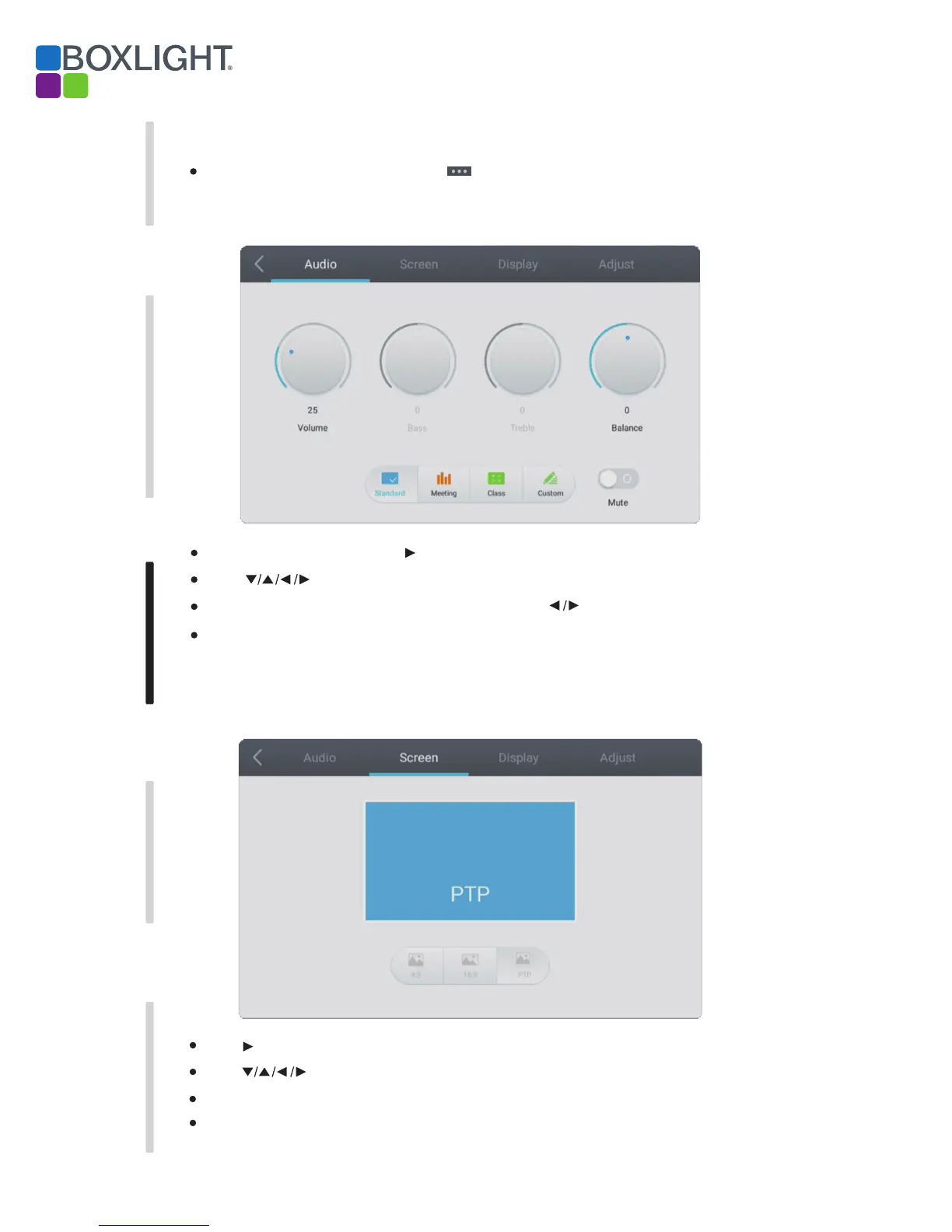
Audio
Screen
Press Menu on remote control or touch the icon on the General Setting menu to call up the details settings menu that
Includes Audio, Screen, Display and Adjust.
Detail Setting Menu
Press on the remote control or directly touch to select the option.
Press Back on remote control, or touch outside the menu to exit menu.
Press Enter on remote control to enter adjustment mode, and press button or directly touch to adjust
Touch the desired setting or press the button on the remote control to select Audio setting menu.
Press Back on remote control, or the screen outside the menu to exit menu.
Press Enter on remote control or touch to enter the selected mode.
Press on remote control or touch to select the option.
Press button on remote control or touch “Screen” to select Screen setting menu.


 To Next Page