USER GUIDE ProColor 652U, 702U, 752U 862U | 13
BOXLIGHT.COM
Installation Connecting and Setting Menu Operation Troubleshooting Care Maintenance
A
Menu Operation
Touch Menu Operation
Activating the Menu - the “Touch-A” method
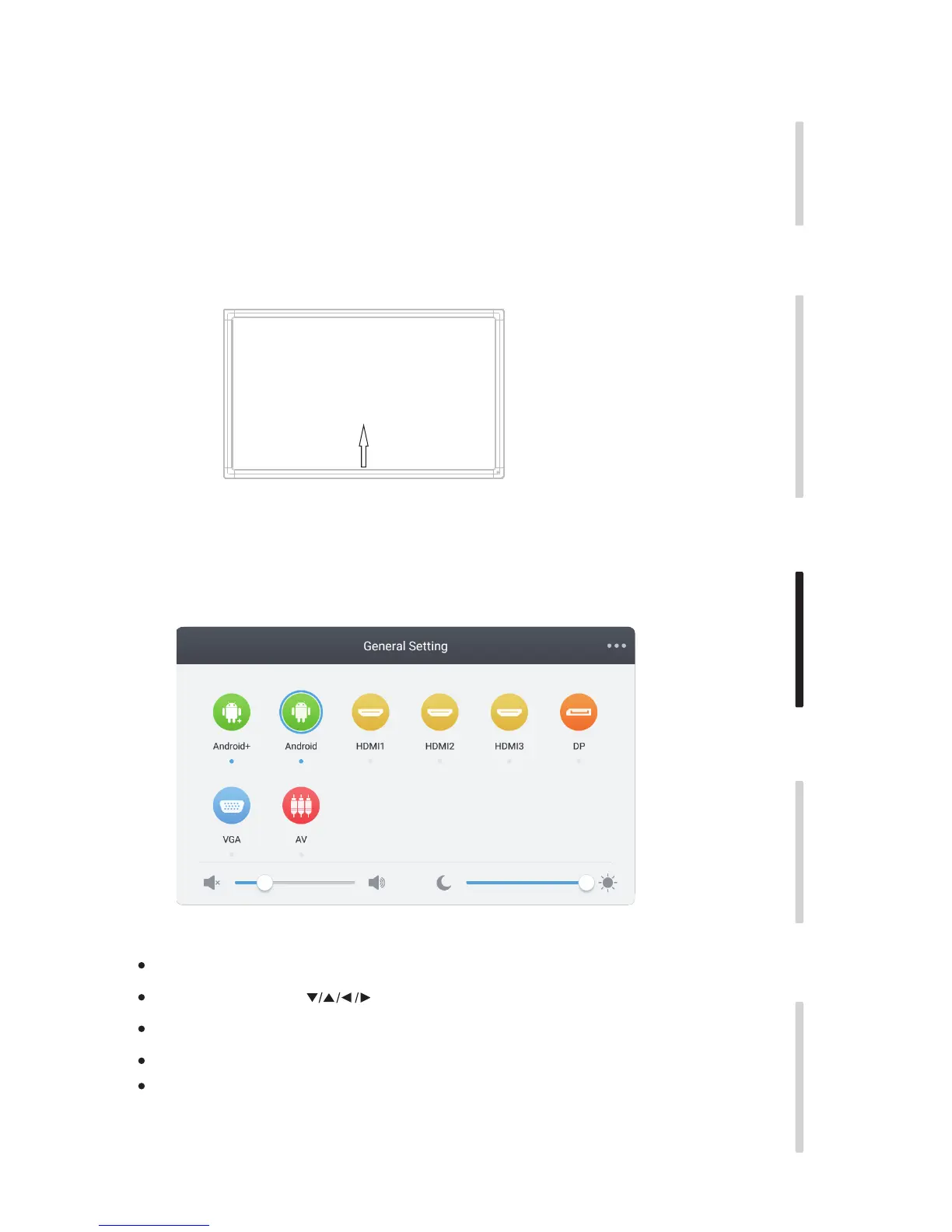
Quickly drag at least two fingers up from the bottom center of the screen as shown below.
Note: The “Touch-A” method mentioned in this manual is as shown above.
Settings Menu
General Setting
Use the INPUT button on the remote control or the Touch-A method to activate.
Using the remote control - use to select the desired input then press “Enter.”
Using touch - touch the relevant icon to select the desired input.
Press the return key on remote control, or touch outside the menu to exit the menu.
Touch and drag to adjust volume or brightness or use the remote control
Note: The icon for the internal PC will only appear the internal PC is installed.


 To Next Page